Have you ever wanted to create stunning, hyper-realistic AI-generated influencers, images, or short videos—and earn from them anonymously?
Thanks to Alive AI and dFans, you now can. In this detailed guide, you’ll learn exactly how to:
- Build custom characters with Alive AI
- Generate lifelike static and animated content
- Edit every detail using inpainting and face match tools
- Monetize it all on a censorship-free, crypto-powered platform
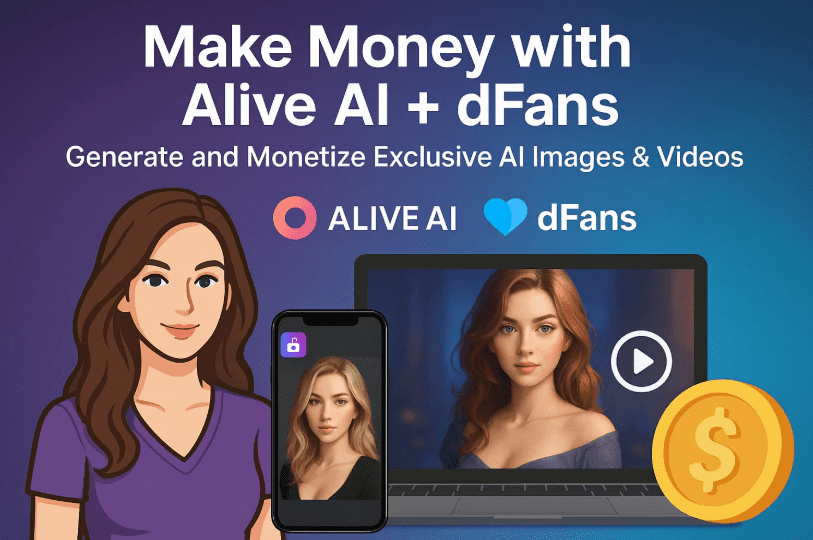
Let’s break this down step-by-step so you can start creating and earning like a modern digital artist.
👨💻 What is Alive AI?
Alive AI is an advanced AI generation platform that lets you:
- Create realistic AI characters
- Customize facial features, poses, and outfits
- Generate high-resolution images
- Animate characters into short, AI-generated videos
- Perform precise edits with inpainting
- And toggle between SFW and NSFW content modes
Whether you’re creating exclusive art, building virtual influencers, or designing for fun, Alive AI gives you an unmatched level of creative freedom—especially when used uncensored.
🧑🎨 Step 1: Getting Started with Alive AI
To begin:
- Go to https://aliveai.app/
- Sign up using your email and password
- You’ll land on a clean dashboard with these main options:
- Basic Mode
- Advanced Mode
- Create V2
- Character Builder
- Image Editor / Inpainting
- Video Generator
- Toggle Safe Mode (SFW) ON or OFF depending on the content you want to generate
🧑🔧 Step 2: Create a Realistic AI Image (Basic Prompt Method)
Let’s try creating a high-quality image using the V2 Create tool.
Here’s how:
- Navigate to Basic > Create V2
- Give your character a name (e.g., “Maya”)
- Enter a prompt like:
"tall female model, long wavy black hair, pink dress, soft lighting" - Choose:
- Gender
- Ethnicity/Region (e.g., Asia, Europe, etc.)
- Face Cleanliness (recommended ON)
- Pose Preset (e.g., standing, seated, lying down)
- Background style (studio, beach, etc.)
- Detail Level: select High Detail
- Click Create
You’ll get an ultra-realistic character in seconds. No design or modeling skills required.
🧬 Step 3: Use Character Builder for Consistency
To ensure your character looks the same across all poses and videos, use the Character Builder.
Steps:
- Click Character Builder
- Choose:
- Gender
- Ethnicity
- Clothing
- Click Use Character
- Enable Face Match
- Upload a base face image or let Alive AI generate one
- Choose between Single Face or Multi-face
- Click Create
This allows you to generate multiple images or videos using the same face and body parameters.
🛠️ Step 4: Refine with Inpainting & Face Editing
Need to change a character’s clothing, hairstyle, or background?








Alive AI’s Edit / Inpaint tool lets you do that:
- Click on an image > select Edit
- Highlight the area you want to change
- Enter a new prompt (e.g., “blue leather jacket”)
- Set strength (e.g., 60%)
- Add negative prompts to avoid unwanted elements
- Click Generate
You can even:
- Re-style hair or outfits
- Add accessories (glasses, jewelry)
- Edit facial expressions
All without using Photoshop!
🎥 Step 5: Turn Your AI Image into a Short Video
Ready to animate your character?
- Go to Generate Video
- Fill in:
- Subject (e.g., “woman in pink dress”)
- Action (e.g., “smiling slowly” or “waving”)
- Duration: 5–10 seconds
- Frames per Second (FPS): 24 or 30 recommended
- Click Generate
The tool will render your request into a smooth, realistic animated clip—perfect for exclusive fan content, social media, or product marketing.
You can also generate Expression Videos (smiling, blinking, nodding, etc.) using built-in presets.
📁 Step 6: Organize Your Content for Monetization
Before we talk about money, let’s prep your content properly.
You can:
- Create image bundles (4–6 themed edits)
- Add a few 5–10 second videos per character
- Label them by theme (e.g., “Evening Glam”, “Beach Vibes”, etc.)
- Store and reuse them for new video combinations or marketing
A neat, thematic collection increases perceived value and helps sell better.
💸 Step 7: Monetize Using dFans — A Decentralized Creator Platform
Once your content is ready, you’ll need a platform to sell it. The best choice right now?
👉 dFans
Unlike traditional platforms, dFans is built on Web3. It’s 100% creator-controlled, anonymous, and pays you in crypto—with no ID verification needed.
🛡 Why dFans?
- ✅ No KYC: Sign up with just name, email, password
- ✅ Crypto Payouts: Ethereum, Solana, USDC, USDT
- ✅ SFW/NSFW Allowed: No unjust censorship
- ✅ Built-in AI Closer: A chatbot that replies to your fans
- ✅ Subscription or Pay-per-content models
- ✅ Global access with geo-blocking features
- ✅ $1 withdrawal fee, no commissions on earnings
It’s ideal for:
- AI influencers
- Virtual avatar creators
- Adult artists
- Cosplay creators
- Fitness and modeling content creators
🧾 Step 8: Setting Up Your Creator Profile
Here’s how to become a verified dFans creator in under 5 minutes:
- Visit https://dfans.xyz
- Click on Become a Creator
- Enter your name, email, password
- Upload a profile picture, banner, and description
- Set:
- Subscription fee (e.g., $10/month)
- Pay-per-view or tip options
- Upload your content bundles (images + videos)
- Share your creator profile link on:
- Twitter/X
- Discord
Tip: Use Alive AI clips as teaser content and dFans for exclusive sets.
💰 Step 9: Getting Paid — Crypto Made Easy
Here’s what makes dFans creator payments a breeze:
- Supports: Ethereum, USDC, USDT, Solana, BNB, Arbitrum
- Accepts:
- Crypto wallets
- Visa/Mastercard
- MoonPay, AlchemyPay, and others
- Withdrawals:
- Instant to crypto
- Flat $1 fee
- No KYC, no waiting for bank clearance
Whether you’re selling art, avatars, or uncensored videos—your earnings stay private, fast, and direct.
🙋♀️ FAQs — Common Questions Answered
Q1: Is Alive AI free to use?
Alive AI provides free credits initially. Advanced features may require upgrades. Visit https://aliveai.app/ to explore plans.
Q2: Can I use real faces?
No. Always generate original content. Using real or celebrity faces without permission can result in legal consequences.
Q3: Is dFans legal and safe to use?
Yes. dFans is a decentralized platform. However, it’s your responsibility to comply with your local regulations regarding content type and crypto usage.
Q4: Can I use this for non-adult content?
Absolutely. dFans is a platform for all types of exclusive content—fitness models, cosplay, digital avatars, storytelling, etc.
Q5: Is this anonymous?
Yes. No ID is required. Your wallet, income, and user identity remain private—perfect for creators who value discretion.
🎯 Final Thoughts: Creativity Meets Control
This new wave of tools isn’t just about AI or money—it’s about creative independence.
With Alive AI, you can bring fictional characters to life, build virtual personas, and automate realistic visuals and videos. And with dFans, you finally have a monetization platform that respects your freedom, identity, and earning potential.
You don’t need a design degree. You just need the right tools and the right mindset.
📎 Helpful Links
- 🔗 Create AI Characters & Videos: https://aliveai.app/
- 🔗 Monetize Your Content: https://dfans.xyz
📌 Tags & Hashtags
Tags: ai content creation, uncensored ai images, ai video generator, Alive AI tutorial, dFans monetization, decentralized creator platform, crypto payouts, ai influencer design, face match ai, inpaint editing
Hashtags: #AliveAI #dFans #AIInfluencer #AIMonetization #UncensoredAI #DecentralizedContent #CryptoEarnings #AICharacterBuilder #AIVideoGen








