There are moments in technology that quietly redefine what’s possible. They don’t come with flashy product launches or billion-dollar marketing campaigns — instead, they emerge from a developer’s curiosity and persistence.
Recently, one such event took place almost unnoticed. Yet, it has the potential to change how we think about operating systems, browsers, and even the web itself.
For the first time in history, Linux — the backbone of modern computing — has been successfully ported to run directly inside a web browser. Not on a cloud server. Not inside a virtual machine. But truly, natively, within your browser tab.
And it’s not a demo or a simulation — it’s real Linux, booting its kernel and running commands, right before your eyes.
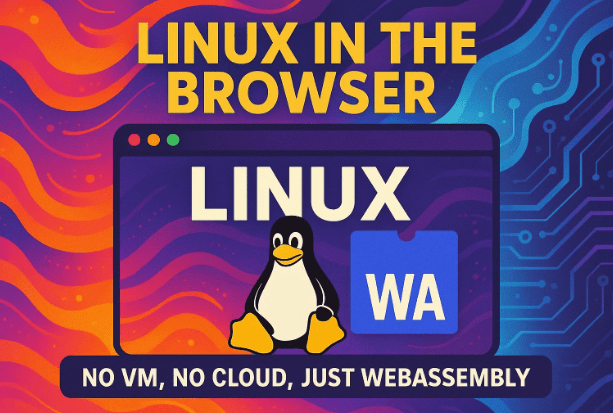
Let’s dive into this remarkable story — how a single developer named Joel Sever achieved what once seemed impossible, what it means for the future, and why the phrase “No VM, No Cloud, Just WebAssembly” might become the next milestone in computing history.
1. The Moment That Changed Everything
Before we explore how this works, it’s worth appreciating how revolutionary this is.
For decades, the idea of “operating systems on the web” was discussed but never realized in a meaningful way. We saw cloud desktops, web terminals, and browser-based simulators — but all of them relied on remote servers doing the heavy lifting.
What Joel Sever accomplished is fundamentally different. After two years of development, he managed to compile and boot the Linux kernel — version 6.4.16, to be precise — to run natively in WebAssembly inside a browser.
That means the kernel isn’t being streamed from a server or emulated through JavaScript. It’s executing locally, on your machine, within the safety of your browser sandbox.
Joel himself described it humbly on the Linux Kernel Mailing List:
“I’ve been slowly porting the Linux kernel to WebAssembly over the past two years. It now boots and can run basic programs from a shell. It’s not stable yet, but it’s a good first step.”











A good first step might be the understatement of the year.
Booting a full operating system kernel — originally designed for physical CPUs and hardware devices — inside a browser environment, is nothing short of extraordinary.
2. Understanding WebAssembly (WASM)
Let’s pause here for a moment. To understand why this is groundbreaking, we need to understand WebAssembly, or WASM.
WebAssembly is not a programming language like JavaScript — it’s a binary format that allows browsers to execute code written in other languages like C, C++, or Rust at near-native speed.
In simpler terms:
WebAssembly lets your browser run complex software that would normally require installation — like video editors, 3D games, or even full programming environments.
It’s secure, sandboxed, and designed to work seamlessly with JavaScript. This means developers can combine the flexibility of web technologies with the performance of compiled languages.
Over the last decade, WebAssembly has quietly reshaped the web. You’ve probably used it without realizing — in Figma’s design tool, AutoCAD’s online version, or gaming engines like Unity WebGL.
But Joel Sever asked a different question:
“If WebAssembly can run any compiled code efficiently, could it run an operating system kernel?”
That single question sparked two years of experimentation, countless failed builds, and eventually, one of the most fascinating milestones in web history.
3. The Technical Challenge: Porting the Kernel
When you think of an operating system like Linux, it’s not just software — it’s a deep, layered system that interacts directly with hardware: memory, CPUs, I/O devices, and storage.
Browsers, on the other hand, live in a restricted sandbox. They have no direct access to your physical hardware for security reasons.
So, how do you reconcile these two extremes?
Joel had to rebuild the Linux kernel’s expectations of hardware into something abstract — something that could live in a browser.
He used the LLVM 18.1.2 toolchain to compile the kernel code into WebAssembly bytecode, and then paired it with a minimal BusyBox user-space (a lightweight collection of basic Linux utilities).
Inside the browser, the kernel boots up, mounts a virtual filesystem, and runs basic commands like:
ls
cat
pwd
echo
It can’t do everything yet, but it behaves like Linux — because it is Linux.
And here’s where the magic lies:
There’s no virtual machine. No cloud server. No emulation.
Just WebAssembly, executing the kernel locally in your browser.
That’s where the line “No VM, No Cloud, Just WebAssembly” perfectly captures the essence of this breakthrough.
4. What Makes This So Hard?
Booting Linux in a browser might sound simple after hearing it runs — but the engineering challenges are mind-boggling.
The Linux kernel expects real hardware. It expects:
- Interrupts from CPUs
- Access to memory and I/O buses
- Device drivers
- A virtual memory manager (MMU)
In a browser, none of that exists.
To make it work, Joel built custom abstractions:
- Virtual devices that mimic the behavior of hardware components.
- System call remapping, translating kernel requests into WebAssembly-compatible operations.
- Process isolation using Web Workers, simulating multiple CPUs.
He even had to rethink memory management since WebAssembly doesn’t have a hardware MMU. Instead, each process runs in its own worker thread, creating a virtual CPU illusion.
Networking doesn’t exist yet, and many low-level features like fork() or longjmp() aren’t supported — but it’s a solid foundation.
If you think about it, this is like turning a gasoline engine into an electric one, while keeping the same pistons and gears. It’s not just a translation — it’s a reinvention of the kernel’s environment.
5. Comparison Table: Traditional Virtualization vs. WebAssembly Linux Port
| Feature | Traditional Virtual Machine | Linux on WebAssembly (Browser) |
|---|---|---|
| Execution Location | Remote or local hypervisor | Directly in your browser |
| Hardware Access | Full virtual hardware layer | Abstracted WebAssembly sandbox |
| Performance | Near-native (with hardware assist) | High, but limited by browser constraints |
| Security | Isolated via hypervisor | Isolated via browser sandbox |
| Setup | Requires installation and configuration | Just open a browser tab |
| Networking | Full stack available | Currently limited |
| Storage | Virtual disk image | Virtual in-memory filesystem |
| Use Case | Servers, virtualization, testing | Education, demos, safe experimentation |
| Tagline | “Your OS inside another OS” | “No VM, No Cloud, Just WebAssembly” |
This table shows just how different this new paradigm is. It’s not virtualization, and it’s not emulation — it’s something entirely new.
6. Why This Matters for the Future
At first glance, it might seem like a fun experiment. But the implications are far-reaching.
Education and Training
Imagine a classroom where every student can launch a full Linux environment — instantly — without installing anything.
No dual-boot setups. No risk of breaking their system.
Just open Chrome or Firefox and start learning Linux commands safely.
Software Testing
Developers can test how their software behaves on Linux directly from any operating system. Windows user? Mac user? No problem — just open a browser tab.
Security Research
Running code in a sandboxed Linux environment inside a browser minimizes the risk of malware affecting your host system. It’s the perfect lab setup for research and reverse engineering.
Accessibility and Portability
This approach breaks the boundaries of platforms. The browser becomes the universal runtime — not the operating system.
It doesn’t matter if you’re on Android, macOS, Windows, or ChromeOS — if you have a modern browser, you can run Linux.
This could easily be the most portable form of computing ever created.
7. The Philosophy Behind It
There’s a poetic aspect to this achievement.
Linux has always stood for freedom and portability — running on everything from supercomputers to smartwatches.
But running inside a browser takes that idea one step further.
It’s no longer about running Linux on hardware. It’s about running Linux beyond hardware — in an abstraction layer that itself runs everywhere.
This isn’t just technical innovation; it’s philosophical.
It demonstrates that the boundaries between hardware and software are fading, replaced by universal abstractions.
In the spirit of open source, Joel’s work embodies the very hacker mindset that built Linux in the first place — experimenting, tinkering, and exploring not because it’s easy, but because it’s possible.
8. What the Linux Community Thinks
Announcing something like this on the Linux Kernel Mailing List is no small matter. That’s where some of the most experienced kernel developers — including Linus Torvalds himself — discuss core architecture.
So when Joel presented his WebAssembly port there, it drew a mix of curiosity and amazement.
Many developers acknowledged the technical brilliance of it, while others wondered about its long-term applications.
Some called it a “proof of concept”; others said it could open a new frontier for lightweight computing.
But one thing was clear — nobody dismissed it.
9. What’s Next?
The current implementation is still early-stage. It crashes sometimes, lacks networking, and doesn’t support complex multitasking yet.
But as with all open-source projects, that’s just the beginning.
Now that Joel has released the code publicly on GitHub, others can contribute — fixing bugs, optimizing performance, and even adding support for graphical interfaces through virtual frame buffers.
If the community embraces it, we might soon see a browser-based Linux desktop running graphical apps — imagine GNOME or XFCE inside Chrome, running entirely client-side.
10. Questions and Answers
Q1: Can I use this to replace my main operating system?
No — at least not yet. It’s unstable and meant for experimentation, not production use.
Q2: Does this require internet or remote servers?
No! That’s the beauty of it. Once loaded, it runs locally in your browser. No cloud, no virtual machine.
Q3: Is it safe?
Yes, browsers isolate WebAssembly code inside a secure sandbox, preventing it from accessing your files or hardware directly.
Q4: What can I do with it now?
You can explore basic Linux commands, understand how a kernel boots, and learn system-level concepts — all without touching your host OS.
Q5: Which browsers support it best?
Chromium-based browsers like Google Chrome or Edge currently handle WebAssembly performance and threading better than Firefox, especially during debugging.
11. Beyond Limits: A New Way to Think About Computing
Let’s take a step back and look at the bigger picture.
When you open that tab and watch the Linux kernel boot, you’re witnessing layers of technology stacked upon each other:
- A 1990s operating system design,
- Compiled into WebAssembly,
- Running inside a modern browser,
- On top of another operating system,
- On top of hardware that was never designed for this.
It’s abstraction over abstraction — and yet it works.
That’s the beauty of computer science: proving that limits exist mostly in our imagination.
12. Final Thoughts
This project isn’t just about running Linux in a browser. It’s about redefining the boundaries of what “local computing” means.
For decades, we’ve used browsers as portals to websites and cloud services. Now, with projects like this, browsers themselves are becoming platforms for operating systems.
One developer, two years, and a lot of perseverance — and suddenly, the definition of “where Linux can run” has changed forever.
Joel Sever’s work is a reminder that innovation often begins in curiosity — and ends in something revolutionary.
So, next time you open your browser, remember: the future of operating systems might already be loading right behind that new tab. But in case if you want to try your hands on it follow the next article
Linux in the Browser: How to Use It Yourself — No VM, No Cloud, Just WebAssembly
#Linux #WebAssembly #WASM #Technology #OpenSource #Innovation #FutureOfComputing #BrowserOS #NoVMNoCloud #LinuxInBrowser