Google recently hosted the Chromebook Showcase event at its London office in Central St. Giles, unveiling exciting updates to both Chrome OS and new Chromebook hardware. One of the key highlights of the event was the debut of the Lenovo Chromebook Plus 14, the first Chromebook Plus powered by an ARM processor — the all-new MediaTek Kompanio Ultra 910.
This article dives deep into everything you need to know about the Lenovo Chromebook Plus 14, the performance capabilities of the new ARM-based processor, exclusive Chrome OS features, and what this means for future Chromebook users.
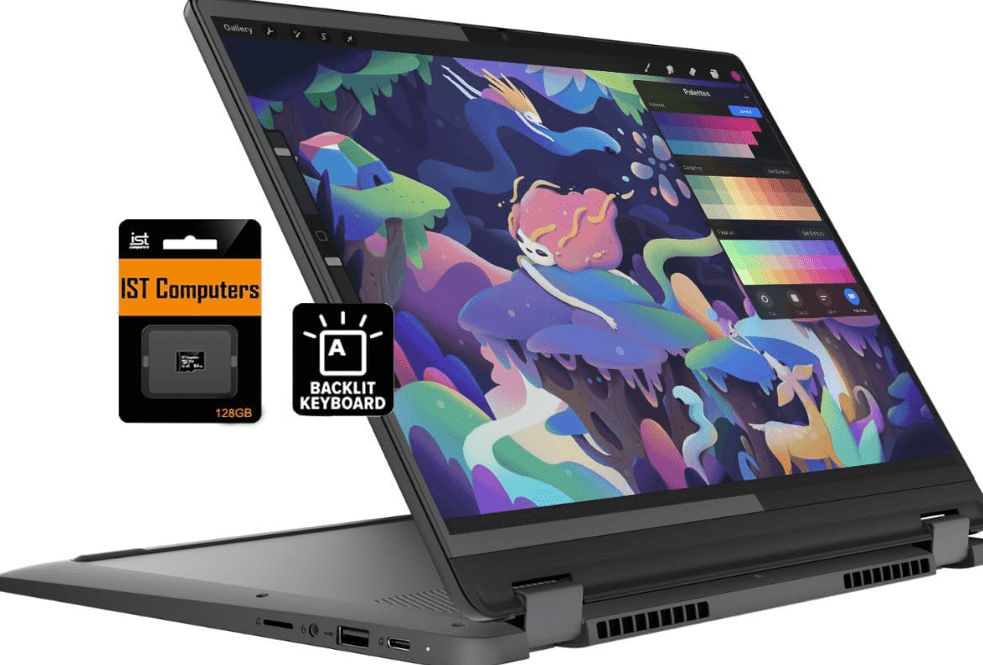
Lenovo Chromebook Plus 14: Key Features and First Impressions
✅ MediaTek Kompanio Ultra 910 Processor
The Lenovo Chromebook Plus 14 introduces the MediaTek Kompanio Ultra 910 (MTU910), a highly efficient ARM processor designed to boost on-device performance, particularly for AI-powered features. Lenovo claims it delivers up to 32% faster performance for Gemini (Google’s AI), especially in local execution scenarios.
✅ RAM, Storage & Battery
- Memory: 12GB or 16GB RAM
- Storage: Up to 256GB
- Battery: 60Wh, up to 17 hours of battery life
- Fanless design for silent operation
These specs place this Chromebook Plus in a strong position for multitasking, productivity, and lightweight creative tasks.
Display & Design
- 14-inch OLED screen
- 100% DCI-P3 color gamut
- Brightness: Up to 400 nits
- Resolution: 1920×1200 (WUXGA) in a 16:10 aspect ratio
- Body Weight: Approx. 1.17 kg (2.58 lb)
- Optional touchscreen variant available
- Aluminum lid, premium feel, and a plastic chassis with excellent grip
The display quality, combined with Dolby Atmos support, makes it ideal for immersive media consumption.
Audio, Camera & Ports
- 4 Speakers: Two upward-facing tweeters + two downward-firing woofers
- 5MP front-facing camera with a manual privacy shutter
- Optional fingerprint scanner
- Minimal port layout, common for MediaTek Chromebooks
Software Enhancements: AI-Powered Features for ChromeOS
Two exclusive AI features for the Lenovo Chromebook Plus 14:
1. Smart Grouping with AI
This feature automatically organizes your open tabs and documents into logical groups based on your tasks and workflows. It makes use of Chrome OS Desks to declutter your workspace and increase focus.
2. AI-Powered Image Editing in Gallery App
Users can now:
- Remove backgrounds
- Create stickers
- Perform quick edits
These tools are great for both students and casual creators.
Other New Chrome OS 137 Features (For All Chromebooks)
📌 Select-to-Search (with Google Lens)
You can now long-press the launcher button or use the screenshot tool to highlight any area on screen and get instant Google search results, even extracting text to paste directly into Docs or Calendar.
📌 AI Image Generation
Chromebook Plus models can now generate images within the quick insert menu, saving time and avoiding the need to separately access Gemini.
📌 “Help Me Read” with Text Simplification
This makes long-form or complex content more readable by generating concise summaries using AI.






📌 NotebookLM Integration
NotebookLM now comes pinned to the ChromeOS shelf by default, enabling users to manage notes more intelligently using Google’s AI features.
Gaming on Chromebooks
As part of Google’s continued focus on gaming, the Squid Games Unleashed app is coming soon to Chromebooks with:
- Desktop-optimized controls
- Keyboard and mouse support
- Exclusive skins
Availability & Pricing
- UK: Expected soon via Currys, Amazon UK, and John Lewis
- USA: Available at Lenovo.com and Amazon (Affiliate link), starting at $649
- EU: Launches in other countries are expected to follow shortly
Frequently Asked Questions (FAQs)
❓ Is the Lenovo Chromebook Plus 14 good for students?
Yes. With long battery life, decent performance, and AI features, it is ideal for note-taking, studying, and creative tasks.
❓ Can you game on the Lenovo Chromebook Plus 14?
Basic Android games and optimized titles like “Squid Games Unleashed” are supported. However, it is not meant for AAA-level gaming.
❓ Does it support Google Play apps?
Yes, like all modern Chromebooks, it supports Android apps through the Google Play Store.
❓ What is the difference between regular Chromebooks and Chromebook Plus?
Chromebook Plus models are equipped with minimum required specs and enhanced AI features that standard Chromebooks may not offer.
Final Thoughts
The Lenovo Chromebook Plus 14 is a significant step forward in the Chromebook ecosystem. By combining an efficient ARM processor with premium features, long battery life, and Google’s AI capabilities, it’s an appealing choice for students, professionals, and everyday users who want more from their Chromebook.
Keep an eye on Lenovo.com and Amazon’s Chromebook section to see when this exciting new model becomes available near you.
Amazon Affiliate Recommendations
Here are some alternatives and accessories that can enhance or replace the Pi Book experience:
1. Entry-Level Budget Tablet (with keyboard support):
Samsung Galaxy Tab A9+
2. Budget Wireless Mouse:
Logitech M221 Silent Wireless Mouse
3. Bluetooth Keyboard for Android Devices:
Logitech K480 Multi-Device Keyboard
4. Low-Cost Android Smartphones:
Redmi A3 4G
Tags:
Lenovo Chromebook Plus 14, ChromeOS 137 features, Chromebook showcase 2025, MediaTek Kompanio Ultra 910, ARM Chromebook Plus, AI tools in Chrome OS, Chromebook for students, Lenovo Chromebook specs
Hashtags:
#LenovoChromebookPlus #ChromeOS137 #ChromebookAI #ChromebookPlus2025 #MediaTekKompanio #GoogleChromebookShowcase #ChromebookNews #ChromebookReview