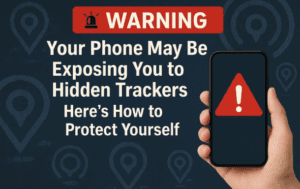
In today’s digital age, smartphone security is more critical than ever. Hackers and spyware can infiltrate your device, gaining access to your calls, messages, camera, microphone, and even your real-time location. If you suspect your phone might be compromised, here’s a detailed guide to detecting spyware and securing your device.

Signs Your Phone Might Be Spying on You
1. Unauthorized Location Tracking
Your phone’s location services can be misused to track your movements without your knowledge. Here’s how to check:
- Go to Settings > Location > Location Services > Google Location Sharing.
- If you see an unknown device listed, tap Stop immediately to prevent tracking.
While location sharing is useful (e.g., for coordinating with friends or family), unauthorized access is a serious privacy breach.
2. Messages and Emails Being Forwarded
Spyware can forward your messages and emails to another device. To check:
- Open your Messaging app, tap your profile picture, and go to Device Pairing > Paired Devices.
- Remove any unfamiliar devices.
For Gmail:
- Open your Google Account > Security > Your Devices.
- Review all logged-in devices and Sign Out of any suspicious ones.
3. Unauthorized Call Forwarding
If your calls are being redirected, someone could be eavesdropping.
- Open the Phone app > Settings > Supplementary Services > Call Forwarding.
- Ensure no unknown numbers are listed (only your carrier’s voicemail number should appear).
Alternatively, dial:
*#21#to check call forwarding status.- If a foreign number appears, dial
##002#to disable it.
4. Camera or Microphone Access Without Permission
A green dot in your status bar indicates an app is using your camera or microphone.
- Go to Settings > Security & Privacy > Permissions > Camera/Microphone.
- Review apps with access and revoke permissions for suspicious ones.
5. Suspicious Device Admin Apps
Some apps gain full control over your phone.
- Go to Settings > Search “Device Admin Apps”.
- Disable any unrecognized apps (except trusted ones like Find My Device).
6. Unknown Bluetooth or Wi-Fi Trackers
Small tracking devices (like AirTags or Tile) can secretly monitor your location.
- Go to Settings > Search “Unknown Tracker Alerts” > Scan.
- Remove any unauthorized trackers.
7. Unexplained Phone Behavior
Watch for:









- Overheating without heavy usage.
- Slow performance or internet speeds.
- Strange noises during calls.
- Unfamiliar screenshots or files.
If multiple signs appear, your phone may be infected with spyware.
How to Protect Your Phone from Spying
- Regularly Update Your Phone – Security patches fix vulnerabilities.
- Restart Monthly – Clears background malware.
- Use Strong Passwords & 2FA – Prevents unauthorized access.
- Install a Trusted Antivirus – Scans for spyware.
- Factory Reset (Last Resort) – Wipes all data, removing malware.
Final Thoughts
Smartphone spyware is a real threat, but vigilance can prevent breaches. Regularly check permissions, monitor connected devices, and stay updated on security best practices.
🔗 Useful Links:
Tags:
Privacy, Cybersecurity, Phone Security, Spyware Protection, Digital Safety
Hashtags:
#PhoneSecurity #StopSpying #CyberSafety #PrivacyMatters #SpywareProtection
Disclaimer: This article is for educational purposes only. If you suspect serious spyware activity, consult a cybersecurity professional. Always back up your data before performing a factory reset.








