In today’s world, we store our lives online — from family photos and documents to personal conversations and creative projects. But what happens when the very company that promises to protect and organize your data suddenly locks you out of everything?
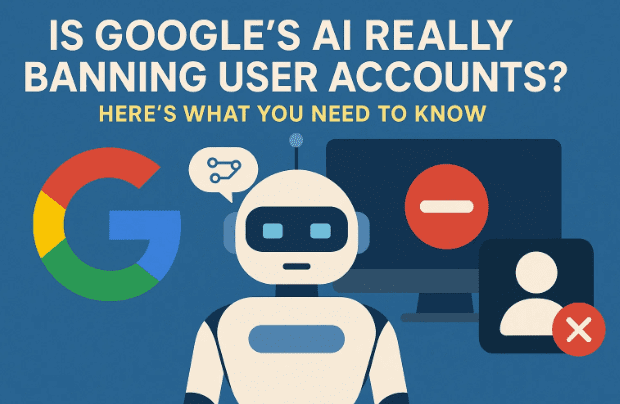
That’s not a hypothetical question anymore. It’s a growing reality for users who rely too heavily on cloud storage — particularly Google’s ecosystem. Reports are increasing of innocent users getting their Google accounts permanently deleted by AI-driven automated systems, often without any real explanation or human review.
In this detailed article, we’ll explore why this is happening, how Google’s AI scanning systems work, real-world cases of false bans, and — most importantly — what you can do to protect your data before it’s too late.
1. The Dangerous Overreliance on Cloud Storage
Let’s begin with an uncomfortable truth: most people treat cloud storage like a permanent vault — but in reality, it’s more like renting space on someone else’s computer.
When you upload files to Google Drive, Google Photos, or Gmail, your data sits on Google’s servers. You’re trusting that Google will always remain secure, responsible, and operational. Unfortunately, that assumption can be risky.
Here’s what many users overlook:
- You don’t own the storage environment — Google does.
- You have limited control over what Google scans or deletes.
- Your account can be disabled or deleted without prior notice.
For most users, that’s a digital nightmare waiting to happen.
Imagine waking up one day to find that you can’t access your photos, Gmail, Docs, or YouTube — all because an automated AI system made a false assumption about your files.
So, let’s move to the next part and understand what’s really happening behind the scenes.
2. Why Google’s AI Systems Are Scanning Your Data
To prevent illegal or unethical content from being uploaded to its servers, Google uses automated scanning algorithms that monitor your Drive, Gmail, and Photos for certain kinds of material — most notably Child Sexual Abuse Material (CSAM).
In principle, this sounds like a good thing. No one wants cloud storage used for illegal activity. The issue, however, lies in how the system works — and more specifically, how AI interprets images and context.







How the Scanning Works
Google’s AI doesn’t just compare your images to a database of known illegal content. It also uses machine learning models to detect “potential” or “new” instances of harmful imagery.
That means your private photos — even if completely innocent — might be flagged as suspicious if they match certain visual patterns.
This leads us to the problem: false positives.
3. False Positives and Account Deletions: When AI Gets It Wrong
Several real-world cases show how flawed this system can be — particularly affecting parents and families.
Take a simple example: a parent takes a photo of their toddler in a bathtub — a completely innocent, traditional family moment. The picture automatically uploads to Google Photos, since Android phones sync media to the cloud by default.
Google’s scanning system reviews the image and — due to nudity and age context — flags it as possible CSAM.
The result?
- The parent’s entire Google account gets suspended.
- All their photos, emails, and documents become inaccessible.
- The flagged material is forwarded to law enforcement for review.
Even if the police later confirm no wrongdoing, Google often refuses to restore the account.
This means users can lose access to years of personal data — photos, emails, and even paid subscriptions — for something as harmless as a baby picture.
4. How Account Bans Destroy Digital Lives
To understand the gravity of this, let’s think about what a Google account controls today. It’s not just an email address anymore — it’s your digital identity.
Here’s what you lose when your account is deleted or banned:
- Gmail access: All your emails, contacts, and archives are gone.
- Linked accounts: Services you used “Sign in with Google” for — including banking, shopping, and entertainment — become inaccessible.
- Android sync: Your phone’s Play Store, app history, and backups stop working.
- Drive & Docs: Any personal or business data stored on Drive vanishes.
- YouTube: Any linked channels or purchase history are lost.
That’s not a small inconvenience — it’s a complete digital blackout.
To make matters worse, even creating a new Google account isn’t guaranteed to work. If you use the same phone number, device ID, or IP address, the new account might also get flagged by the same automated system.
5. The AI Overreach: Innocent AI Generations Getting Users Banned
Ironically, it’s not just user photos triggering these bans. Even people using Google’s own AI tools have found themselves locked out.
One recent trend involved Google’s “Nana Banana” tool — part of the Gemini AI suite. It’s designed to merge multiple photos together using AI.
Users started a wholesome viral trend called “Hug Your Younger Self”, where they combined a selfie with an old childhood photo to create a heartwarming composite image.
Sounds innocent, right?
Unfortunately, many users found their accounts disabled afterward. Why? Because the system detected “minor imagery” (the younger photo) and flagged the merged AI output as a violation.
Even though Google itself promoted this trend online, the automated moderation went haywire, banning legitimate users who were simply following Google’s example.
This reveals a major flaw — AI moderation without human oversight can’t understand emotional or artistic context. It only sees patterns and probability.
6. The Problem with Automation: No Human Review, No Appeal
When these account terminations happen, users often try to appeal. The shock comes when they discover that Google’s response is entirely automated as well.
Support tickets go unanswered or return generic replies like:
“After reviewing your account, we’ve determined it violated our policies. This decision is final.”
But here’s the problem — there often isn’t a human review at all.
This means:
- There’s no proper explanation for what triggered the ban.
- There’s no fair appeal process for false positives.
- There’s no recovery path, even after law enforcement clears your name.
In other words, your access to years of data can vanish based solely on an algorithmic judgment — one that might never be checked by a human being.
7. The Broader Impact: AI Policing and Privacy Concerns
At its core, this problem represents a deeper issue — the increasing power of AI to police human behavior without context or accountability.
When Google’s algorithms analyze private files, it blurs the line between security and surveillance. Users never consented to having their baby photos or medical images treated as criminal evidence.
And yet, Google does this to avoid legal liability. The company doesn’t want to risk hosting actual illegal material, so it acts preemptively — even if that means banning innocent users.
The irony? By automating its moral policing, Google ends up punishing people who have done nothing wrong while bad actors simply move to other platforms.
8. Potential Expansion: What If AI Flags More Than Photos?
So far, most bans have centered around false CSAM flags. But experts warn the same pattern could expand to other “sensitive” topics — such as firearms, political imagery, or medical content.
Google’s AI already restricts certain categories during image generation:
- Weapons or firearms.
- Revealing clothing.
- Graphic medical or injury images.
- Religious or politically sensitive visuals.
If similar restrictions extend to your uploaded photos or files, it could mean automatic account suspension for perfectly lawful content — just because AI systems misclassify it.
It’s a slippery slope, and it’s happening faster than most people realize.
9. How to Protect Yourself Before It’s Too Late
Now that we’ve discussed the risks, let’s talk about practical steps you can take to safeguard your data and minimize dependency on cloud providers.
So far, we’ve done a good job understanding the danger. Now let’s move to the next step — building your own safety net.
1. Maintain Local Backups
Keep at least one offline copy of your important files on an external hard drive or USB drive.
A good rule of thumb is the 3-2-1 Backup Rule:
- 3 copies of your data (1 primary + 2 backups)
- 2 different storage types (e.g., cloud + physical drive)
- 1 copy stored offline (not connected to the internet)
2. Diversify Your Cloud Services
Don’t rely solely on Google Drive or Photos. Use alternative platforms such as:
- Dropbox (https://www.dropbox.com)
- pCloud (https://www.pcloud.com)
- Sync.com (https://www.sync.com)
Each service has different policies, reducing your risk of losing everything at once.
3. Avoid “Sign in with Google”
Whenever possible, create standalone login credentials instead of linking other services to your Google account. This ensures that if Google locks your account, you still retain access elsewhere.
4. Disable Auto Sync for Photos
Go to Google Photos settings and turn off automatic upload from your camera. Manually upload only what you need.
This prevents private images (like medical or family photos) from being uploaded without your awareness.
5. Use Encrypted Local Storage
If privacy is a top priority, use local encryption tools like VeraCrypt or BitLocker to store sensitive files safely on your computer or drive.
6. Regularly Export Your Google Data
Visit Google Takeout and download your account data periodically. That way, you always have a copy even if Google removes your access later.
10. Frequently Asked Questions (FAQ)
Q1. Why does Google scan my photos in the first place?
Google scans for known and potential instances of CSAM to comply with legal obligations and ensure its services aren’t misused. However, these scans sometimes produce false positives.
Q2. Can I appeal if my Google account gets suspended?
You can try, but responses are often automated. Many users report that even after police investigations clear them, Google still refuses to restore access.
Q3. Will turning off backup features protect me?
Yes, disabling auto-sync in Google Photos and Drive ensures your private images or videos never get uploaded automatically.
Q4. Does this affect iPhone users too?
While iCloud has similar scanning systems, most of these specific cases involve Android and Google Photos. Still, caution applies across all cloud ecosystems.
Q5. What’s the safest backup strategy?
Follow the 3-2-1 rule: multiple copies, different storage methods, and one offline backup.
11. The Bigger Lesson: Convenience Comes at a Cost
Cloud services like Google Drive and Photos are convenient — but convenience can sometimes cost you control.
When everything depends on a single provider, you’re essentially trusting your entire digital life to an algorithm. One false flag, and years of memories, work, and communication could vanish forever.
That’s why data independence is more important now than ever. Keep your critical information where you control it, not where AI decides what’s acceptable.
12. Conclusion — Don’t Let AI Decide Your Digital Future
Google’s AI systems were built to protect society from illegal content — but in their overreach, they’re punishing innocent users who simply trusted the platform too much.
From baby photos flagged as illegal to AI-generated art triggering bans, these incidents highlight a dangerous flaw: machines cannot replace human judgment when context matters.
Until tech giants introduce proper oversight, users must take responsibility for their data safety. Backup locally, diversify storage, and remember — the cloud is not a guarantee. It’s just someone else’s computer.
The best defense against AI errors isn’t luck. It’s preparation.
Official Google Takeout Link (Backup Tool):
🔗 https://takeout.google.com
Disclaimer:
This article is for informational purposes only and is not legal advice. Policies may vary across regions and change over time. Users are encouraged to read Google’s Terms of Service and Privacy Policy for up-to-date information.
Tags: Google Drive, account suspension, AI moderation, cloud storage, data privacy, CSAM false positives, Google Photos, data backup, Gemini AI, Nana Banana
Hashtags: #GoogleAI #DataPrivacy #AccountBan #CloudStorage #AIethics #GoogleDrive #BackupYourData #DigitalSafety








