Apple continues to refine its next-generation mobile OS with the release of iOS 26 Developer Beta 3, and this update brings a number of visual enhancements, performance refinements, and usability improvements across the board. Whether you’re a developer, an Apple enthusiast, or just curious about what’s coming, this article will walk you through everything new in iOS 26 Beta 3, from transparency updates to journaling features.
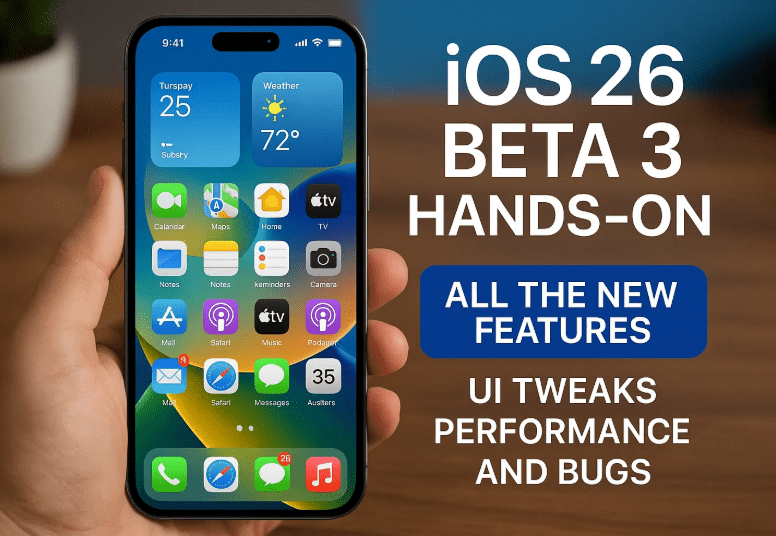
Let’s explore what this beta build has to offer — and where it still needs work.
📦 Build Info and Update Size
- Update Size: ~6.65 GB (on iPhone 16 Pro Max)
- Build Number: 23A5287G
This update is quite substantial in size, hinting at deeper system changes under the hood, not just visual touch-ups.
✨ UI Changes & Visual Improvements
🔮 Liquid Glass Transparency Tweaks
The liquid glass effect, Apple’s semi-translucent UI design language, has been subtly adjusted:
- Lower transparency across system UI makes text more readable.
- Example: In App Store, Control Center, Focus Mode, and Apple Photos, backgrounds are now slightly darker, improving accessibility and contrast.
📱 Control Center Visual Tweaks
- Wireless controls now show a lighter blue hue, replacing the older dark blue.
- Certain tiles now have reduced transparency, offering clearer visibility in both light and dark modes.
🔍 Spotlight Search Overhaul
- The search bar background is now darker, especially compared to Beta 2, making it easier to read suggestions.
- A new video call option appears when searching for contacts — a feature that was missing in the previous beta.
🖼️ Apple Photos UI Refinement
- The Select button and bottom navigation bar have been darkened for improved legibility and visual consistency.
🌅 New Features in iOS 26 Beta 3
🧱 Expanded iOS Wallpaper Options
- Navigate to wallpaper settings > iOS category, and you’ll now see four new themes:
- Shadow
- Sky
- Halo
- Dusk
- You can swipe left/right to preview and select between different dynamic variations.
⏰ Clock App Animation Improvements
- The minute tick animation appears smoother and more fluid.
- A minor, yet noticeable polish that enhances the iOS feel.
🌈 Light Reflections on Home Screen
- When tilting the device, the light reflection effect is now more visible — especially on default app icons and the dock.
🗺️ Apple Maps Enhancements
🔍 Info Card Revamp
- Distance data is now shown under quick action buttons.
- Content layout is centered, with cleaner alignment.
- Navigation time is visible directly on the directions button.
📋 Section Redesigns
- The “Details” section has been split into two: Hours and Details, with Today’s hours clearly visible at a glance.
- Overall interface feels more compact and easier to scan.
🧭 In-Navigation Changes
- The top directions card has been redesigned with better alignment.
- A new bottom drag handle replaces the old center handle.
- Expanded cards now retain key info instead of hiding it (as in Beta 2).
- Updated glyph icons and smaller banners for phone numbers improve UI efficiency.
🌐 Safari, Mail & App Store UI Tweaks
📖 Safari Bookmarks Page
- Ellipsis menu icons are now larger and no longer outlined.
- Folder icons (glyphs) are surrounded by rectangle containers for a more modern feel.
📬 Mail App
- Category colors have been updated for better distinction.
- You now see the category name under “Inbox” along with the last updated time.
🛍️ App Store
- A new “Accessibility” section has been added under app listings.
- It lists all relevant accessibility features supported by the app — great for inclusive app discovery.
🎮 Gaming & Journaling Improvements
🎮 Game Controller Overlay
- When playing games with supported controllers, simply press the Home button on the controller to bring up the new game overlay.
📓 Journaling Suggestions Upgraded
New iCloud-synced journaling improvements include:
- Syncing across iPhone and iPad via iCloud.
- Smart journaling notifications based on routine and location.
- Scene classification (holidays, celebrations, etc.) with grouped patterns.
🐞 Bugs, Fixes, and Known Issues
✅ Fixed: Share Sheet Lag
- The previously laggy animation when opening the share sheet has now been completely fixed.
❌ Bug: Switch Control > Recipes
- Under Switch Control > Recipes > Lunch Recipe: this feature still doesn’t work in this beta.
⚡ Performance & Battery Life Insights
📈 Performance
- Noticeably improved thermals during regular usage and recording.
- Responsiveness is better, though not as stable as the final version of iOS 18.
🔋 Battery Life Observations
- Battery performance is still not ideal.
- In a controlled 3-hour session (no SIM, Wi-Fi only, low brightness), battery dropped by 30% (from 71% to 41%) while just navigating menus and showcasing features.
Changing wallpapers repeatedly still causes the device to heat up significantly — something to avoid for now.
❓ FAQ
Q1: Is iOS 26 Beta 3 stable enough for daily use?
Answer: Mostly yes — but with minor bugs. Not recommended for primary devices unless you’re a developer or tech enthusiast.
Q2: Can I install this beta now?
Answer: You’ll need a developer profile or a registered Apple Developer account. Public beta releases usually follow a few weeks later.
Q3: What are journaling suggestions in iOS 26?
Answer: These are smart suggestions based on location, patterns, holidays, or life events — designed to help you keep a consistent journal.
📝 Final Thoughts
Apple continues to polish iOS 26 with subtle but meaningful changes. The lowered transparency, updated animations, enhanced accessibility, and UI tweaks across native apps show Apple’s commitment to usability.
However, some rough edges like battery drain and occasional lag still remain. If you’re planning to install this beta, be prepared for heat and some performance hiccups — especially if you love customizing wallpapers frequently.












This build is a solid step forward. But if you need absolute reliability, you might want to wait for the public beta or the final stable release.
🔗 Official Links
👉 Apple Developer Program
👉 iOS 26 Release Notes (Beta 3)
🏷️ Tags
iOS 26 beta 3, iPhone 16 Pro Max, iOS 26 features, Apple Maps update, iOS journaling suggestions, Safari UI tweaks, App Store accessibility, iOS 26 performance, iOS 26 wallpapers, beta bugs and fixes
🔖 Hashtags
#iOS26 #AppleBeta #iPhone16ProMax #iOS26Beta3 #AppleUpdates #iOSNewFeatures #AppleMaps #iOSPerformance #SafariUpdate #JournalingFeatures
Disclaimer:
This article covers features in the iOS 26 Developer Beta 3 build. Features mentioned here may change or be removed before the final public release. Always back up your device and use a secondary device when testing beta software.