Disclaimer: This article is for educational purposes only. The techniques and tools described should never be used on public networks or without proper authorization. Always ensure your actions comply with applicable laws and ethical guidelines.
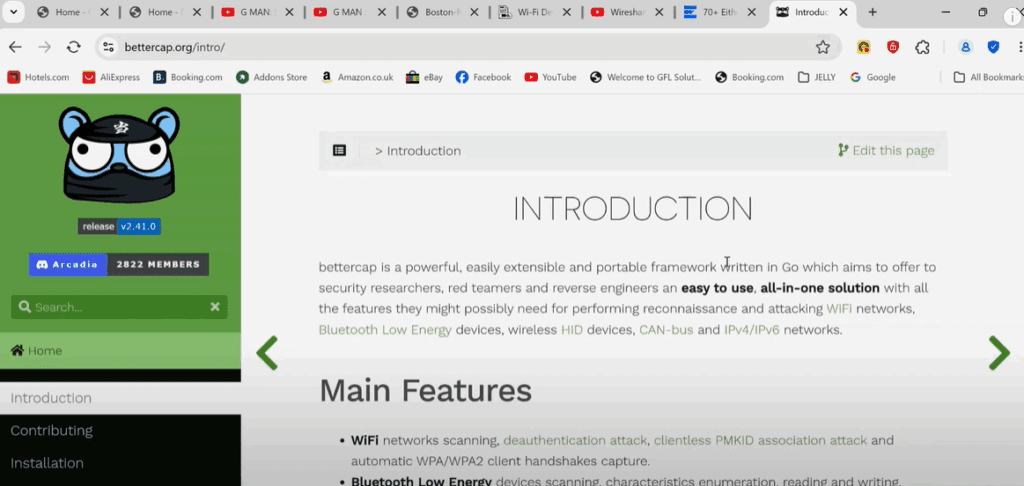
What is BetterCAP?
BetterCAP is often referred to as the Swiss Army knife for Wi-Fi and Bluetooth security assessments. It’s a powerful tool for professionals engaged in penetration testing and ethical hacking, capable of performing a variety of tasks such as man-in-the-middle (MITM) attacks, network sniffing, spoofing, and more. You can find more about BetterCAP on their official website.
Installing BetterCAP on Kali Linux
BetterCAP is easy to install on Kali Linux. Simply open your terminal and run the following command:
sudo apt install bettercap
This command will download and install BetterCAP. If it’s already installed, you’ll see a message indicating so.
Launching BetterCAP
To start BetterCAP, you must have root privileges. Running it without sudo will not work. Use the following command:
sudo bettercap
Once started, you’ll enter the BetterCAP interactive shell.
Exploring BetterCAP Commands
Typing help in the BetterCAP shell will display a list of available modules and commands, along with usage examples. This is extremely helpful when you’re navigating the tool for the first time.
BetterCAP uses modules to perform various tasks. For example, the arp.spoof module allows for ARP spoofing, and the net.sniff module allows for traffic sniffing.
You can explore a module’s usage by typing its name, such as:
help arp.spoof
This will show you a summary of the module, the parameters it uses, and how to enable it.
Monitoring Network Devices
To begin monitoring devices on your local network or subnet, use:












net.probe on
This command will start scanning for devices. After a few seconds, you’ll start to see a list of devices connected to the network, including their:
- MAC addresses
- IP addresses
- Manufacturers
For a more structured, table-like view, use:
net.show
This makes it easier to document and report findings during a penetration test.
Spoofing a Device on the Network
Let’s say you want to spoof your mobile phone to make it think your laptop is the router (gateway). First, identify the IP address of your mobile device from the network list. Then set your target like so:
set arp.spoof.targets <target-ip-address>
For example:
set arp.spoof.targets 192.168.1.100
Now, start the spoofing process with:
arp.spoof on
Sniffing Device Traffic
To verify that you’re capturing the target device’s traffic, activate the network sniffer:
net.sniff on
Over time, BetterCAP will begin displaying the packets leaving and arriving at the spoofed device. This includes:
- URLs visited
- Types of traffic
- Data requests and responses
This information is invaluable for building a target’s profile during penetration testing.
What’s Next?
In future sections of this article, we’ll explore how to perform DNS spoofing using BetterCAP. This involves redirecting a target to a fake website to simulate a phishing attack and understand how attackers exploit DNS vulnerabilities.
We will also cover how to protect your data from man-in-the-middle attacks by using strong encryption, VPNs, and secure DNS settings.
Stay tuned and keep exploring safely and ethically!
Tags:
bettercap, kali linux, penetration testing, ethical hacking, network sniffing, arp spoofing, dns spoofing, cyber security, wifi hacking tools, linux tools, ethical hacking tools, network monitoring, bettercap installation
Hashtags:
#bettercap #kalilinux #penetrationtesting #ethicalhacking #cybersecurity #networksecurity #linux #hackertools #spoofing #sniffing #wifiattack








