Maps and navigation are no longer just about turning left or right. They shape how we move, how businesses deliver, how cities plan, and how citizens experience mobility. In India, where road networks, addresses, signage, and traffic behavior are uniquely complex, generic global apps sometimes struggle to keep up. That’s where India-native solutions like Mappls (by MapMyIndia) aim to step in — designed for Indian conditions, Indian roads, and Indian users.
In this article, we deeply compare Mappls and Google Maps: their features, strengths, limitations, and how you can choose which suits you best. We’ll walk step by step through features, use cases, comparisons, pros & cons, and even answer your most likely questions. By the end, you should have a clear idea of which map app is better for your needs.
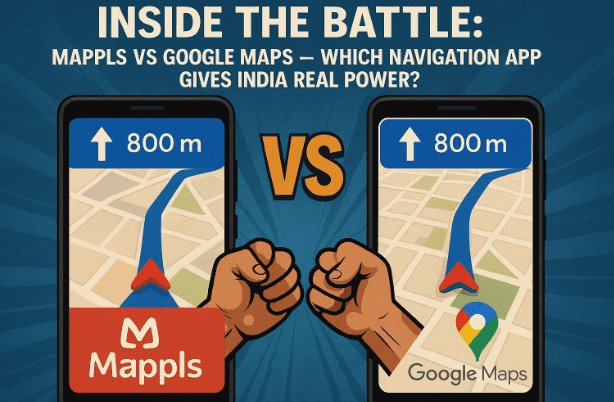
So far, we’ve set the stage — let’s get into the first section: what Mappls is and why it exists.
What is Mappls? The India-First Navigation App
Before comparing, we need to understand the product itself.
Mappls (MapMyIndia) is the map and navigation application developed in India, tailored for Indian roads, addresses, traffic patterns, and regulatory norms.
A few key facts:
- MapMyIndia (the company behind Mappls) was founded in 1995 by Rakesh and Rashmi Verma.
- Their headquarters is in New Delhi, India.
- Over time, the company has expanded from maps data and GIS services to APIs, SDKs, telematics, and IoT solutions.
- The Mappls app is their consumer-facing navigation tool.
- Their website offers mapping, APIs, geospatial services, and integrations.
Mappls isn’t trying to copy Google Maps; its goal is to offer features and experience optimized for Indian roads, Indian addressing systems, flyovers & junctions, and local quirks.
Key Features of Mappls
Let’s now see what Mappls offers in practice. Below is a breakdown of its important features, and after that I’ll compare them side by side with Google Maps.
Before diving in, here’s a quick heads-up: in Indian cities, road intersections, flyovers, service lanes, and local addresses pose unique challenges. Navigation errors in such areas lead to missed exits or dangerous maneuvers. Mappls tries to solve these challenges.
Top Features of Mappls
Here are the standout features:
- 3D Junction View: At complex flyovers or intersections, Mappls displays a 3D visual representation of the upcoming junctions, showing which ramp or exit to take.
- Real-time Traffic & Live Signal Timers: You get live updates on traffic, signal status (red/green), and signal timing in some cities.
- Mappls Pin / Digital Address System: Instead of long, sometimes ambiguous Indian addresses, Mappls uses a 6-character code for precise location identification.
- Safety Alerts & Hazards: Alerts for potholes, sharp curves, unsafe zones, speed cameras, etc.
- Offline / Hybrid Maps: Since connectivity is variable in parts of India, Mappls supports offline map usage and hybrid displays.
- House-Level/Hyperlocal Addressing: The maps aim to be detailed down to house numbers, lane or service road level.
- 360° RealView / Photo-realistic Imagery: Some sections support immersive or panoramic views.
- Add / Fix Places & Map Errors: Users can post missing places, correct map errors, or report missing roads.
- Integration with APIs & SDKs: For developers, Mappls offers a catalog of map APIs, traffic, navigation, route optimization, etc.
These features aim to make navigation more reliable, context-aware, and better suited for Indian roads.









How Mappls and Google Maps Differ — Side-by-Side
We’ve learned what Mappls offers. Now let’s compare it directly with Google Maps on different parameters:
| Parameter | Strength of Mappls | Strength of Google Maps | Comments / Caveats |
|---|---|---|---|
| Indian roads & junctions | Because Mappls is India-native, it often handles flyovers, slips, service roads and complex junctions with better clarity (especially in metros). | Google Maps has vast data and global coverage, and often better mapping in many places. | Many users report that Mappls handles flyover vs underpass better. |
| Address search (rural / small towns) | Good in cities, but may be weaker in remote villages or lesser-known areas. | Typically broader database worldwide, sometimes better in remote or global regions. | Some users report gaps in Mappls in smaller locations. |
| Traffic & realtime data | Works well in populated areas with strong mobile data. | Google has huge network effects: many users feeding traffic data, which can give better predictions in many cases. | In some complex scenarios, Google may outperform. |
| Offline / hybrid use | Mappls offers offline maps and hybrid mode to help in low connectivity zones. | Google Maps supports offline maps too, but limited traffic and routing when offline. | For Indian rural or network-poor zones, both have trade-offs. |
| Developer tools & integration | Mappls offers hand-curated APIs & SDKs designed for Indian geospatial needs. | Google Maps APIs are globally mature, expansive, with wide community support. | If your app or business is India-focused, Mappls may offer cost/latency advantages. |
| Local customization / updates | Crowdsourced corrections, user reports to fix maps, especially for Indian roads. | Google also has user feedback and editing, but updates may take longer in some locales. | Mappls emphasizes “fix map errors / post on map” workflows. |
| Ecosystem & familiarity | Because many users are used to Google Maps, there’s a learning curve with any new app. | Google is deeply integrated in many apps, Android, and has broader adoption worldwide. | For cross-platform and non-Indian contexts, Google often holds an edge. |
Bottom line: Mappls brings India-tailored advantages (junction clarity, local edits, Indian addressing) that may make your navigation smoother in many Indian cities. Google Maps remains a strong fallback especially outside India or for large-scale global reliance and ecosystem integration.
Real-User Feedback & Limitations
Before you switch, here’s what users say.
- On Reddit, a user noted: “I have used it quite a few times and one thing I really liked is it can accurately differentiate a flyover/underpass… In Google Maps, this is a major pain point.”
- On Team-BHP forums: “MapMyIndia shows better direction choices in service roads, lanes etc., while Google sometimes pushes you through alleys to save time. But in remote hill areas, Google’s offline and data crowd-sourced maps sometimes perform better.”
These reflect typical trade-offs: Mappls may shine in urban / metro / junction complexity, while Google still holds advantage in very remote or cross-country travel.
Step-by-Step: How to Use Mappls Effectively
Let me guide you through how to install and get started with Mappls, plus tips to ensure you get the best experience.
Step 1: Install the app
- On Android: Search “Mappls MapmyIndia” on Google Play Store.
- On iOS: Install from the App Store.
Step 2: Grant necessary permissions
Allow it to access location, storage (for offline map data), notifications, etc.
Step 3: Download offline maps / regions
If you expect to travel through places with weak network coverage, pre-download the area maps so you can continue navigation offline.
Step 4: Use the navigation with junction view
When you start driving and approach a flyover or interchange, Mappls will show you a 3D junction image to help you select correct exit.
Step 5: Use Mappls Pin / digital addressing
Rather than long addresses, get or share a 6-character Mappls Pin for precise locations — especially useful in areas with ambiguous roads or no formal address.
Step 6: Post corrections or missing places
If a road is missing, a house number is wrong, or a junction is unclear, you can use the in-app “Fix map / Post on Map / Add place” features to help improve the map. Over time, community contributions help data quality.
Step 7: Use traffic & hazard alerts
Enable alerts for potholes, speed cameras, signal timers (in supported cities) and live traffic updates to plan safer and faster routes.
With these steps, you should get a smooth Mappls experience on your journeys.
Frequently Asked Questions (Q&A)
Let’s clear up common doubts:
Q: Is Mappls completely “Google Maps killer”?
A: Not quite. It offers strong advantages in Indian contexts, but Google’s scale, global reach, and data network are still formidable. Mappls is more of a complementary or better-fit option rather than complete replacement, depending on your region.
Q: Will Mappls work offline everywhere?
A: It supports offline and hybrid maps, but traffic, live updates, and signal timing won’t work without connectivity. Plan ahead when traveling through remote zones.
Q: Is Mappls free?
A: Yes, the base navigation and map features are free to users. However, for enterprise use, APIs, SDKs, and business tools may incur costs.
Q: Can I integrate Mappls into my app or service?
A: Absolutely. Mappls offers a suite of APIs & SDKs for mapping, navigation, route optimization, geofencing, etc.
Q: In which places does Mappls outperform Google?
A: In complex Indian junctions, dense metro cities, accurate lane/exit instructions, and where local edit data is updated more frequently.
Q: Where does Mappls lag behind?
A: In very remote addresses, in places where Google’s crowd-sourced data is richer, or in global navigation outside India.
Putting It All Together — Which One Should You Use?
So, you ask: which is best? The answer depends on what your priorities are.
- If your routes are mostly inside Indian metro areas, especially complex junctions, Mappls may make your life easier.
- If you often travel cross-state, rural, or international routes, Google Maps may still be more reliable.
- If you’re a developer or business building services in India, Mappls’ APIs may offer cost and latency advantages.
- If you value user feedback and map corrections, Mappls’ “Post on Map / Fix map” system is a strong tool.
You may well use both: use Mappls when driving in Indian cities, switch or consult Google for off-grid or longer routes. Over time, Mappls’ data will improve with user contributions and its native focus.
Disclaimer
The views and comparisons in this article are informed by publicly available data, user reviews, and feature descriptions. Mappls and Google Maps both evolve continuously, and features may change. Please verify the current features and performance for your region before fully depending on one app. This article does not officially represent either company.
#Mappls #MapMyIndia #GoogleMaps #Navigation #MapsComparison #IndianTech #Geospatial #TrafficAlerts #OfflineMaps







