Ever needed to connect another device to your Wi-Fi but couldn’t remember the password? Good news — you can view your connected Wi-Fi password directly from your Android phone without rooting your device or installing third-party apps.
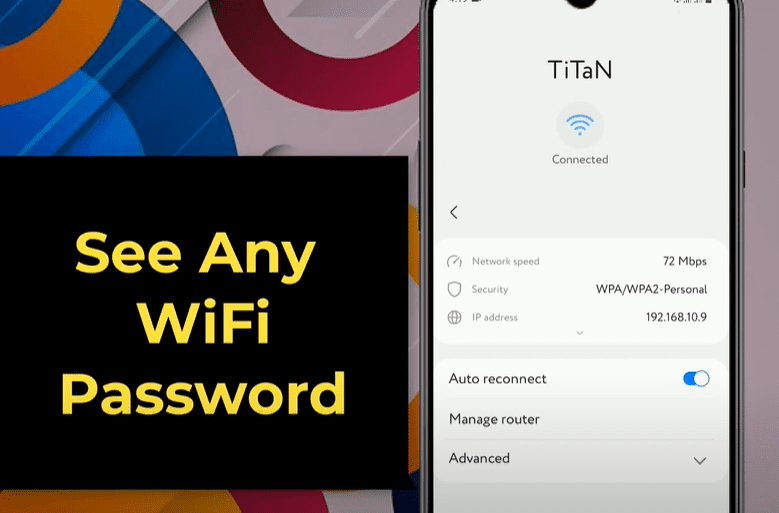
This article will walk you through a quick and easy method to retrieve your Wi-Fi password using a QR code and a free online decoding tool.
🔍 Step-by-Step Guide to View Wi-Fi Password on Android
✅ Step 1: Go to Wi-Fi Settings
- Open your phone’s Settings.
- Tap on Wi-Fi or Network & Internet > Wi-Fi.
- Find and tap on the connected Wi-Fi network.
- Tap on the gear/settings icon next to the connected network.
✅ Step 2: Access the QR Code
- On the network info page, look for the QR code option — usually located at the bottom left corner.
- Tap on QR code to open the Share Network page.
- Here, you can either:
- Take a screenshot, or
- Tap “Save as image” to store the QR code directly to your gallery.
✅ Step 3: Use a QR Code Decoder Website
- Open any browser on your Android phone (e.g., Chrome).
- Go to https://zxing.org.
- On the homepage, scroll down and find the option “Choose File.”
- Tap on it and upload the saved QR code image from your phone’s gallery or file manager.
✅ Step 4: Submit and View Password
- After selecting the image, scroll to find the Submit button.
- Tap Submit.
- The site will process the QR code and display:
- Wi-Fi name (SSID)
- Security type (e.g., WPA/WPA2)
- Wi-Fi password
That’s it! You’ve successfully retrieved your connected Wi-Fi password.
💡 Why This Works
Most Android phones now support Wi-Fi sharing via QR code. These QR codes encode the network credentials in a standardized format. Tools like ZXing.org decode the QR code contents, revealing the password in plain text.
This method works perfectly on devices running Android 10 and above.
🔐 Pro Tips
- Make sure your phone is currently connected to the Wi-Fi network you want to retrieve the password for.
- Only use trusted QR decoding tools — ZXing.org is a reliable and free open-source tool.
- Do not share the QR code or decoded info with others unless you want them to access your network.
✅ Summary
With this simple method, you can view your connected Wi-Fi password in under a minute — no root access or apps needed. Whether you’ve forgotten your password or want to share it with someone, this is a handy trick to know.
📌 Tags:
wifi password, android wifi password, see wifi password, connected wifi password, view wifi password without root, android tricks, network settings, wifi qr code, decode wifi qr, zxing wifi decode
📢 Hashtags:
#WiFiPassword #AndroidTips #NoRoot #WiFiHack #WiFiQR #TechTips #NetworkSecurity #WiFiTricks #AndroidWiFi #ZXing