If you’re looking to repurpose a mini PC into a powerful gaming console, Bazzite might be exactly what you need. This Linux-based gaming OS offers a seamless console-like experience and works well with both older and newer hardware. In this article, we’ll walk through the entire process of installing Bazzite on a mini PC and turning it into a capable gaming machine.
What is Bazzite?
Bazzite is a Fedora-based Linux distribution designed specifically for gaming. It provides an experience similar to SteamOS and is optimized for compatibility with a wide range of hardware. It supports AMD, NVIDIA, and Intel graphics and includes popular desktop environments such as KDE Plasma.
Hardware Setup: Choosing the Right Mini PC
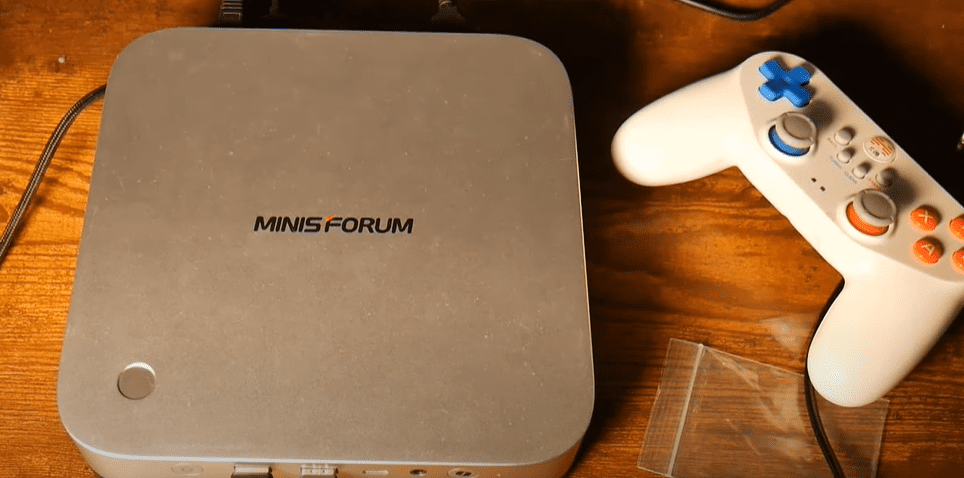
For this setup, a Mini Forum Mini PC with a Ryzen 9 HX370 processor and onboard AMD graphics was used. While it lacks a dedicated GPU, its integrated graphics are more than capable for moderate gaming. A 1TB NVMe SSD was also added to provide ample space for game installations via Steam.
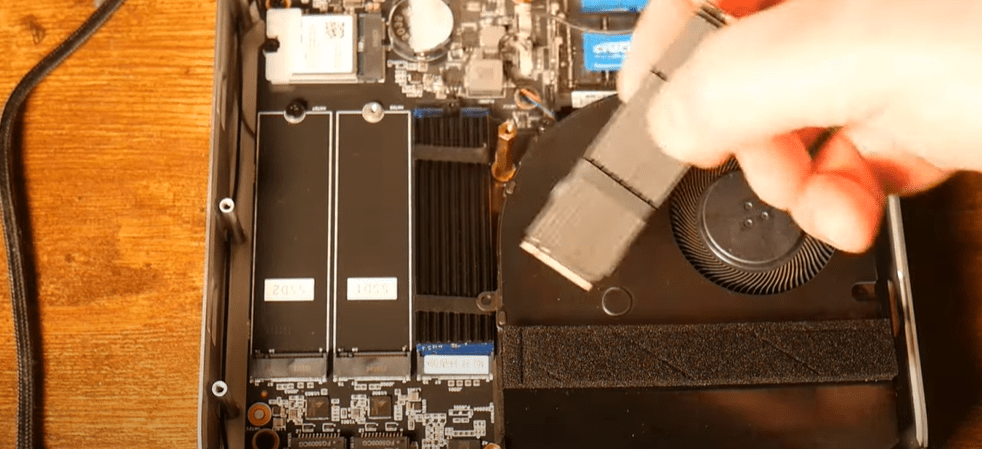
If you’re looking for a powerful yet compact system, the Mini Forum series is an excellent choice.
Step-by-Step Installation Guide for Bazzite
1. Download Bazzite
- Visit the official Bazzite website.
- Click on Download.
- Choose your target system type (e.g., Home Theater PC).
- Select your GPU vendor. In this case, it’s AMD for the Ryzen APU.
- Pick your desktop environment. KDE Plasma is recommended for a SteamOS-like interface.
- Download the ISO file.
2. Create a Bootable USB Drive
- Download Rufus to create a bootable USB.
- Insert a USB flash drive (8GB or larger).
- Use Rufus to burn the Bazzite ISO onto the USB drive.
3. Prepare the Mini PC BIOS
- Enter the BIOS by pressing the designated key (usually DEL or F2) on startup.
- Disable Secure Boot under the Security tab.
- Set the USB drive as the first boot option.
- Save and exit.
4. Install Bazzite
- Boot from the USB flash drive.
- Select “Test this media and install Bazzite”.
- Choose your language and keyboard layout.
- Select the internal drive to install Bazzite. If it had a previous OS like Windows 11 with encryption, you may need to wipe it using a tool like GParted.
- Follow the prompts to:
- Delete existing partitions if needed.
- Create a new user account.
- Confirm installation and wait for completion.
- Restart once done, go back to BIOS, and set the NVMe Fedora drive as the new boot priority.
- Save and exit.
Initial Setup After Installation
- Upon first boot, configure your time zone and Wi-Fi or Ethernet connection.
- Log in to your Steam account directly from the Bazzite interface.
- Begin downloading your favorite games from your Steam library.
Performance and Gaming Experience
Despite running only on integrated AMD graphics, the system delivered a smooth gaming experience:
- Shadow of the Tomb Raider, The Witcher 3, and other titles were playable at 1080p with reasonable settings.
- The mini PC stayed quiet and cool, with minimal fan noise and no major slowdowns.
- The KDE environment allowed for tweaking and optimizing performance further.
This proves that even without a dedicated GPU, mini PCs can offer impressive gaming results when paired with the right OS like Bazzite.
Ideal for Budget or Older Systems
If you’ve got an old desktop or mini PC collecting dust—like a Dell OptiPlex or HP workstation—you might consider installing Bazzite. The OS is lightweight, gaming-optimized, and provides a modern interface with excellent performance on modest hardware.
Final Thoughts
Turning a mini PC into a full-fledged gaming console is no longer a pipe dream. With Bazzite, you get a streamlined gaming environment that works seamlessly with Steam, delivers solid frame rates, and stays efficient even without a high-end GPU.
Whether you’re on a budget or just want to repurpose existing hardware, give Bazzite a try—you might be pleasantly surprised at what your mini PC can do.
Tags:
mini pc gaming, bazzite installation, linux gaming os, turn pc into console, steam os alternative, ryzen mini pc gaming, gaming on integrated graphics, how to install bazzite, bootable usb linux, rufus boot usb, linux mini pc setup, best linux os for gaming
Hashtags:
#MiniPCGaming #LinuxGaming #Bazzite #SteamOSAlternative #GamingOnLinux #BudgetGamingPC #Rufus #InstallBazzite #GameConsolePC #KDEPlasma #AMDGraphics