Hello friends! Are you planning to start your own YouTube channel in 2025? If yes, then this article is just for you. Whether you’re a complete beginner or someone who’s been thinking about it for a while, this step-by-step guide will help you create and set up your channel from scratch—with the power of AI to speed things up.
Step 1: Create Your YouTube Channel
To begin, go to YouTube and click on “Create a Channel”. You’ll see two fields: your Name and Handle. You can modify both to fit your brand or niche. When you choose a handle or name, YouTube will inform you if it’s already taken. If not, you’re good to go!
Once you’ve found an available name, click on “Create Channel.” Your channel will now be created. You will also see a direct URL link that you can copy and share with others.
Step 2: Customize Your Channel
After creating your channel, it’s time to customize it:
Branding Your Channel
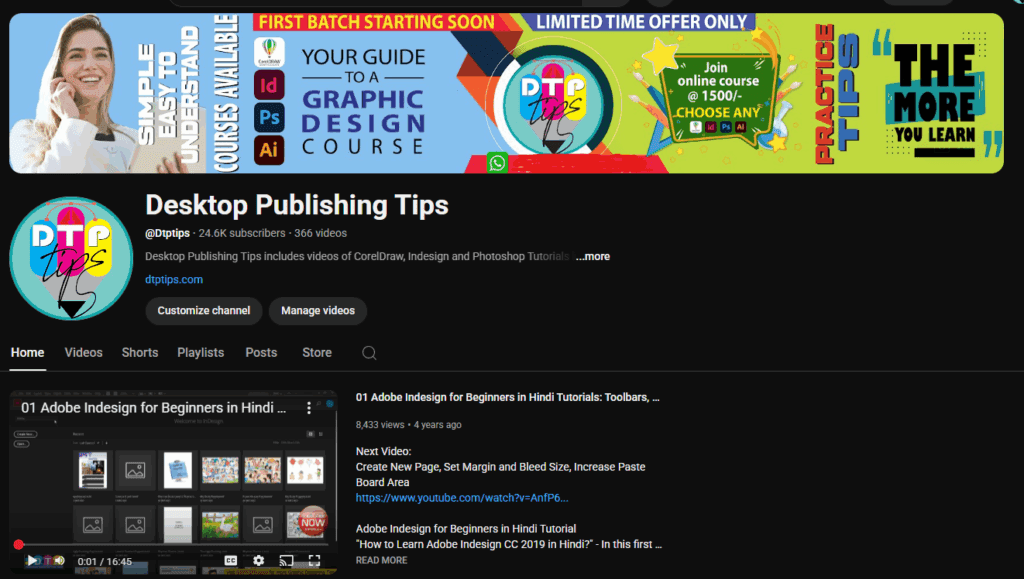
Click on “Customize Channel” to access your dashboard. Here, you can add:
- Profile Picture (Logo)
- Banner Image
If you already have images prepared, simply upload them. If not, you can create them easily using AI tools like Leonardo AI. More on that later.
Step 3: Add a Channel Description
Your channel description is important for letting viewers and YouTube know what your content is all about. If you’re unsure what to write, you can use ChatGPT to generate a professional and engaging description.
For example, if your channel is about fitness, ask ChatGPT to generate a fitness-related description. Copy the result, paste it in the description section, and update your channel name in it.
Step 4: Choose a Better Channel Name (Optional)
If the default name like “Chaudhary0801” doesn’t reflect your niche, you can rename it to something more relevant. Again, ask ChatGPT to suggest names related to your niche, such as:
- FitFusion
- PeakForm Fitness
- The Fit Journey
Select one that’s available and resonates with your brand. You might need to tweak it slightly (e.g., adding numbers) to make it unique.
Step 5: Create a Logo Using Leonardo AI
Having a professional-looking logo makes a strong first impression. Here’s how to make one with Leonardo AI:

- Go to Leonardo.ai
- Sign up or log in.
- Answer a few setup questions (your interests, usage purpose, etc.)
- In the prompt box, type:
Create a logo for my YouTube channel based on fitness - Set the image ratio to 1:1 (Square).
- Generate the logo (will cost you about 24 daily credits).
- Once generated, select your favorite design and download it.
- Upload this image as your channel logo.
Step 6: Publish Your Logo
After uploading the image, make sure to click on “Publish” so it reflects on your channel. If it doesn’t appear immediately, give it some time or refresh the dashboard.
Step 7: Upload Content
Now that your channel is set up, go to the Content tab. Click on “Create” and choose:
- Upload a video
- Go live
- Create a playlist
Since the channel is new, you won’t see analytics yet. But as soon as videos are uploaded and viewed, you’ll start seeing valuable insights.
Step 8: Understand Monetization Requirements
If you’re planning to monetize your channel, here are YouTube’s current eligibility criteria:
- 1,000 subscribers
- 4,000 hours of public watch time
OR - 10 million views on Shorts in the last 90 days
Once you hit these milestones, you can apply for monetization and start earning through your content.
Step 9: Explore Other Settings
Navigate to Settings to:
- Change currency (e.g., USD)
- Set channel keywords
- Link social accounts
- Control audience settings
These are advanced configurations and are essential as your channel grows. We’ll cover them in future articles.
Final Thoughts
You’ve just completed setting up your YouTube channel from scratch! From selecting a name and logo to writing descriptions and preparing for monetization—you’re all set to start uploading your first video.
If you’re creating content around fitness, cooking, education, tech, or any niche, tools like ChatGPT and Leonardo AI can save you time and boost your creativity.
Thank you for reading!
Tags: youtube channel setup, how to start youtube channel, youtube tutorial 2025, create youtube channel from scratch, youtube branding, youtube seo, youtube monetization, AI for youtube, leonardo ai, chatgpt for content, youtube tips
Hashtags: #YouTubeSetup #StartAChannel #YouTube2025 #ContentCreation #AIforCreators #LeonardoAI #ChatGPT #Monetization #YouTubeTips








