Using a VPN on your router is one of the smartest ways to secure all your devices—especially those that don’t support VPN apps directly. While it may sound like a task for tech experts, the process has become much simpler with recent tools and guides from top VPN providers.
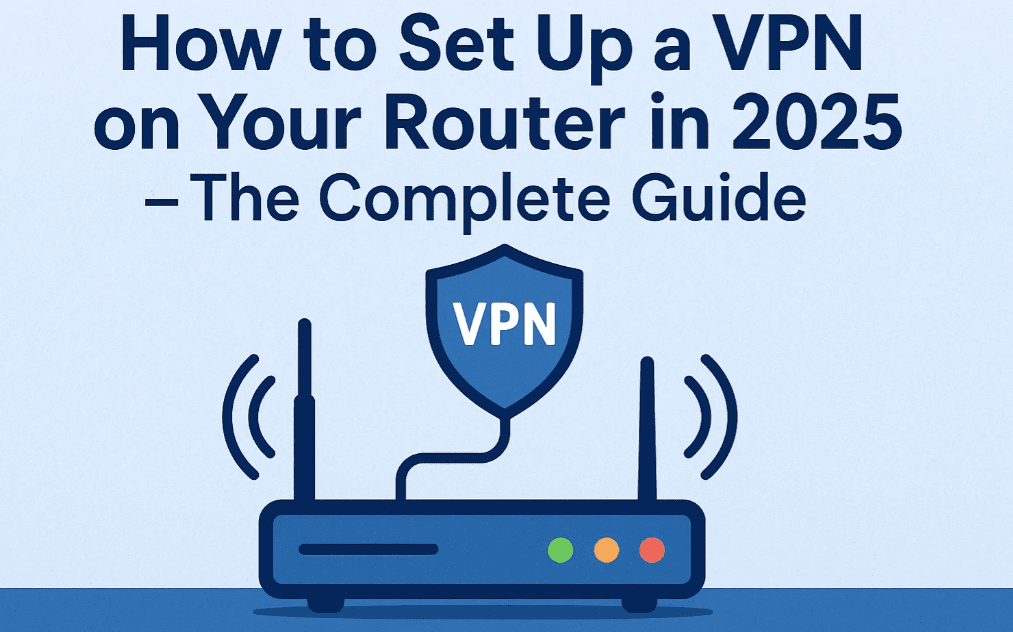
In this 2025 tutorial, we’ll walk you through why setting up a VPN on your router matters, how to do it step by step, and what you should be aware of during the process.
🧠 Why Set Up a VPN on a Router?
A Virtual Private Network (VPN) encrypts your internet traffic and hides your IP address. Typically, VPNs are installed on individual devices. But with a VPN-enabled router, every device that connects to your home Wi-Fi—smart TVs, gaming consoles, smartphones, tablets, even IoT gadgets like baby monitors—is automatically protected.
✅ Key Advantages:
- Full home network protection
- Secures devices that can’t install VPNs
- No need to install separate apps on every device
- Bypass geo-restrictions on smart TVs and consoles
- Protects guest devices too
- Avoid ISP throttling
🧰 What You’ll Need Before You Start
Before we get into setup, here’s what you need:
1. A VPN that supports router setup
Recommended providers:
- NordVPN – Offers detailed router guides and fast speeds
- Surfshark – Great for multi-device use and affordability
- ProtonVPN – Privacy-first and open-source options
2. A Compatible Router
Many ISP-provided routers do not allow VPN configurations. You may need a separate router. Recommended brands:
- ASUS
- Netgear
- TP-Link (higher-end models)
Alternatively, choose routers that support custom firmware like DD-WRT or OpenWRT.
3. Router Firmware That Supports VPN
⚠️ Note: Flashing firmware can void your warranty and potentially brick your router if done incorrectly. Proceed only if you understand the risks.
🔧 Step-by-Step: Set Up a VPN on Your Router (ASUS + NordVPN Example)
▶️ Using ASUS Router with Stock Firmware
- Log in to your router admin panel (usually at
192.168.1.1) - Go to VPN > VPN Client
- Click Add Profile
- Select OpenVPN tab
- Fill in your VPN credentials (from NordVPN)
- Download
.ovpnconfiguration files from NordVPN’s website - Upload the config file and click Activate
That’s it! Your router is now connected to a VPN, and all devices connected to your Wi-Fi are protected.
🛠️ Using DD-WRT Router
- Access the DD-WRT control panel (
192.168.1.1) - Navigate to Setup > Basic Setup
- Match Network Address Server Settings (DHCP) to those given in your VPN provider’s guide
- Click Save and Apply Settings
- Go to Setup > IPv6, disable it
- Navigate to Services > VPN
- Enable OpenVPN Client, enter details, and click Start
For full documentation, refer to:
🌍 Real-Life Benefits After Setup
1. Access Global Streaming Content
Connect to international servers and watch geo-restricted content on platforms like Netflix, Hulu, and BBC iPlayer—even on devices that don’t support VPN apps.





2. Torrenting Support
Enjoy safe and anonymous P2P file sharing with router-level encryption.
3. Always-On VPN
No need to remember to connect manually—your VPN is always on for all users on your network.
4. Unlimited Device Protection
No more device limit—one router, infinite protected devices.
⚖️ Pros and Cons of VPN on a Router
| ✅ Pros | ⚠️ Cons |
|---|---|
| Whole-home protection | Slightly slower speeds than app-based VPNs |
| Protects unsupported devices | More complex setup |
| No app installation required per device | Changing server/protocol requires router login |
| Avoid device connection limits | Some routers may need advanced firmware |
💡 Pro Tips
- For faster speeds, consider VPNs that support WireGuard (Surfshark or ProtonVPN) or NordLynx (NordVPN – only on supported routers).
- Use RAM-only servers (offered by Surfshark and NordVPN) for better privacy.
- Always choose providers with audited no-log policies.
🧩 Frequently Asked Questions (FAQs)
❓ Can I install VPN on any router?
Not all routers support VPN. Check the documentation or replace it with a supported model.
❓ Does a VPN on my router slow down the internet?
Slightly, yes. Router-based VPN speeds are typically lower than on apps. Use high-performance routers to minimize speed loss.
❓ What happens if the VPN disconnects?
Some VPNs support kill switches or always-on VPN for routers. Otherwise, traffic may be exposed until the connection is reestablished.
✅ Conclusion: Is a VPN on a Router Worth It?
Absolutely—if you care about privacy, want to protect multiple devices at once, or want access to global content on your home network. While the setup process takes a bit of effort, the long-term benefits far outweigh the initial learning curve.
Whether you choose NordVPN, Surfshark, or ProtonVPN, you’re making a great decision toward safeguarding your digital life.
🔖 Tags:
VPN router tutorial, how to install VPN on router, NordVPN router setup, Surfshark router VPN, ProtonVPN guide, DD-WRT VPN, OpenWRT setup, VPN for smart TVs, router security, 2025 VPN guide
📢 Hashtags:
#VPNRouter #NordVPN #Surfshark #ProtonVPN #RouterSecurity #DDWRT #OpenWRT #HomeNetworkSecurity #VPNSetup2025 #TechTutorial
⚠️ Disclaimer: This article is for educational purposes only. Flashing router firmware or configuring advanced VPN features should be done carefully. Improper changes may void warranties or damage devices. Always follow the official documentation of your VPN provider and router manufacturer.








