Have you ever tried sending a large file—say 2.5GB or 3GB—through WhatsApp and encountered the dreaded error message:
“This document is too large. You can send documents up to 2GB in size.”
That’s because WhatsApp restricts document transfers to a maximum of 2GB.
This article walks you through an easy and 100% effective solution for sending large files via WhatsApp using a free cloud-based file transfer service. Whether you’re sharing raw video footage, a full-resolution movie, or heavy project files, this method will work seamlessly.
🔍 Why You Can’t Send Large Files on WhatsApp
WhatsApp allows you to send:
- Media files (photos, videos) compressed to save space.
- Document files up to 2GB in size.
If your file size exceeds 2GB—even when sending via “Document” mode—it simply won’t go through. So if you’re trying to preserve the original quality of a large video or file, WhatsApp alone won’t cut it.
✅ The Best Solution: WeTransfer (Free Cloud File Sharing)
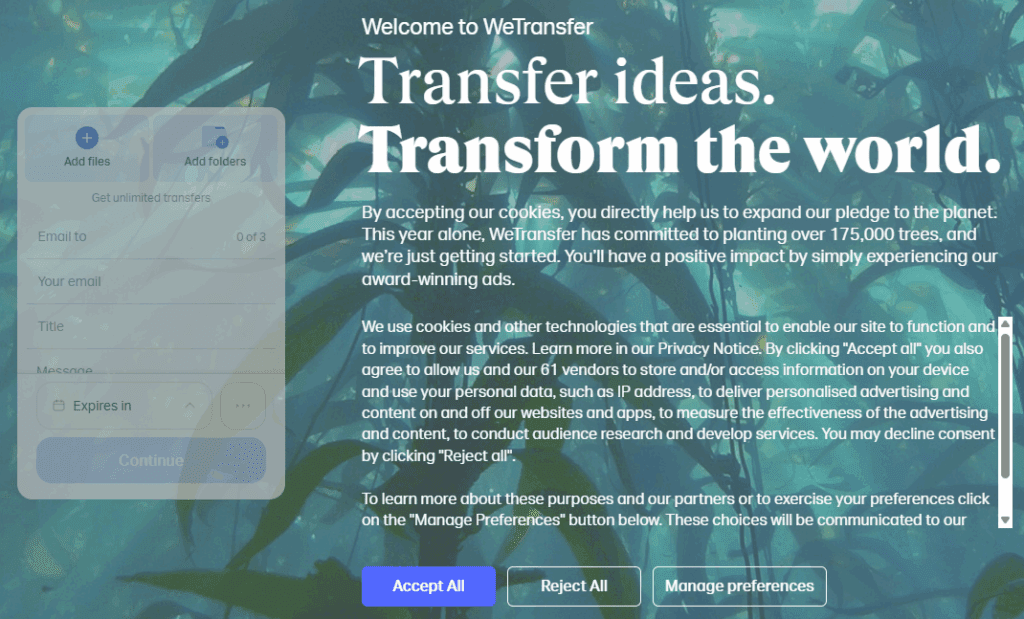
To bypass WhatsApp’s size limitation, you can use WeTransfer, a free cloud storage service. Here’s how it works:
- Upload your heavy file (even 2–3GB or more).
- WeTransfer generates a downloadable link.
- Share that link via WhatsApp (or anywhere else).
- The recipient clicks the link and downloads the file in full quality.
No file compression. No quality loss. No account needed for the recipient.
🧭 Step-by-Step: How to Use WeTransfer to Share Large Files
- Open Google Chrome (or any browser).
- Visit the official WeTransfer site: https://wetransfer.com
- Click “Add your files” and upload the large file (e.g. a 2.5GB video).
- Click the three dots (…) and select “Get transfer link.”
- Choose how long the file should stay active (e.g. 3 days).
- Click “Get a link” and wait for the upload to finish.
- Once complete, copy the download link.
- Paste this link in WhatsApp or email—it’s ready to be shared!
Now, the receiver can download the entire file directly, no matter how large it is.
💡 Benefits of Using WeTransfer
- Free to use (up to 2GB per transfer without signup; more with a free account).
- No need for recipients to create an account.
- File stays available for a limited time (you can set the duration).
- No quality loss or compression.
- Secure and fast transfers.
📝 Real-World Scenario
Let’s say you’ve shot a high-resolution 2.5GB video using your DSLR or phone. WhatsApp blocks the upload because it exceeds 2GB. But with WeTransfer, you:
- Upload the video to the cloud.
- Share a simple download link.
- Preserve 100% video quality, no matter the size.
This is especially helpful for content creators, videographers, or professionals who need to maintain file integrity while sharing with clients or teams.
⚠️ Disclaimer
WeTransfer is a third-party cloud service. While it is widely trusted and free to use, users should avoid sharing sensitive or confidential data without encryption. Always verify the download link and recipient before sending files.
✅ Conclusion
If you’re tired of WhatsApp’s 2GB file size limit, WeTransfer is your best free solution. With just a few clicks, you can convert heavy files into shareable cloud links—preserving quality and bypassing file size restrictions.









Try it today and simplify your file-sharing experience.
🔖 Tags:
file sharing, WhatsApp tricks, send large files on WhatsApp, WeTransfer, cloud storage, document sharing, video sharing, compress large files, WhatsApp file size limit, free file transfer
🔗 Hashtags:
#FileSharing #WeTransfer #WhatsAppTips #SendLargeFiles #CloudStorage #TechTricks #FreeTools #VideoSharing #DocumentTransfer








