Imagine if just one Instagram ad could bring in your next 100 customers. It might sound like a dream, but in 2025, this is very real—and achievable. Whether you’re a complete beginner or just getting started with digital marketing, this guide will walk you through the exact steps to create and run Instagram ads using Meta Business Suite, AI tools, and performance tracking—all without requiring any prior experience.
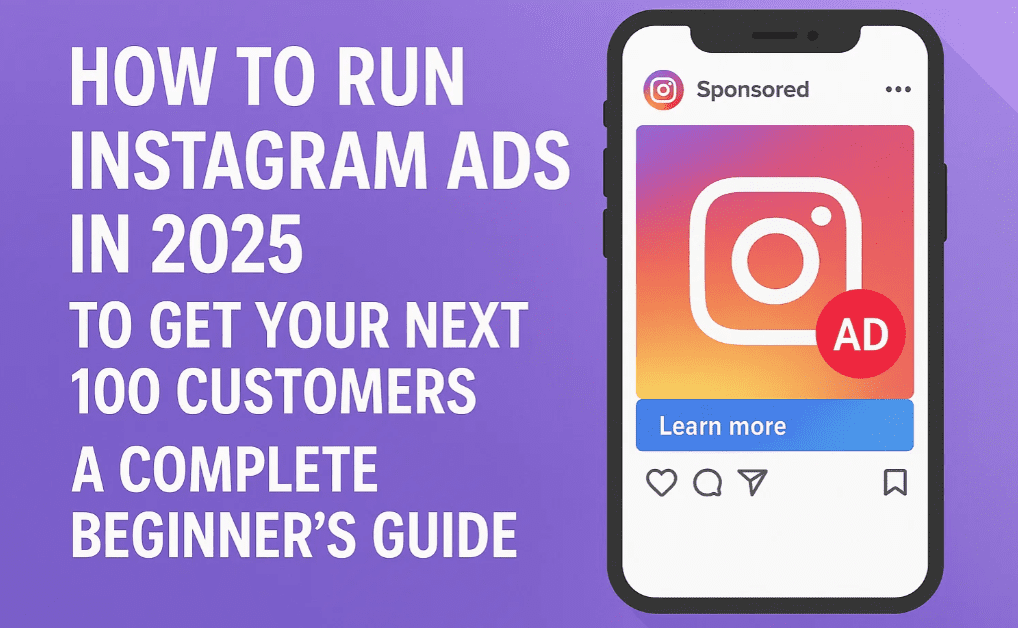
In this article, you’ll learn:
- How to set up your business to run Instagram ads
- How to define goals and track performance using Meta Pixel
- How to design ad creatives and publish your first Instagram campaign
- How to target the right audience and optimize your ad placements
Let’s get started.
Part 1: Setting Up Your Business for Instagram Ads
Before running Instagram ads, you must ensure that your accounts and tools are properly set up for success.
Step 1: Switch to an Instagram Business Account
A business account on Instagram unlocks features like ad creation, performance insights, and audience analytics.
How to switch:
- Open the Instagram app and go to your profile.
- Tap Edit Profile → Scroll down → Tap Switch to Professional Account.
- Choose a category (e.g., Clothing Store) and select “Business” as your account type.
- Enter your contact details and you’re done.
Step 2: Connect Instagram and Facebook to Meta Business Suite
Meta Business Suite is the control center for managing Facebook and Instagram ads.
Steps to connect:
- Go to Meta Business Suite.
- Click Get Started and log in with your Facebook account.
- Click Connect Instagram, then log in to your Instagram account and confirm the connection.
Step 3: Create an Ad Account
An ad account is where your ad campaigns live.
Steps:
- In Meta Business Suite, go to Settings → Accounts → Ad Accounts.
- Click Add → Create a new ad account.
- Fill in the details like account name, time zone, and currency.
- Add a payment method and save.
Step 4: Verify Your Business
Verification ensures you’re eligible to run ads:






- Add your phone number, payment info, and business details.
- Link an existing Facebook Page or create a new one.
Part 2: Creating and Running Instagram Ads
Once your setup is complete, it’s time to launch your first ad campaign.
Step 1: Define the Goal of Your Ad
Choose your objective carefully:
- Awareness – For brand visibility
- Traffic – For website or app visits
- Engagement – For likes, shares, comments
- Leads – For collecting emails or contact info
- App Promotion – For app downloads
- Sales – For eCommerce or product sales
For example, if you run an online clothing store, you’ll likely choose Sales.
Step 2: Create a Campaign
Create a campaign that matches your goal:
- Select Manual Sales Campaign for maximum control.
- Name your campaign (e.g., “Summer Sale Promo”).
- If your ad is related to jobs, credit, housing, or politics, choose the appropriate special ad category.
Step 3: Build Your Ad Set
This is where you configure audience targeting, budget, and placements.
i. Basic Ad Details
- Name the ad set.
- Choose Website as the conversion location.
- Set performance goal to Maximum Number of Conversions.
ii. Set Up Meta Pixel
Meta Pixel helps track actions taken on your site from your ad.
- Go to Create Pixel → Name it → Enter your website URL.
- Based on your platform (like WordPress), Meta will suggest the appropriate plugin.
- Install it, connect your accounts, and enable Advanced Matching.
Use the Meta Pixel Helper Extension to verify if the pixel is active.
iii. Create Conversion Event
- Open Event Setup Tool.
- Enter the URL of your thank-you page (e.g., after a purchase).
- Mark it as a Purchase event.
- This helps track successful conversions.
iv. Set Budget and Schedule
- Choose a Daily Budget (e.g., ₹500/day).
- Define the start and end dates for your ad (e.g., for a 3-day promotion).
v. Choose Your Audience
You can target by:
- Location (e.g., India)
- Age & Gender
- Detailed interests (e.g., Women’s Clothing, Fashion, Online Shopping)
vi. Choose Ad Placements
For Instagram-specific ads:
- Select Manual Placements
- Deselect Facebook, Messenger, etc.
- Choose only Instagram Feed, Stories, or Reels.
Step 4: Design and Publish Your Ad
i. Ad Format
Choose from:
- Single Image or Video
- Carousel
- Collection
For beginners, a single image or video is ideal.
ii. Add Website URL
This is where users will be redirected (e.g., your product page or store homepage).
iii. Add Ad Content
Use compelling headlines and primary text. You can use AI tools like Website Learners’ Ad Generator to create professional ad copy instantly.
- Paste the generated Primary Text and Headline
- Add a Call-To-Action Button like “Shop Now” or “Sign Up”
iv. Upload Creative Media
- Upload your ad image or video.
- Make sure it’s optimized for Instagram’s visual style and dimensions.
v. Final Review and Publish
Check everything:
- Links
- Media
- Text
- CTA
Click Publish. Instagram will now begin displaying your ad to your selected audience.
Track Your Ad Performance
Go to Events Manager → Data Sources to see:
- Page views
- Purchases
- Click-through rates
- Other key metrics
This helps you measure ROI and optimize future campaigns.
FAQs
Q: Do I need a website to run Instagram ads?
Yes, especially if your goal is sales, leads, or traffic. You can use platforms like Shopify, WooCommerce, or Wix.
Q: Can I run ads only on Instagram and not Facebook?
Yes. Use manual placements to select only Instagram platforms (Feed, Reels, Stories).
Q: How much should I spend on my first ad?
Start with ₹300–₹500 per day. Scale once you see what’s working.
Q: Do I need to know graphic design?
No. You can use tools like Canva or Adobe Express to easily create ad creatives.
Conclusion
Running Instagram ads in 2025 is easier than ever. With the right setup, tools, and a clear goal, you can bring in hundreds of customers using affordable and effective campaigns. Start small, experiment with targeting and creatives, and use Meta’s tools to refine your strategy.
So go ahead—run your first Instagram ad today and watch your business grow!
Disclaimer: This tutorial is for educational purposes only. Always comply with Meta’s advertising policies and local advertising laws.
Tags: Instagram Ads, Meta Business Suite, Instagram Business Account, Online Marketing, Social Media Campaign, Ad Targeting, E-commerce Ads, Pixel Tracking, AI Ad Generator, Ad Optimization
Hashtags:
#InstagramAds #DigitalMarketing2025 #MetaBusinessSuite #EcommerceMarketing #SocialMediaStrategy #OnlineAdvertising #AdTracking #MetaPixel #InstagramGrowth #AdCampaigns








