Forgetting a password can be frustrating—especially when it’s protecting a RAR archive filled with important files. If you’ve been searching for a solution to unlock a password-protected RAR file that you no longer remember, this article is for you.
In this step-by-step guide, we’ll walk you through how to use PassFab for RAR, a specialized tool designed to help recover or remove passwords from RAR archives. Whether you’re dealing with a simple password or a complex one, this software provides various attack methods to crack it successfully.
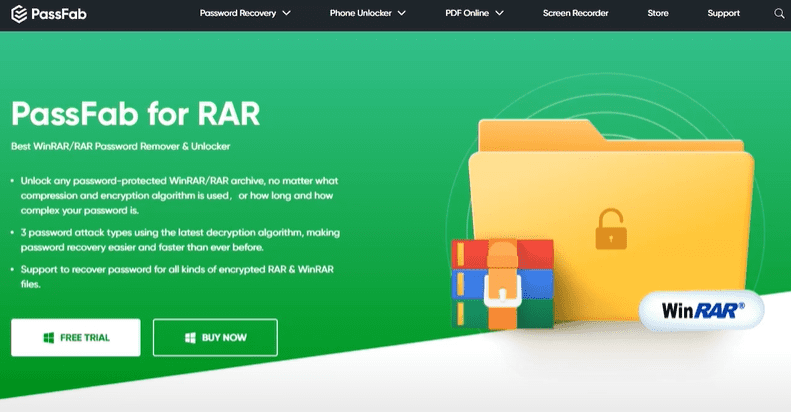
🔐 What Is PassFab for RAR?
PassFab for RAR is a powerful password recovery tool that helps users regain access to locked RAR files. It works with all RAR archives created by WinRAR, including encrypted files. The software uses intelligent password attack strategies to uncover forgotten passwords and regain access to archived content.
🛠 How to Use PassFab for RAR to Remove Passwords
1. Download and Install the Software
To get started:
- Visit the official PassFab website.
- Download PassFab for RAR.
- Run the installer and follow the prompts to install the software on your computer.
- Launch the application once installation is complete.
2. Register the Software
To unlock the full functionality, you’ll need to purchase a license:
- Click on the “Buy” button from within the app or via the website.
- After purchase, enter your email address and the registration code you received.
- Register the software to access full features without limitations.
3. Import the Locked RAR File
- Click the “+” button to add the RAR file you want to unlock.
- Select the file from your local drive.
- Once loaded, you’re ready to choose a password recovery method.
🔍 Choose a Password Recovery Method
PassFab offers three recovery methods:
✅ Dictionary Attack
Searches for the password using a built-in or custom wordlist. Great if you think the password is a common or previously used one.
✅ Brute Force with Mask Attack
Allows you to define parts of the password (e.g., length, known characters) to narrow the search range.
✅ Brute Force Attack
Tries all possible combinations. This is the most thorough but also time-consuming—best used when no details are known.
In our example:
- The password used was “123” (for demonstration purposes).
- The Brute Force with Mask Attack was used, specifying a max length of 3 digits and numbers only.
- The software found the password successfully in just a few seconds.
🧪 Test and Extract the File
After PassFab discovers the password:











- Copy the found password.
- Open your RAR file in WinRAR or another tool.
- Paste the password and extract the contents.
- Success! Your files are now accessible.
⚠️ Important Notes
- Password recovery time depends on password complexity. Simple numeric passwords can be cracked in minutes, while longer, complex ones may take hours.
- It’s always recommended to use the Mask Attack if you remember part of the password to speed up recovery.
- This software is legal to use only on files you own or have permission to access.
💰 Pricing and Value
PassFab for RAR offers affordable licensing options for personal or business use. Given the potential time saved and critical file access restored, it’s a valuable tool in any user’s digital toolkit.
✅ Final Thoughts
If you’ve forgotten the password to a RAR file, PassFab for RAR is a reliable and efficient solution. With customizable recovery options and strong performance, it makes unlocking encrypted archives quick and simple.
Try it out today and never lose access to your important files again.
Tags:
rar password removal, unlock rar file, passfab for rar, rar archive recovery, password recovery software, winrar password crack, how to open locked rar file, remove rar file password, passfab guide, file access recovery
Hashtags:
#RARPasswordRemoval #UnlockRAR #PassFabForRAR #RARRecovery #FileAccess #PasswordRecovery #TechTips #DataTools #WinRAR #RemovePassword








