If you often listen to music, watch movies, or work on audio-related tasks on your PC or laptop, but feel like the sound quality could be better, you’re in the right place. In this article, we’ll walk you through a few simple yet powerful methods to significantly enhance your computer’s sound performance — whether you use headphones, earphones, external speakers, or your built-in system speakers.
Let’s dive right into the best ways to upgrade your audio experience!
Method 1: Use FXSound Software to Boost Sound Quality
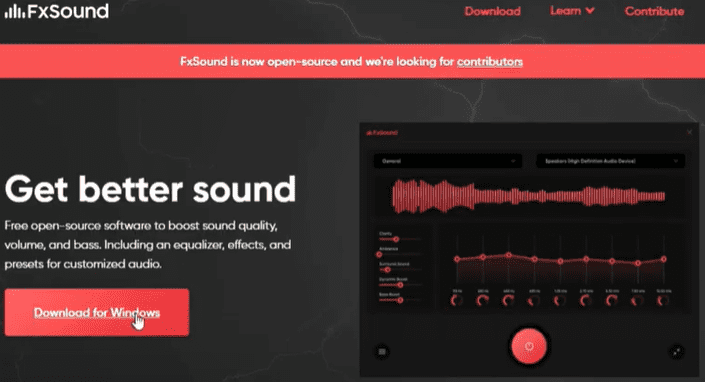
The first method involves using a highly recommended tool called FXSound. It’s a fantastic free software designed to enhance your PC or laptop’s audio output.
Steps to Set Up FXSound:
- Open your web browser.
- Search for “FXSound” in Google.
- Visit the official website (usually appears as fxsound.com) and download the software.
- Install the software by following the on-screen instructions.
Once installed:
- Open FXSound.
- Play any music or video on your system.
- Turn on the FXSound effects.
- You can experiment with different settings like Clarity, Ambience, Surround Sound, Dynamic Boost, and Bass Enhancement.
- Adjust according to your preference by testing each setting until you find the one that sounds the best to your ears.
FXSound even allows you to create your own presets to match your listening style. You can boost bass, treble, mids, and tweak the sound to your liking. Make sure you select the correct output device (like speakers or headphones) in the software for the effects to work properly.
This tool offers a colorful and easy-to-use interface that makes upgrading your sound a breeze.
Method 2: Enhance Audio Using Boom 3D
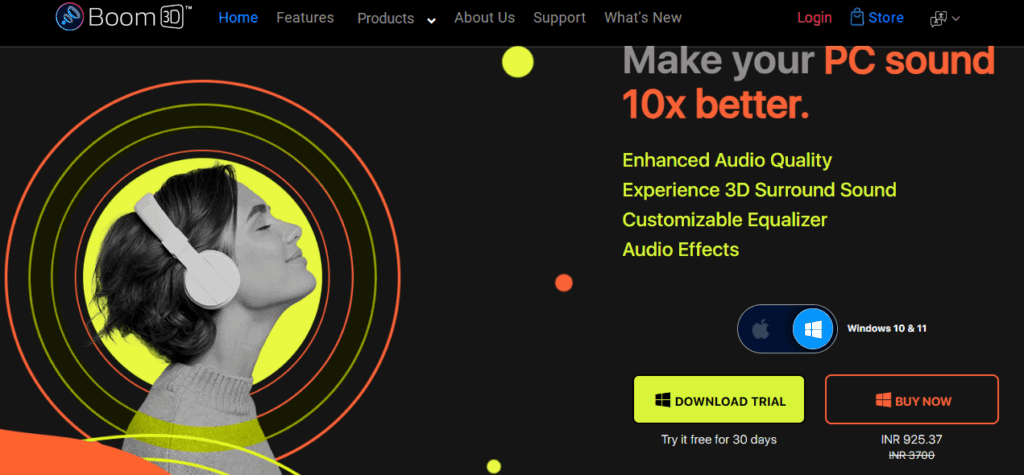
The second method introduces another incredible software called Boom 3D.
Steps to Use Boom 3D:
- Open your browser and search for “Boom 3D.”
- Visit the official site (boom3d.descript.com or delightaudiotech.com) or download it from the Microsoft Store.
- Install the application and set it up.
Boom 3D is especially powerful if you prefer using headphones or earphones. It takes your normal audio and transforms it into an immersive 3D surround sound experience.
Features include:










- 3D Surround Sound: Perfect for movies, music, and games.
- Special Audio Effects: Provides a spatial audio effect usually found only in high-end headphones.
- Pitch Control: You can even lower the pitch to create a lofi effect if you love listening to relaxed beats.
Boom 3D’s sleek and modern design makes it easy to navigate. Once set up, your everyday music and media consumption will feel premium and truly immersive.
Method 3: Use Built-in Windows Sound Settings for Better Audio (Without Extra Software)
If you prefer not to install any software, you can still improve sound quality using Windows’ built-in settings.
Here’s how:
- Right-click the volume icon on the taskbar.
- Select Sound Settings.
- Scroll down and click on More Sound Settings.
- In the Playback tab, select the device (like Speakers or Headphones) you want to enhance.
- Right-click on it and choose Properties.
- Go to the Enhancements tab.
- Enable features such as:
- Bass Boost: Increases the bass response.
- Virtual Surround: Creates a wider sound stage.
- Room Correction: Adjusts sound based on your environment.
- Loudness Equalization: Balances the volume and prevents sudden volume jumps.
Applying these enhancements can noticeably improve your listening experience without needing any third-party apps.
Conclusion
Improving your PC or laptop’s sound quality is easier than you might think. Whether you use a dedicated software solution like FXSound or Boom 3D, or simply tweak your Windows settings, these methods can make a huge difference in the clarity, bass, surround effects, and overall listening pleasure.
Try these techniques and experience richer, deeper, and more immersive audio today!
Tags:
PC Sound Enhancement, Improve Audio Quality, FXSound Setup, Boom 3D Audio, Windows 11 Tips, Better PC Sound, Audio Software for Windows, 3D Audio, Bass Boost, Virtual Surround Sound, Sound Settings Windows, Boost Laptop Sound
Hashtags:
#ImproveSoundQuality #Windows11Audio #FXSound #Boom3D #PCSoundBoost #AudioEnhancement #BetterMusicExperience #LaptopSoundUpgrade #WindowsTips #BassBoost #SurroundSound #PCSetup








