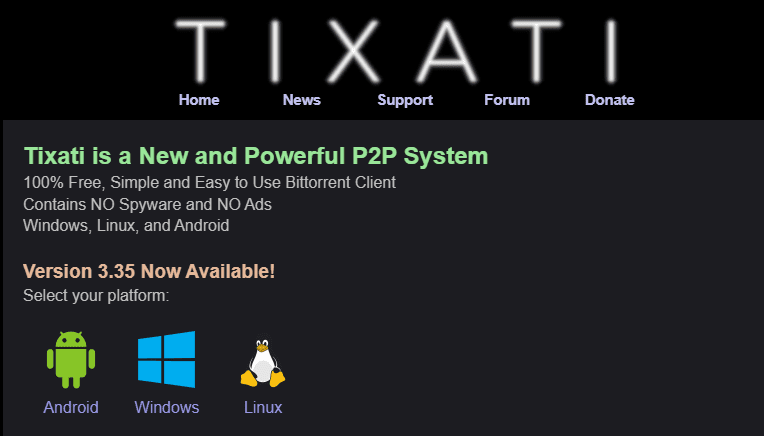
Torrenting remains one of the most efficient methods to download large files from the internet, especially open-source software and freely distributed content. This guide will walk you through the entire process of installing a torrent client, downloading torrent files, and managing your downloads effectively — all with the help of Tixati, a powerful and free torrent client for Windows.
⚠️ Disclaimer:
Torrenting is a legal technology that can be used for legitimate purposes such as downloading open-source software or freely distributed media. However, downloading copyrighted content without permission may violate copyright laws in your country. This guide is intended for educational purposes only. Always ensure that the content you’re downloading is legal and safe.
🧩 What is a Torrent Client?
A torrent client is a piece of software that lets you download files via the BitTorrent protocol. Instead of downloading a file from a single server, torrenting breaks the file into pieces and downloads those pieces from multiple users (peers) at the same time. This often speeds up download times and allows for pause/resume capabilities.
While popular options like uTorrent or qBittorrent exist, this article uses Tixati — a lightweight, reliable, and free torrent client for Windows.
🖥️ How to Install Tixati on Windows
- Download the Installer
Visit the official Tixati website and download the 64-bit standard installer. - Install the Software
- Locate the downloaded
.exefile (often blocked by Chrome; allow it manually if prompted). - Double-click the installer to begin installation.
- Choose a destination folder. For clarity, consider creating a new folder on your Desktop named
Tixati. - Click Install and wait for the installation to complete.
- Locate the downloaded
- Launch Tixati for the First Time
- Read and accept the license agreement.
- Choose a username.
- Set your default download folder. Use the
Tixatifolder you created earlier to keep things organized. - Click Continue to launch the main interface.
📥 Downloading Torrent Files
To download something via a torrent, you first need a .torrent file, which contains metadata about the files you want to download. Let’s look at how to do this with open-source Linux distributions.
✅ Example 1: Downloading Linux Mint
- Visit the Linux Mint download page.
- Choose your version (e.g., Cinnamon Edition).
- Select “Torrent 64-bit” to download the
.torrentfile. - In Tixati, click on “Add”, then locate and select the
.torrentfile from your Desktop. - Confirm the download location and press Start.
- The download will begin. You’ll see real-time stats like speed, ETA, and progress.
Once downloaded, the Linux Mint ISO file can be written to a USB drive using tools like Rufus, then used to install or boot Linux Mint.
✅ Example 2: Downloading Commodore OS Vision
- Visit the Commodore OS Vision website on SourceForge.
- Download the
.torrentfile provided for the latest version. - Repeat the same steps in Tixati as shown above.
- Press Start to begin the download.
Now, both Linux Mint and Commodore OS will download into your specified folder. Once completed, you can find the ISO files ready for use.
🧹 Post-Download Tips
- You can right-click any completed download and choose Remove from Tixati to keep the interface clean.
- The files themselves will remain in the destination folder, so you’re free to use or move them as needed.
🎯 Why Use Tixati?
Tixati offers several advantages:
- Free and Lightweight: No bloat, no hidden fees.
- No Ads: Unlike some other torrent clients, it’s ad-free.
- Detailed Stats: Get precise control over bandwidth, peer connections, and file transfers.
- Portable Version Available: Great for running from USB drives.
🔚 Final Thoughts
Torrenting is a legitimate and useful way to access open-source software, large datasets, or Linux distributions. With Tixati, you get a clean, fast, and powerful torrenting experience without unnecessary clutter or complexity.
By following this guide, you can safely and efficiently download torrent files and manage them using Tixati.





Stay informed, stay safe — and happy downloading!
🏷️ Tags:
torrent download, how to use torrents, tixati guide, torrent client setup, Linux Mint torrent, Commodore OS download, open source torrents, download ISO via torrent, install Tixati, free torrent software
📢 Hashtags:
#TorrentGuide #Tixati #LinuxMint #OpenSource #DownloadISO #TorrentClient #CommodoreOS #TechTutorial #WindowsSetup #SafeTorrenting








