Do you want to make professional-looking, attention-grabbing YouTube thumbnails, but have no experience with design tools? Thanks to powerful AI tools in 2025, you can now create stunning, HD-quality thumbnails from your home in just 5 minutes, and without spending a single rupee.
In this tutorial, you’ll learn how to use free AI platforms to generate thumbnails that look impressive, are optimized for clicks, and can help boost your video’s visibility – all without needing to learn Photoshop or any editing software.
🎯 Tools You’ll Need
To get started, you’ll need access to just two AI tools:
- ChatGPT by OpenAI – for generating image prompts.
- Ideogram AI – for generating the thumbnail based on the prompt.
✅ Both platforms are free to use (with basic accounts), and no installation is needed.
🧩 Step-by-Step Guide to Create AI Thumbnails
🔹 Step 1: Open ChatGPT
- Go to chat.openai.com and log in.
- On the left sidebar, click on the “+” (New Chat) button.
- You’ll now use ChatGPT to generate a text prompt for your thumbnail.
You can upload an image of a thumbnail you like (from YouTube or elsewhere) and then ask:
Give me the image prompt for this thumbnail.
ChatGPT will analyze the uploaded image and give you a detailed AI prompt you can use in any image generation tool.
🔹 Step 2: Visit Ideogram AI
- Go to ideogram.ai and sign in.
- Once logged in, you’ll see a prompt box asking you to “Describe your image.”
- Paste the prompt you got from ChatGPT.
- You can adjust the style or add/remove elements in the prompt if needed.
For example:
A person standing in front of a glowing digital screen, energetic color scheme, 16:9 aspect ratio, YouTube thumbnail style, vibrant lighting
- Choose aspect ratio 16:9 (ideal for YouTube thumbnails).
- Keep the AI model version to the default (e.g., 3.0) and click “Generate.”
⏱️ It usually takes about 30 seconds to produce a high-quality image.
🔹 Step 3: Download Your AI Thumbnail
- Once the image is generated, browse through the outputs.
- Select the one you like and click Download to save it to your computer.
Congratulations! You now have an HD, AI-generated thumbnail ready to upload with your video.
🧠 Bonus: Add Your Own Face to the Thumbnail (Optional)
Sometimes the AI-generated image may include a face that doesn’t match your own. If you want to personalize the thumbnail with your own face, follow these extra steps:
🔄 Replace Thumbnail Face with Yours
- Go back to ChatGPT.
- Start a new chat and upload:
- The AI-generated thumbnail.
- Your real photo (headshot).
- Then ask:
Replace the face in the first image with the second one. Change the full image, not just the face swap.
ChatGPT Vision will try to regenerate the image using your face while maintaining the thumbnail’s style.

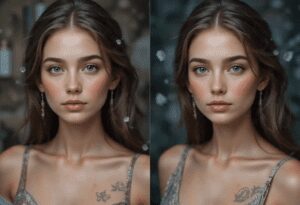




⚠️ This process may take 1–2 minutes and depends on how detailed your instructions are. The result won’t be 100% perfect but will closely resemble your face.
❓Frequently Asked Questions (FAQ)
Q: Can I generate multiple thumbnails per day?
Yes. Ideogram provides around 10 free credits per day, and one thumbnail usually uses about 4 credits. That means you can generate 2 thumbnails daily for free.
Q: Can I use these thumbnails commercially?
Ideogram AI allows image usage for personal and commercial purposes under fair-use terms, but always check their latest terms of use.
Q: Do I need to install anything?
No. Both ChatGPT and Ideogram work completely online in your browser.
📌 Summary
With this simple workflow, anyone – regardless of editing skill – can now:
✅ Generate viral-style thumbnails using AI
✅ Customize thumbnails based on prompt or style
✅ Optionally replace faces to match your brand
✅ Download and use HD images for YouTube uploads
✅ Do it all completely free and in just minutes
⚠️ Disclaimer
This article is intended for educational purposes only. We do not promote or endorse any misuse of AI tools or copyright-infringing activities. Always ensure that the content you generate follows platform guidelines and fair use policies.
🔗 Useful Links
🏷️ Tags
ai thumbnail generator, make youtube thumbnails with ai, create thumbnails for free, ideogram tutorial, chatgpt for thumbnails, no skill thumbnail design, youtube thumbnail design 2025
🔖 Hashtags
#AIThumbnails #YouTubeTips #IdeogramAI #ChatGPT #AIContentCreation #YouTubeThumbnail #NoSkillsNeeded #FreeAItools
Let us know in the comments what kinds of thumbnails you’re generating using AI. Stay creative and keep experimenting!
If you found this guide useful, be sure to bookmark it and share with fellow content creators.








