Creating short films using AI is no longer just a tech experiment — it’s a thriving creative niche. Channels are earning thousands each month with stunning cinematic content crafted using AI tools. One of the latest stars in this domain is Miniax Hilu 2, a video generation model that rivals the best in the market.
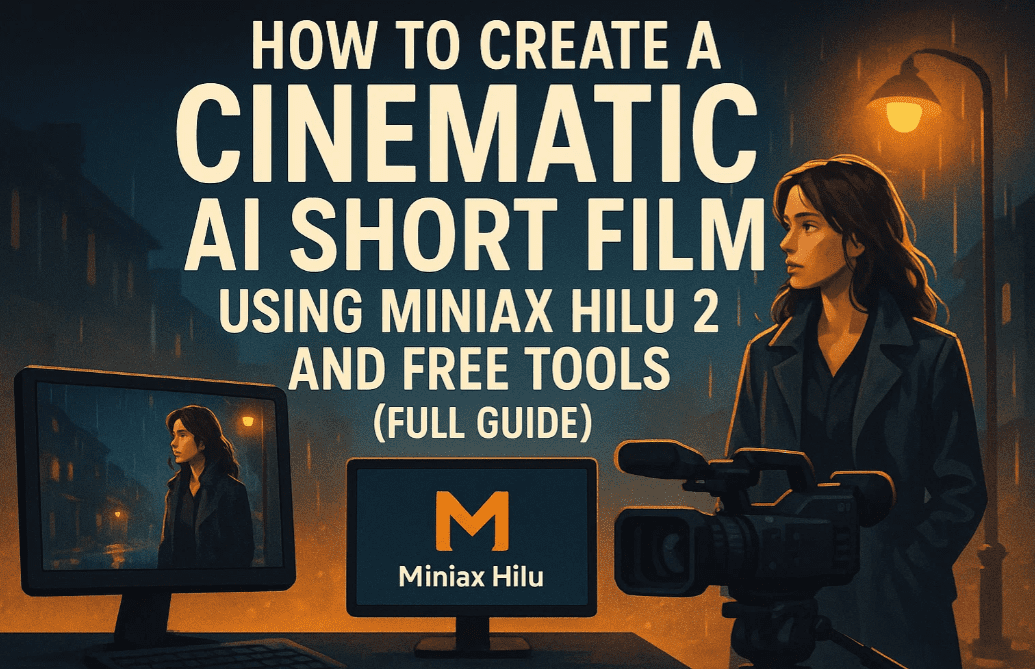
In this detailed blog post, you’ll learn step-by-step how to:
- Get AI-generated story ideas and scripts
- Generate realistic cinematic images
- Turn them into stunning videos using Hilu 2
- Add emotional AI voiceovers with ElevenLabs
- Source music and sound effects
- Combine everything into a professional final cut
Let’s walk through the entire process from concept to creation.
🎬 What is Miniax Hilu 2?
Hilu 2 is an advanced AI video generator from Miniax, accessible via Freepik’s AI Suite. This model builds on its predecessor’s success and rivals major tools like Runway, Veo, and Pika with high-quality, stylized, cinematic animations. It’s particularly suited for sci-fi, fantasy, and dramatic storytelling.
💡 Step 1: Generate Story Ideas and Scripts with ChatGPT
Before using Hilu 2, you’ll need a concept.
- Go to ChatGPT and use a prompt like:
“Give me 10 cinematic short film ideas using sci-fi or dramatic themes.” - Choose one. For this guide, we used: “Signal Lost” — a story of an astronaut who lost contact with Earth and receives a mysterious message.
- Ask ChatGPT to generate a short script:
“Write a short cinematic script for the ‘Signal Lost’ story under 30 seconds.” - Once you have the script, ask for image prompts for each scene. Also request visual consistency for characters and ships. 👉 Combine the character/scene styling details with each image prompt.
🎨 Step 2: Create Cinematic Images with Leonardo.ai
We’ll generate the visual components for our film using Leonardo AI.
Settings:
- Model: Lucid Realism
- Prompt Enhance: Off
- Style Preset: Cinematic
- Aspect Ratio: 16:9
- Generations per prompt: 4
Process:
- Copy each prompt from ChatGPT.
- Paste into Leonardo’s image generator.
- Tweak prompts if certain elements (e.g., too much dust or weird lighting) don’t work.
- Upscale your final selections by clicking Upscale, keeping default settings.
Repeat until you have images for every scene in your story.
🎥 Step 3: Generate Video with Hilu 2 via Freepik
To animate your images, use Freepik’s AI Video Generator:
- Go to Freepik’s AI Suite > AI Video Generator.
- In the Model selector, choose Hilu 2.
- Click Start Image, upload one of your cinematic images.
- The prompt will auto-generate. Edit it for accuracy if needed.
- Set quality to 1080p (2K/4K upgrades can be done later using Topaz Upscaler).
- Hit Generate.
🕒 Tip: Hilu 2 is in demand, so expect a 5–10 minute wait per video.
Repeat this process for each image/scene. Review and regenerate if the motion or focus seems off.
🗣️ Step 4: Add Emotional Voiceovers with ElevenLabs V3
ElevenLabs recently released their V3 model that supports emotional text-to-speech.








Steps:
- Log in and click “Go to App”.
- Choose V3 from the right-hand model list.
- Click Text to Speech and select a voice (e.g., Hope).
- Paste lines from your script.
- Click Enhance to auto-add emotions like
[angry],[whispering], etc. - Click Generate.
Retry if needed. You can export the final voiceover once you’re happy with the tone and delivery.
🎵 Step 5: Add Music and Sound Effects
Use Freepik’s royalty-free music and sound effect libraries:
Music:
- Go to Freepik > Audio > Royalty-Free Music.
- Search for moods like:
- “Gentle” for emotional opening scenes.
- “Scary” or “Alarming” for suspenseful sequences.
Download the perfect track(s) for your tone.
Sound Effects:
- Click on Sound Effects.
- Search for:
- “Alarm”
- “Sci-Fi Siren”
- Download a few variations and choose the most immersive ones.
🖥️ Final Editing: Stitch it Together in a Video Editor
With your:
- Cinematic video clips (from Hilu 2)
- Voiceovers (from ElevenLabs)
- Background music and effects (from Freepik)
…head into your preferred video editor (e.g., Adobe Premiere Pro, DaVinci Resolve, CapCut Desktop, or VN Editor).
- Align voiceover with the visuals.
- Add music and fade in/out effects.
- Place sound effects where they fit naturally (e.g., during alerts or transitions).
- Export in your desired resolution.
Your cinematic short film is now ready to publish!
💸 Can You Earn from This?
Yes! Channels using tools like Hilu 2, Runway, and Pika are earning $1,500–$3,500+ per month through YouTube ad revenue, sponsorships, and Patreon support. Niches include:
- Steampunk
- Sci-fi
- Fantasy
- Post-apocalyptic
- Philosophical shorts
You don’t need a studio. Just an idea, and the right tools.
🙋♂️ Frequently Asked Questions
Q1: Do I need to pay for Hilu 2?
Not necessarily. While Miniax offers a premium tier, you can access Hilu 2 through Freepik’s AI Suite.
Q2: How long does each video take to render?
Around 5–10 minutes per scene depending on traffic.
Q3: Can I upload my own voices?
Yes, ElevenLabs allows you to upload custom audio or use their emotional TTS system.
Q4: Can I monetize these videos on YouTube?
Yes, if your content is transformative and you follow copyright and platform policies.
⚠️ Disclaimer
This guide involves the use of third-party tools like Freepik, Leonardo.ai, and ElevenLabs. Access, pricing, and feature availability are subject to change. Always check their official sites for updated terms and usage rights.
🔗 Useful Resources
🎯 Final Thoughts
AI filmmaking isn’t just a trend — it’s a revolution. With tools like Miniax Hilu 2, creators can now build cinematic masterpieces from their laptops. Whether you’re just experimenting or building a monetized content channel, the path is open.
So what are you waiting for?
🔥 Grab those prompts.
🎬 Create your own masterpiece.
🎥 Share it with the world.
🛍️ Suggested Tools (Affiliate Links)
- 🎙️ Microphone for better custom audio: Buy on Amazon
- 💻 AI-ready Laptop (RTX GPU): Buy on Amazon
- 🎧 Studio Monitoring Headphones: Buy on Amazon
Tags:
miniax hilu 2, ai video generator tutorial, cinematic ai video, how to make ai short films, elevenlabs v3 guide, leonardo lucid realism ai, ai youtube content creation, freepik ai video tool, how to make ai b-roll, ai storytelling with voiceover
Hashtags:
#MiniaxHilu2 #AIShortFilms #CinematicAI #LeonardoAI #ElevenLabsV3 #FreepikAI #AIStorytelling #YouTubeAI #AIFilmmaking #TextToVideo







