Microsoft has made it increasingly difficult for users to bypass the requirement of signing in with a Microsoft account during the Windows 11 setup process. Older methods such as using the OOBE\BYPASSNRO command have been blocked in newer builds, making it tricky for those who prefer a simple local account instead of connecting their PC to a Microsoft account.
If you’re setting up a new installation of Windows 11 and want to avoid being forced into using a Microsoft account, this article shows a new working method for bypassing the sign-in requirement in the latest builds of Windows 11 (such as 24H2 and upcoming 25H2 builds).
⚠️ Disclaimer: This article is intended for educational purposes only. Bypassing Microsoft’s account sign-in requirements may violate Microsoft’s terms of service. Proceed at your own risk. Always use genuine copies of Windows obtained through Microsoft’s official website.
Why Microsoft Blocked Older Bypass Methods
Microsoft recently announced changes in their Insider Preview build 26005.516 stating that they have removed the bypassnro.cmd script to “enhance security and user experience.” In reality, this change appears to be more about ensuring users are tied to their ecosystem via a Microsoft account and internet connectivity.
Previously, users could press Shift + F10 at the setup stage and enter:
OOBE\BYPASSNRO
This command would reboot the system and allow users to select the option to continue with a local account. However, this method is now blocked in newer versions of Windows 11.
The New Working Method (2025)
Step-by-Step Guide:
- Start Windows 11 Installation
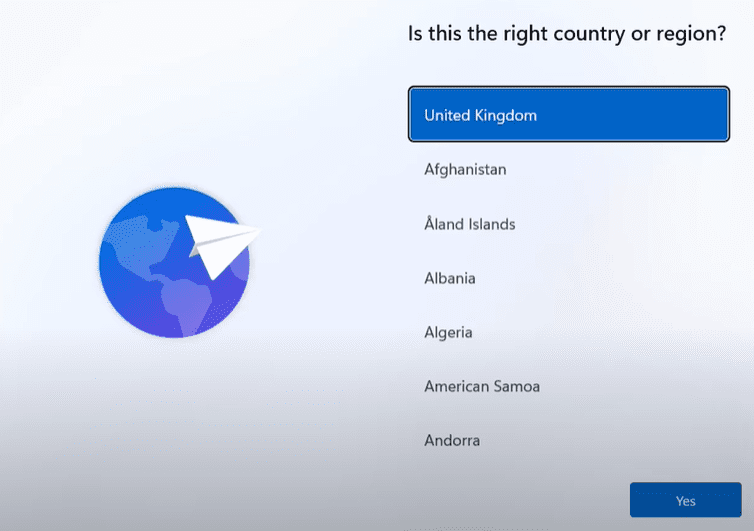
Boot your PC using a bootable USB installer for Windows 11. Proceed with selecting your language, region, and keyboard layout. - When Prompted to Connect to a Network
At this stage, Windows typically asks you to connect to the internet, which is a requirement to proceed with Microsoft account sign-in. - Press
Shift + F10to Open Command Prompt
This keyboard shortcut opens a Command Prompt window during setup. - Type the New Bypass Command
In the Command Prompt, type the following and press Enter:start ms-cxh://localonlyThis command initiates a local account setup screen without needing to reboot the system or disconnect from the internet. - Create Your Local User Account
A window will now open prompting you to:- Enter a username
- Optionally set a password
Once done, click Next.
- Continue the Setup Normally
The system will skip the Microsoft account sign-in and proceed directly to creating a local user profile on your PC. - You’re In!
Once the setup completes, you’ll land directly on the desktop using your newly created local account, with no Microsoft account involved.
Why Microsoft’s Tactics Are Problematic
Many users believe that being forced to use a Microsoft account violates their preference for privacy and control. It’s reasonable to assume that once Microsoft acquires your login data and telemetry, it remains linked—even if you later switch to a local account. Unfortunately, instead of offering a simple toggle or choice during setup, Microsoft has chosen to obscure the local account option.
This drives many power users to search for workarounds, like the one outlined here. Ideally, Microsoft should include a visible, accessible “Use Local Account” button during setup rather than pushing users through hoops.
Final Thoughts
The command start ms-cxh://localonly is currently the most effective method for bypassing the Microsoft account sign-in in Windows 11 setup (as of 2025). It is quicker and more elegant than previous methods, requiring no reboots or disconnecting from the internet. That said, Microsoft could block this in future builds—so it’s wise to bookmark this article and share it with others while it’s still working.
Have thoughts on Microsoft’s changes? Let us know in the comments or discuss with others on forums and tech communities.
Tags:
windows 11 setup, bypass microsoft account, local account windows 11, windows 11 installation, no microsoft account, windows 11 insider build, microsoft account bypass, windows 11 new method








Hashtags:
#windows11 #microsoft #bypassaccount #localaccount #techguide #windowssetup #pcsetup #windows11tips







