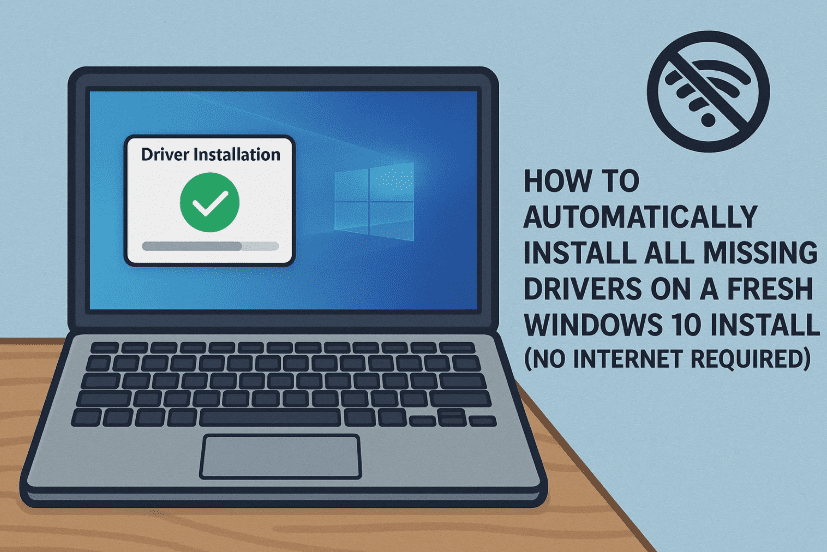
Installing a fresh copy of Windows 10 can feel like a clean slate—until you realize your trackpad isn’t working, there’s no Wi-Fi, and you’re missing all your system drivers. This is a common issue for laptops and desktops after a clean OS install, especially if the device originally came with Windows 11.
But don’t worry. In this guide, we’ll show you how to automatically download and install all drivers in just a few clicks using a free tool called Snappy Driver Installer Origin (SDIO)—no need to dig through confusing manufacturer websites!
🧭 Why Does This Happen?
When you install Windows 10, especially on a system designed for Windows 11, the operating system may not recognize hardware like:
- Trackpad/touchpad
- Wi-Fi and Bluetooth modules
- Sound or display drivers
- USB ports or LAN adapters
Windows doesn’t include all drivers by default, and if you don’t have an internet connection on that device, it becomes a chicken-and-egg problem.
That’s where Snappy Driver Installer Origin (SDIO) saves the day.
🛠️ What You’ll Need
Before we move forward, here’s what you’ll need:
- A second PC or laptop with internet access
- A USB flash drive (at least 8GB if downloading the offline version)
- The Snappy Driver Installer Origin software (free)
Now, let’s move step-by-step to get your system up and running with all drivers installed automatically.
✅ Step 1: Download Snappy Driver Installer (SDIO)
There are two versions of SDIO:
- Online version (5MB) – Downloads only selected drivers from the internet when run.
- Offline version (up to 20GB) – Includes a full driver database, no internet needed.
🟢 If your problematic PC has no internet (Wi-Fi/Bluetooth disabled), use the offline version.
👉 Download here: https://www.snappy-driver-installer.org
- On your secondary PC, visit the SDIO official site.
- Download either:
- SDIO Lite (Online version – small file)
- SDIO Full (Offline version – large file)
Once downloaded, extract the ZIP and copy the folder to a USB flash drive.
🚀 Step 2: Launch SDIO on Your Offline PC
Now take that USB drive and plug it into your Windows 10 laptop or desktop with missing drivers.







- Open the SDIO folder
- Run
SDIO_x64_R752.exe(or latest version) as Administrator - The tool will automatically scan your system for missing, outdated, or broken drivers
🖥️ Step 3: Let It Scan and Show All Missing Drivers
Once launched, SDIO will list all available drivers.
In one case, for example:
- 36 drivers were missing
- Total driver size: around 4GB
- Drivers included: trackpad, Wi-Fi, Bluetooth, display, audio, chipset, and more
You can either:
- Select all drivers for installation
- Or choose specific drivers based on your priority (like Wi-Fi or sound first)
⚙️ Step 4: Start Installation
Now that you’ve selected the required drivers:
- Click on “Install”
- Sit back while the tool:
- Downloads (if online version) or extracts (offline)
- Installs each driver silently in the background
📌 Installation time: Around 10–30 minutes depending on system performance and number of drivers.
After installation:
- Some components like trackpad or Wi-Fi may instantly start working
- Others may require a system restart
🔶 Orange highlighted drivers mean a reboot is needed for full functionality
🔄 Step 5: Restart the System
Once SDIO completes installing drivers:
- Restart your PC
- After reboot, all previously non-working hardware should now function normally
🤔 FAQs: Your Questions Answered
Q1: Can I use this for any brand of laptop or desktop?
Yes! Snappy Driver Installer works with any Windows PC, regardless of manufacturer (HP, Dell, Lenovo, ASUS, etc.).
Q2: Is Snappy Driver Installer Origin safe?
Absolutely. It’s a widely trusted open-source tool used by IT professionals. Just make sure to download from the official website: https://www.snappy-driver-installer.org
Q3: What if I don’t have a second PC?
If your current PC is completely offline and without USB support, you may need to use a friend’s computer or a cyber café to download the offline version and transfer it via USB.
Q4: Will it work for Windows 11 or Windows 7?
Yes! SDIO supports Windows 7, 8, 10, and 11.
🌟 Why This Method Is So Useful
So far, we’ve done a great job recovering a fully functional system—without wasting hours hunting drivers manually. This method is:
- Completely free
- Works offline
- Saves time
- No installation required (portable software)
Whether you’re a student, teacher, office worker, or the family tech support person, this tool will save hours every time you format or repair a Windows machine.
🛑 Disclaimer
Always download Snappy Driver Installer from the official website to avoid modified versions or adware. We are not affiliated with SDIO or responsible for improper driver installation or system errors. Always back up your system before major driver changes.
📎 Useful Link
Tags: windows 10 driver fix, no internet driver install, trackpad not working, install drivers offline, snappy driver installer guide, missing drivers windows 10, driver solution for clean install
Hashtags:
#Windows10 #DriverFix #OfflineDrivers #SDIO #SnappyDriverInstaller #WindowsSetup #LaptopDrivers #CleanInstallHelp #TechSupport #dtptips
If this article helped you get your system back online, let us know! And don’t forget to share this guide with your favorite family tech expert—they’ll thank you later.






