Modern video games like Cyberpunk 2077 or Starfield display worlds so realistic that they look almost indistinguishable from cinema. Behind that magic lies one of the most powerful computing devices ever built — the graphics card (GPU).
But have you ever wondered how many calculations your graphics card performs each second to render such scenes? The answer is truly staggering. A 1996 classic like Super Mario 64 required roughly 100 million calculations per second. Fast forward to today, and high-end GPUs used for AAA games or AI applications can perform over 36 trillion calculations per second.
That’s equivalent to the entire population of 4,400 Earths — each person doing one calculation every second — working together!
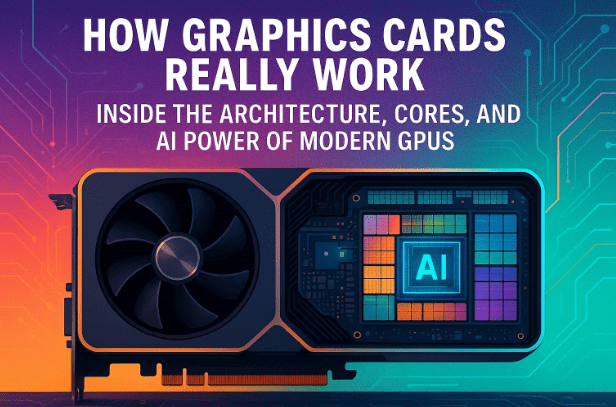
In this article, we’ll take a deep look at how GPUs achieve this, exploring their internal design, computational architecture, and how they’ve evolved into the engines powering AI, gaming, and data centers alike.
1. ⚙️ Introduction: The Power Behind Modern Graphics
Before we dissect a graphics card, it helps to understand why GPUs exist in the first place.
While your CPU (Central Processing Unit) can handle most computer tasks, modern graphics rendering — like lighting, textures, shadows, and physics — involves performing millions of repetitive calculations simultaneously.
A CPU, with its few but powerful cores, struggles to handle this scale efficiently. That’s where the GPU (Graphics Processing Unit) comes in. It’s built to handle massively parallel workloads, executing thousands of small tasks at once.
In simple terms:
- CPU = Brain for logic and instructions
- GPU = Muscle for heavy data processing
Let’s now understand how these two differ.
2. 🧩 GPU vs CPU: Understanding the Core Differences
To understand why GPUs outperform CPUs in specific workloads, let’s use an analogy.
Imagine a CPU as a jumbo jet — fast, flexible, and capable of handling complex routes (instructions). It can carry many different kinds of “cargo,” such as operating systems, network processes, or apps.
Meanwhile, a GPU is like a cargo ship — much slower, but capable of moving enormous quantities of similar cargo (data) simultaneously.











Here’s a simplified comparison:
| Feature | CPU (Central Processing Unit) | GPU (Graphics Processing Unit) |
|---|---|---|
| Cores | 4–24 high-performance cores | 5,000–12,000 smaller cores |
| Speed per Core | Very fast | Moderate |
| Parallelism | Limited | Massive |
| Flexibility | Can run OS, software, multitask | Specialized for repetitive arithmetic |
| Ideal For | Operating systems, browsing, coding | Gaming, AI, simulations, 3D rendering |
So, while the CPU can multitask across many types of jobs, the GPU’s strength lies in doing one kind of job millions of times faster — like processing pixels or performing mathematical transformations for 3D graphics.
3. 🧠 Inside the GPU: Exploring Its Architecture
Let’s open the GPU and see what’s inside. At its heart lies the GPU chip, mounted on a printed circuit board (PCB) surrounded by cooling systems, voltage regulators, and memory chips.
Key Components Inside a Modern GPU:
- GPU Die (Core Chip): The brain of the graphics card.
- Voltage Regulator Module (VRM): Converts power from 12V to the GPU’s working voltage (~1.1V).
- GDDR Memory Chips: Store temporary data for graphics rendering.
- Cooling System: Includes heat pipes, radiators, and fans to dissipate heat.
- PCIe Connector: Links GPU to the motherboard.
- Power Connectors: Supply hundreds of watts to the GPU.
A flagship GPU like the NVIDIA GA102 (used in RTX 3080/3090) contains 28.3 billion transistors. These are organized into Graphics Processing Clusters (GPCs) and Streaming Multiprocessors (SMs).
Each GA102 GPU includes:
- 7 Graphics Processing Clusters
- 84 Streaming Multiprocessors
- Each SM contains:
- 4 Warps
- 32 CUDA cores per warp
- 1 Tensor core
- 1 Ray Tracing core
Across the entire chip:
- 10,752 CUDA cores
- 336 Tensor cores
- 84 Ray Tracing cores
Let’s break down what each of these cores actually does.
4. 🔢 The Role of CUDA, Tensor, and Ray Tracing Cores
So far, we’ve seen the GPU’s structure. Now let’s understand the functionality of its three main core types.
1. CUDA Cores
Think of CUDA cores as tiny calculators that perform simple math operations — additions, multiplications, and divisions.
They’re the workhorses of the GPU, responsible for:
- Rendering graphics
- Handling pixel shading
- Executing parallel computations
Each CUDA core can perform one multiply and one add per clock cycle. Multiply that by 10,000+ cores running at over 1.7 GHz, and you get 36 trillion calculations per second.
2. Tensor Cores
Tensor cores are specialized units for matrix operations — the backbone of AI and machine learning.
They perform calculations of the form A × B + C, allowing them to process neural network data with exceptional efficiency.
Tensor cores are used in:
- Deep learning and neural networks
- AI image upscaling (e.g., NVIDIA DLSS)
- Physics simulations and advanced analytics
3. Ray Tracing Cores
Ray tracing cores simulate how light interacts with objects to produce lifelike reflections, shadows, and illumination.
They’re fewer in number but extremely powerful — responsible for the hyper-realistic lighting in modern 3D environments.
5. 🏭 How Manufacturing and Defects Shape GPU Models
Interestingly, GPUs like the RTX 3080, 3080 Ti, 3090, and 3090 Ti all use the same GA102 chip.
So why do they have different prices and specs?
It comes down to manufacturing yield.
During fabrication, some parts of the chip may develop microscopic defects — caused by dust or patterning errors. Instead of discarding the chip, manufacturers disable the faulty sections and sell the remaining functional part as a lower-tier model.
| GPU Model | CUDA Cores | Notes |
|---|---|---|
| RTX 3090 Ti | 10,752 | Fully functional GA102 chip |
| RTX 3090 | 10,496 | Slightly fewer working cores |
| RTX 3080 Ti | 10,240 | More disabled SMs |
| RTX 3080 | 8,704 | Around 16 SMs deactivated |
This process is called “binning”, and it allows manufacturers like NVIDIA to recover costs while providing multiple product tiers from the same base design.
6. 💾 The Importance of Graphics Memory (GDDR6X and Beyond)
The GPU’s video memory (VRAM) is as critical as its cores. It acts as the high-speed warehouse that stores 3D models, textures, lighting data, and frame buffers.
Modern GPUs use GDDR6X SDRAM, built by companies like Micron, which offers incredible bandwidth — over 1 TB per second.
Here’s how GPU memory differs from regular RAM:
| Feature | GPU Memory (GDDR6X) | System RAM (DDR4/5) |
|---|---|---|
| Bus Width | 384-bit | 64-bit |
| Bandwidth | ~1.15 TB/s | ~64 GB/s |
| Purpose | Graphics rendering, AI | OS and apps |
| Latency | Low | Moderate |
Unlike CPUs, GPUs consume massive data streams. 24 GDDR6X chips on an RTX 3090 transfer data simultaneously — like multiple cranes loading a ship.
The New Era: PAM-3 and HBM
- GDDR7 introduces PAM-3 encoding, which uses three voltage levels (−1, 0, +1) to increase efficiency.
- HBM (High Bandwidth Memory) — stacked vertically like skyscrapers — provides up to 192 GB of ultra-fast AI memory in HBM3E.
Micron’s advancements in PAM and HBM technology are what enable modern GPUs and AI accelerators to process terabytes of data every second.
7. 🧮 Understanding SIMD and SIMT — How GPUs Handle Massive Data
GPUs are designed for “embarrassingly parallel” problems — tasks that can be divided into thousands of independent parts.
For example, a video game scene might contain 8 million vertices and 5,000 objects. Each vertex needs similar mathematical operations (rotation, scaling, lighting) applied independently.
This is where SIMD (Single Instruction, Multiple Data) architecture comes in:
- A single instruction (like “add 5”) is applied to multiple data elements at once.
- This allows GPUs to handle millions of identical calculations in parallel.
However, modern GPUs have evolved to SIMT (Single Instruction, Multiple Threads) — a more flexible version where each thread can progress independently, allowing for conditional logic in complex shaders or AI tasks.
Hierarchy of GPU Computation
- Thread → CUDA Core
- 32 Threads → Warp
- Multiple Warps → Streaming Multiprocessor (SM)
- Multiple SMs → GPU Grid
All these threads are coordinated by the Gigathread Engine, ensuring efficient scheduling and load balancing across the GPU.
8. ⛏️ Why GPUs Were Used for Bitcoin Mining
In the early days of cryptocurrency, GPUs were the heroes of Bitcoin mining.
Mining involves solving a mathematical puzzle — the SHA-256 hash — by trying different combinations (nonces) until a hash begins with a specific number of zeroes.
Each attempt is like buying a lottery ticket. GPUs could run millions of SHA-256 hashes per second, far outperforming CPUs because of their parallel design.
However, today the field is dominated by ASICs (Application-Specific Integrated Circuits), which perform the same task thousands of times faster.
| Device Type | Hash Rate | Relative Power |
|---|---|---|
| CPU | ~10 MH/s | Low |
| GPU | ~95 MH/s | Medium |
| ASIC | ~250 TH/s | Extremely High |
So while GPUs were once the miners’ weapon of choice, ASICs have now turned them into hobbyist tools in comparison.
9. 🧠 How Tensor Cores Accelerate Neural Networks and AI
Finally, let’s look at the role of tensor cores in AI.
Machine learning and generative AI rely heavily on matrix math — multiplying and adding enormous grids of numbers that represent neuron activations and weights.
Tensor cores accelerate this using FMA (Fused Multiply-Add) operations on three matrices simultaneously:
Output = (Matrix A × Matrix B) + Matrix C
Because every cell in the matrices can be computed independently, the GPU’s tensor cores perform these billions of multiplications and additions at once.
This is what enables technologies like:
- ChatGPT, Stable Diffusion, and DALL·E
- Self-driving car vision systems
- Voice and facial recognition
Each new generation of GPU brings improvements in precision (from FP32 to FP8) and power efficiency, allowing AI models to train faster and at lower cost.
10. 💬 Frequently Asked Questions
Q1: How many calculations can a high-end GPU perform per second?
A: Flagship GPUs like the NVIDIA RTX 3090 can handle 35–36 trillion operations per second under full load.
Q2: Can GPUs replace CPUs completely?
A: No. GPUs are specialized for parallel workloads and can’t handle operating systems, input devices, or general-purpose applications efficiently.
Q3: Why are GPUs so expensive?
A: Because of their complex architecture, advanced fabrication (billions of transistors), high-speed memory, and massive cooling requirements.
Q4: What’s the future of GPU memory?
A: The transition to GDDR7 and HBM3E will deliver higher speeds, better efficiency, and optimized AI performance.
Q5: Are GPUs still useful for cryptocurrency mining?
A: Not for Bitcoin, since ASICs dominate. But GPUs are still used for other coins and blockchain research.
11. 🏁 Conclusion: GPUs — The True Workhorses of Modern Computing
From gaming and animation to artificial intelligence and scientific simulation, GPUs have redefined computation.
They’ve evolved from mere video renderers into multi-trillion-operation supercomputers that fit inside your desktop.
Next time you play a game or use an AI tool, remember — your GPU is performing billions of mathematical transformations every second, converting raw numbers into the breathtaking visuals and intelligent responses you see on screen.
It’s not just a piece of hardware — it’s the beating heart of the digital revolution.
#GPU #GraphicsCard #NVIDIA #Micron #AI #DeepLearning #ComputerArchitecture #GDDR7 #RayTracing #TechExplained #PCGaming
Disclaimer:
This article is for educational and informational purposes only. Hardware brands or technologies mentioned (such as NVIDIA and Micron) are referenced purely to explain underlying architecture — not as endorsements or promotions.








