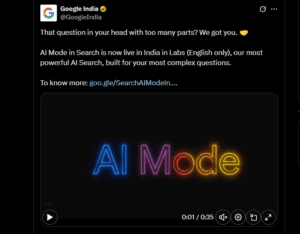
Google’s AI Mode, powered by Gemini 2.5, is now live in India — and it’s more than just a UI tweak. It marks a significant shift in how users interact with search and how SEO professionals must adapt their content strategies going forward.
Whether you’re a content creator, blogger, digital marketer, or a curious user wondering why your search experience feels different — this article will walk you through what Google’s AI Mode is, how it works, how to activate it, and how to optimize content for it effectively.
🔍 What Is Google AI Mode?
Google AI Mode (powered by Gemini 2.5) is Google’s new search interface that uses artificial intelligence to provide more personalized, conversational answers. Instead of just listing links, AI Mode can summarize content, offer contextual recommendations, and even follow up with intelligent questions — similar to using a chatbot like ChatGPT.
Key Features:
- Multimodal capabilities
- Context-aware summaries
- Personalized answers
- Follows up like a conversation
- Scans authoritative websites behind the scenes
⚙️ How to Access or Activate Google AI Mode
If you’re not seeing AI Mode yet, don’t worry — here’s how to access it:
- Visit Google Search Labs
- Look for the “Try AI Mode” toggle or similar banner
- Click on Activate AI Mode
- You should now see an enhanced interface in your Google searches with AI-generated summaries and a highlighted AI section.
🔗 Official site: https://labs.google.com/search
Once activated, Google will start showing AI answers for certain queries — particularly long-form and decision-based searches.
🧠 How AI Mode Changes User Behavior
Let’s consider a query like:
“Which is the best car under ₹5 lakh in India?”
In standard Google Search:
- You’ll get a list of articles from authority websites
- You’ll see the usual “People Also Ask” section
- Clicking links takes you to external pages
In AI Mode:
- You get a conversational, summarized answer up top
- Right-hand side: You still see external source links
- It feels more like an intelligent assistant summarizing your options
So, what’s the difference?
👉 If you just need quick facts or direct links — Standard Search is perfect.
👉 If you need contextual reasoning or follow-up options — AI Mode offers a better experience.








🤖 Example: Personalized Search in AI Mode
Let’s say you type:
“My monthly income is ₹70,000, which car should I buy?”
Google AI Mode understands this personal context and gives recommendations tailored to your situation. That’s not something regular Search can do — unless you already know what to search.
Similarly, financial queries like:
“How much SIP should I invest monthly as a student?”
…will result in far more useful, personalized answers in AI Mode.
🧪 The AI is trained to handle decision-making scenarios, not just provide definitions.
📈 What This Means for SEO in 2025 and Beyond
As SEO professionals, content writers, and website owners, you can’t ignore AI Mode. While standard SEO still works, Google AI Mode requires a new mindset.
Here’s how to adapt:
1. Target Long-Tail Queries, Not Just Keywords
In AI Mode, users ask more natural, specific, and detailed questions. That means:
- Avoid generic short-tail keywords
- Focus on long-form, question-style search phrases
- Example: Instead of “Best cars”, target “Which car is best for a monthly income of ₹70,000?”
📝 AI Mode doesn’t care about keyword density — it cares about query understanding and value.
2. Topic Optimization > Keyword Optimization
Don’t just “stuff” keywords into your H1 or meta tags.
✅ Instead:
- Use topic clusters and pillar content
- Structure your blog around solving problems
- Emphasize topics, context, and subtopics, not just matching keywords
Remember: AI Mode does not rank based on keywords. It analyzes the depth, coverage, and helpfulness of content.
3. Use Structured Formatting (Bullets, Headings, FAQs)
The AI scans your content and picks structured content faster. Use:
- Bullet points
- Numbered lists
- Tables
- FAQ sections
- Clear H2/H3 subheadings
- Schema markup (where applicable)
Think of your content like a whiteboard presentation — easy to skim, easy to teach.
4. Add First-Hand Data, Experiences, and Case Studies
AI-generated summaries love real-world insights:
- Share your personal tests or experiences
- Include original charts or screenshots
- Cite industry research and link to it
- Mention unique scenarios and user cases
✅ This boosts trust, authenticity, and visibility in both AI Mode and regular Google Search.
5. Author Authority and E-E-A-T Still Matter
Don’t publish anonymous, generic content.
- Add a real author bio
- Link your content to a LinkedIn profile
- Use “about the author” schema
- Include your own take/opinion in blog posts
AI Mode respects authoritative content backed by real people.
⚖️ AI Mode vs Standard Google Search: When to Use What?
| Scenario | Best Fit |
|---|---|
| Quick facts (weather, age, time) | Standard Search |
| Personalized queries (budget, lifestyle, income) | AI Mode |
| Navigating to a specific website or brand | Standard Search |
| Research-based questions | AI Mode |
| Transactional queries (buy now, apply here) | Standard Search |
| Follow-up or conversational search | AI Mode |
📌 Content Checklist for AI + SEO Strategy
✅ Use long-tail queries
✅ Focus on topics, not just keywords
✅ Format with headings, bullets, schema
✅ Include personalized insights or data
✅ Build trust with author bios and citations
✅ Optimize for both AI Mode and regular SERP
✍️ Final Thoughts
Google’s AI Mode isn’t replacing Search — it’s enhancing it. But to stay relevant, you’ll need to go beyond keywords and start writing content that understands user intent, offers real-world value, and is optimized for both Search engines and AI-driven interfaces.
The future of SEO lies not just in rankings — but in earning the AI’s trust to summarize your content.
✅ Start Testing It Yourself
Don’t rely on YouTube videos or blogs alone. Try different query types yourself in Google AI Mode. Notice how:
- The results differ
- Summaries change
- Website links are selected
🔁 The more you test, the more insights you’ll gain as a content creator or SEO strategist.
🔖 Tags
Google AI Mode, Gemini 2.5, AI SEO, long-tail keywords, Google Search update, search engine optimization, content marketing, SEO 2025, topic clusters, Google Gemini, SERP strategy
📢 Hashtags
#GoogleAI #Gemini2_5 #AISEO #GoogleSearch #ContentMarketing #LongTailKeywords #SearchUpdate #SEO2025 #ContentStrategy #TopicOptimization
⚠️ Disclaimer
This article is based on current experimental access to Google AI Mode (Search Labs). AI Mode features may change over time. All suggestions are based on user testing and research insights and do not guarantee ranking improvements.