In the world of SEO, backlink building has traditionally been a manual, labor-intensive process—requiring outreach, profile creation, and constant follow-ups. But what if we told you that AI has now crossed that barrier too?
Yes, with the release of ChatGPT’s new “Agent Mode,” the automation of backlink creation is no longer a future concept—it’s happening right now. In this blog, we’ll walk you through the entire process of how ChatGPT’s Agent Mode can autonomously create backlinks by browsing websites like a human. We’ll also explore the potential consequences this brings for SEO professionals and the broader search industry.
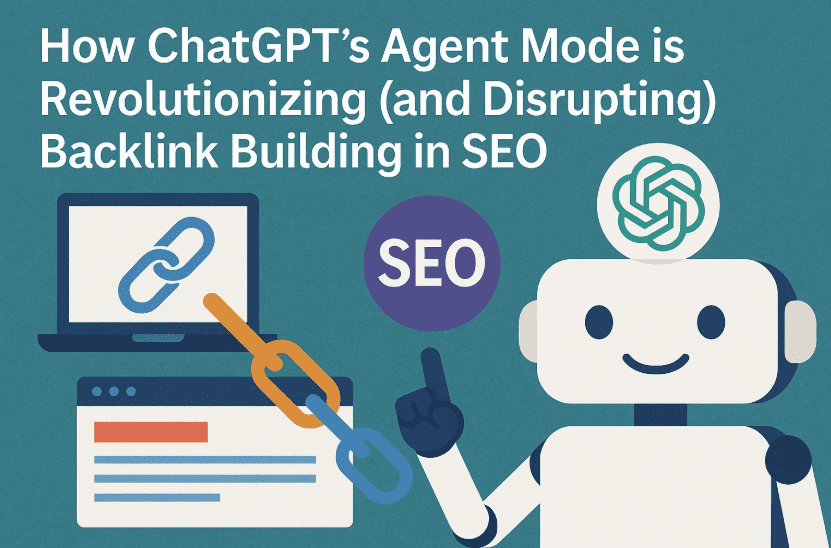
Let’s dive in step-by-step and examine what this means for you as a creator, SEO strategist, or agency owner.
🌐 What is Agent Mode in ChatGPT?
Before we get into backlink building, let’s understand what Agent Mode actually is.
Agent Mode is a powerful new feature available to ChatGPT Plus ($20/month) and Team/Enterprise ($200/month) users. When activated, it opens a virtual computer window inside ChatGPT that can interact with websites as if it were a real human user. It can:
- Open websites
- Click buttons
- Fill forms
- Read content
- Upload files
- Handle pop-ups and ads
Unlike traditional web scraping tools or automation scripts, Agent Mode mimics natural browser behavior. No API access required, no local PC interaction—it all happens within the ChatGPT interface.
🧪 Step-by-Step: How ChatGPT Builds a Backlink Automatically
Let’s walk through a real example of building a backlink using Agent Mode.
✅ Note: This entire process happens in the ChatGPT browser—not on your own machine.
Step 1: Launching Agent Mode
Once logged into ChatGPT (Plus or Team user), do the following:
- Click on the Tools icon in the ChatGPT window.
- Select Agent Mode from the list.
- You can also connect Gmail or Google Drive accounts here for email verifications, but that’s optional for now.
Agent Mode is now active. Let’s move to the actual backlink building process.
Step 2: Giving Detailed Instructions to ChatGPT
Agent Mode is like your SEO executive—it needs detailed prompts. Here’s what you typically need to provide:

- Target Website for Backlink: e.g.,
sellbeststuffs.com - Your Website URL: e.g.,
example.com/best-dentist-delhi - Keyword or Topic: e.g., “Best Dentist in Delhi”
- Name for Profile Creation: e.g., “Rahul Verma”
- Email ID & Password: Temporary credentials for registration
- Category: Optional, but good to include
The exact instruction might look like:
“Create a backlink on punybuny.com for my website https://dtptips.com/youtubes-harshest-update-yet-one-mistake-and-carrier-ends-new-circumvention-policy-2025-explained using the keyword ‘Youtube Wrost Update’. Use the name Rakesh Bhardwaj, email dtptips@gmail.com, password Don’t@123, and select Youtube as the category.”
Once submitted, Agent Mode starts executing this task as if it were a person.
Step 3: Registering on the Target Website
Without any extra data, Agent Mode will:
- Navigate to
punybuny.com - Find the “Register” link on its own
- Start filling out the form fields: name, email, password, country, etc.
- If a phone number is needed and not provided, it will either pause and ask or generate a random 10-digit number
- Detect and close any ad popups on the page
It’s smart enough to bypass Cloudflare checks or anti-bot mechanisms in some cases. However, on websites with aggressive bot detection, performance may vary.
Step 4: Creating a Backlink-Enabled Business Listing
After successful registration:
- It selects the “Post Ad” or similar option.
- Fills out business title, category, URL, and description automatically.
- Even handles image uploads by generating or choosing a relevant placeholder image.
All inputs are filled with the data you provided earlier. Once done, it clicks “Create Business Ad” or equivalent, and boom—your backlink is live.
🕐 Time Taken: Is Agent Mode Fast?
The whole process takes about 10 minutes per backlink.
That may sound slow—but imagine this:
- 1 backlink = 10 minutes
- 6 backlinks = 1 hour
- 144 backlinks = 24 hours (non-stop, no breaks)
And remember: Agent Mode doesn’t get tired, distracted, or need chai breaks.
📊 Scaling with APIs (Coming Soon)
Here’s where things get really interesting—and potentially scary for traditional SEO jobs.
OpenAI is soon launching API access for Agent Mode. Once available, you’ll be able to:
- Connect Google Sheets with columns:
- Column A: List of your site URLs
- Column B: List of directories/forums to post on
- The agent will:
- Log in
- Register
- Post
- Repeat
All day, every day. Fully autonomous.
🚨 Warning: Why This Isn’t Just “Good News”
As exciting as this sounds for solo creators and agencies, it comes with serious risks and ethical concerns.
❌ 1. Massive Job Losses
Backlink building is a huge industry employing thousands globally. If AI agents can do it cheaper, faster, and at scale:
- SEO executives may lose their roles
- Agencies may downsize backlink teams
- Freelancers may lose recurring clients
Just like ChatGPT disrupted content writing, Agent Mode is disrupting link-building.
❌ 2. Google Will Strike Back
This level of backlink automation will eventually be abused—just like AI-generated content was. When that happened, Google responded with its “scaled content abuse” update and de-indexed many low-quality sites.
The same will likely happen with:
- Mass directory backlinks
- Forum spam
- Fake business listings
Expect Google to roll out backlink devaluation or penalty updates very soon. If your SEO strategy relies heavily on such links, now’s the time to rethink.
🧠 Agent Mode’s Intelligence: It’s Not Just Click-and-Go
One impressive aspect of Agent Mode is its logic and adaptability:
- If a city name (like “Delhi”) is not found in the dropdown, it retries with:
- “delhi”
- “DELHI”
- “NCR”
- It detects ads and removes them.
- If a field is missing, it asks the user.
- It uses previous context from your chats.
This isn’t just script automation—it’s context-aware decision-making.
💡 Frequently Asked Questions
Q1. Do I need to install anything?
No. Everything runs within ChatGPT’s interface. No local scripts or browser extensions are required.
Q2. Can it post on any website?
Not every site will work. Sites with heavy bot detection, captchas, or multi-layered logins may block the agent.
Q3. Is this legal or ethical?
It depends on usage. If you automate spam on hundreds of sites, you risk violating terms of service. Use responsibly and ensure quality control.
Q4. How many times can I use Agent Mode?
- Plus ($20/month) = 40 runs/month
- Team ($200/month) = 400 runs/month
OpenAI may increase these limits soon.
🧩 What Should SEO Professionals Do Now?
This is not the time to panic—but to pivot. Here’s what you can do:
- Shift from low-quality backlinking to content-driven SEO
- Focus on editorial links, outreach, and guest posts
- Invest in E-E-A-T (Experience, Expertise, Authority, Trust)
- Learn how AI tools can enhance your strategy—not replace it
Agent Mode is here to stay. But Google is watching.
🛑 Final Thoughts: Don’t Bet Your Rankings on Bots
AI-generated backlinks will flood the web—and Google will retaliate. The smart move? Don’t over-rely on these quick wins.
Instead:
- Use Agent Mode for testing, not core strategy
- Prepare your clients for shifting trends
- Build real authority, not just backlinks
SEO isn’t dead—it’s evolving. Make sure you evolve with it.
Tags:
SEO automation, backlink building, ChatGPT Agent Mode, OpenAI API, SEO jobs, future of SEO, AI tools for SEO, backlink strategy, Google updates, scaled content abuse
Hashtags:
#ChatGPT #SEO #Backlinks #AgentMode #GoogleUpdate #AISEO #OpenAI #Automation #LinkBuilding #SEOTools #DigitalMarketing #ContentStrategy #BacklinkAutomation #GooglePenalty
Disclaimer:
This article is for educational purposes only. Automating backlinks on third-party websites may violate their terms of service. Use these tools ethically and responsibly. Overuse or misuse of automated systems may result in search penalties or account restrictions. Always test on personal domains before implementing at scale.