You’ve likely used a computer mouse for thousands of hours—but have you ever wondered how it truly works? Modern computer mice are sophisticated devices that integrate multiple technologies to deliver seamless cursor movement and precision. While there are at least seven technologies at play inside a mouse, this article will focus on one of the most critical components: the image sensor.
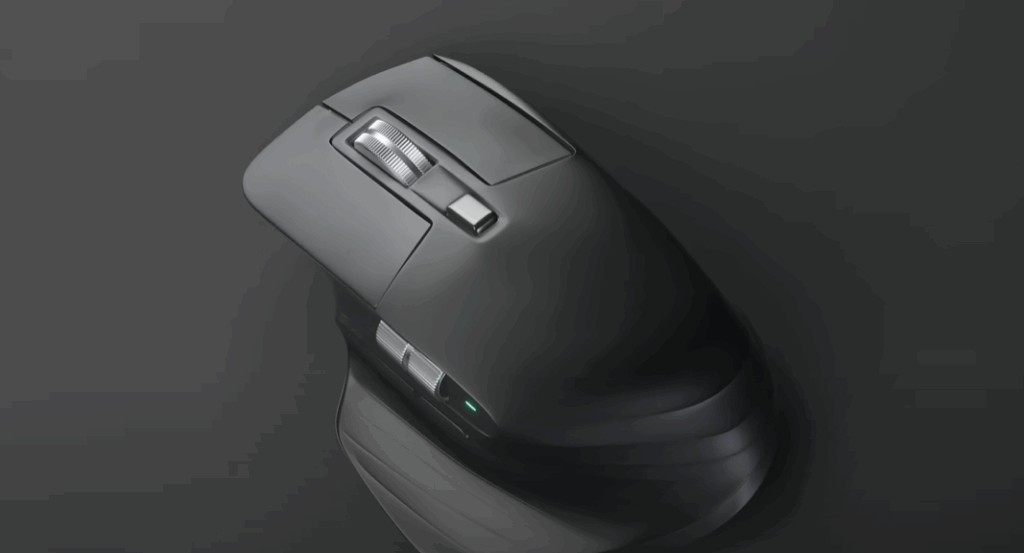
We’ll also explore the technology behind gaming mice, including how some models achieve incredibly high DPI (dots per inch) values for unparalleled sensitivity.
Understanding the Image Sensor in Your Mouse
At the core of every optical mouse is a miniaturized imaging system that allows it to track movement across a surface. This system is called the Image Acquisition System (IAS), and it comprises the following components:
- An infrared LED
- A pair of lenses
- A tiny aperture
- An image sensor array
Step 1: Illuminating the Surface
When you move your mouse, the infrared LED emits light at a shallow angle that passes through a lens and illuminates the surface directly beneath the mouse. This angle of illumination is essential, as it highlights the surface texture—the ridges and valleys—even if the surface appears smooth or uniform to the naked eye.
Step 2: Capturing Surface Texture
The reflected light then passes through a second lens and a small aperture before it hits the image sensor, which is a 40×40 array of pixels (totaling 1600 pixels). This sensor doesn’t capture color or design, but rather topographical and textural data.
Interestingly, because of the lighting angle and the sensor’s sensitivity, your mouse can pick up on microscopic imperfections in surfaces. This is also why mice tend to struggle on smooth surfaces like glass.
Step 3: High-Speed Imaging
The image sensor is capable of capturing up to 177,000 images per second. Even in just one-tenth of a second of movement, the mouse could capture around 17,000 images. However, the mouse doesn’t store these images. Instead, each image is compared to the previous one to determine how far and in what direction the mouse moved.
Step 4: Calculating Movement
Every captured image is analyzed by a part of the microchip called the Digital Signal Processor (DSP) using an algorithm known as cross-correlation. Here’s how it works:
- Two successive images (taken 59 microseconds apart) are overlaid.
- The DSP subtracts pixel values of one image from the other.
- It continues shifting the second image across different positions until it finds the minimum difference.
- The position of this minimum value indicates how far the mouse has moved in the X and Y directions.
This process repeats every 59 microseconds. After capturing 17 images, the DSP aggregates the data and sends it to a system-on-chip, which then transmits the movement data to your computer—via USB or Bluetooth—once every millisecond.
Gaming Mice vs. Standard Mice: What’s the Difference?
Gaming mice are often advertised with incredibly high DPI ratings—sometimes 25,000 DPI or more. But what does DPI really mean?
What is DPI?
DPI (Dots Per Inch) measures how many units your cursor moves on the screen per inch of mouse movement. For example:











- A mouse with 2000 DPI moves the cursor 2000 units per inch.
- A 25,000 DPI mouse moves the cursor 25,000 units for the same movement.
How Is DPI Achieved?
The DPI of a mouse depends on how finely the sensor can track changes on a surface. Here’s how it’s done:
- Each pixel in the sensor has a measurable width and height, e.g., 30 micrometers.
- A 40×40 sensor with these pixel dimensions provides a base DPI of roughly 850.
- To increase DPI, manufacturers subdivide each pixel into smaller subpixels using a technique called interpolation.
- Subdividing each pixel into 25 parts (5×5 grid) can increase DPI to over 4000.
- Using 29 subdivisions per side can achieve DPI near 25,500.
Bilinear and Bicubic Interpolation
- Bilinear interpolation connects pixel values using straight lines.
- Bicubic interpolation uses more complex math for smoother results and higher accuracy.
Changing the DPI setting on your mouse essentially adjusts the number of subdivisions used in the interpolation process.
Reporting Rate and Frame Rate
Another distinction between gaming and standard mice is how often they report data to the computer:
- Gaming mice: 1000 reports per second (1ms intervals)
- Standard mice: Around 120 reports per second
Additionally, frame rates (number of images captured per second) vary based on usage:
- High-speed movement: Up to 177,000 frames per second
- Stationary mouse: Frame rate is reduced to save power
Mouse Technology Across Generations
Different mice use different lighting technologies for tracking:
- Modern mice: Infrared LEDs
- Some models: Laser sensors
- Older models: Red LEDs
- Vintage mice: Mechanical balls for movement tracking
Each evolution has brought more accuracy, sensitivity, and user control.
Conclusion
The image sensor technology inside your mouse is a marvel of engineering—able to capture microscopic textures, calculate movement with millisecond precision, and deliver high-resolution tracking in real-time. Whether you’re using a basic office mouse or a high-end gaming model, the technology at work is impressively advanced.
Understanding how your mouse works helps you appreciate the seamless digital interactions we often take for granted.
Tags:
computer hardware, mouse technology, optical mouse, gaming mouse, DPI, image sensor, crosscorrelation, how mouse works, mouse mechanics, gaming gear, input devices, tech explained, engineering, electronics, digital signal processor, PC peripherals
Hashtags:
#ComputerMouse #OpticalSensor #GamingMouse #DPI #ImageSensor #TechExplained #MouseMechanics #PCGear #EngineeringEducation #PCPeripherals #TechTrivia #DigitalSignalProcessing #Crosscorrelation #HowItWorks #GamingTech







