If you’ve been watching AI evolve, the last few weeks have felt like someone flipped a switch. GPT-5 is here, and with it a far more capable “agent” that can browse, fill forms, analyze files, and string tasks together. This article turns that excitement into something useful: a step-by-step, human-friendly playbook you can follow to automate research and drafting safely—without violating site rules or spamming the internet.
Official links (for quick access):
• OpenAI — Introducing GPT-5: https://openai.com/index/introducing-gpt-5/
• OpenAI — GPT-5 for developers: https://openai.com/index/introducing-gpt-5-for-developers/
• ChatGPT Agent overview: https://help.openai.com/en/articles/11752874
• Agents in the OpenAI API: https://platform.openai.com/docs/guides/agents
• YouTube Fake Engagement Policy (a must-read if you touch YouTube at all): https://support.google.com/youtube/answer/3399767
Table of Contents
- What’s New in GPT-5 and ChatGPT Agent (in plain English)
- Important Reality Check: What You Should Not Automate
- Safe Automation Blueprint: Research-First, Human-in-the-Loop
- Prerequisites: Accounts, Access, and Where to Click
- Set Up a High-Quality Research Task (Step-by-Step)
- Adding Data Sources (Read-Only) and Exporting Results
- Working With Logins, Confirmations, and Schedules
- Prompting That Actually Works (And Stays On-Policy)
- Quality Filters: Views, Relevance, and Red Flags
- Drafting Thoughtful Outreach Comments (Ethical Templates)
- Automate Re-Runs Safely (Weekly Check-ins, Not 24×7 Spam)
- Troubleshooting: Likes Not Registering, Pauses, Stalls, etc.
- Security & Privacy: Prevent Leaks and Prompt-Injection
- FAQ: What’s Allowed? Plans? Rate Limits?
- Wrap-Up: The Smart Way to Use Agents Right Now
🧠 What’s New in GPT-5 and ChatGPT Agent (in plain English)
Let’s start with the “why.” GPT-5 isn’t just “a bit better at writing.” It’s designed to handle longer, multi-step tasks with better reasoning and follow-through. In practice, that means it can plan, fetch, analyze, and then do the next thing without you hand-holding every step. OpenAI’s official posts position GPT-5 as their smartest, fastest model so far, with meaningful upgrades for coding, research, and agentic workflows (the ability to combine reasoning with actions).
ChatGPT Agent mode is the other half of this story. It gives ChatGPT a virtual browser and a toolkit so it can navigate websites, fill forms, work with files, and connect to read-only data sources—all while keeping you in control (it pauses for clarifications or logins). That’s crucial: you’re still the pilot; the agent is your very capable co-pilot.
Before we move on, a friendly reminder: new doesn’t mean magic. The agent can still pause, ask, or get rate-limited. Knowing its strengths—and limits—makes all the difference.
🚦 Important Reality Check: What You Should Not Automate
This is where many “AI hustle hacks” go off the rails. Automating likes, comments, or other engagement to inflate metrics is against YouTube’s Fake Engagement policy. That includes auto-liking hundreds of videos, mass-commenting generic messages, or doing anything that artificially boosts metrics. You risk removals, restrictions, or worse. Don’t do it.
Bottom line: Use agents to research channels, collect insights, draft personalized notes, organize outreach, and help you work faster—but you should be the one to hit “Post” (and only when it’s genuine and within the platform’s rules).
Disclaimer (please read): This article explains research and drafting workflows. It is not an endorsement of automating engagement. Always follow the Terms of Service and policies of any site or API you touch. You are responsible for your accounts and actions.
🧭 Safe Automation Blueprint: Research-First, Human-in-the-Loop
Here’s the high-level shape of a responsible workflow we’ll build in this article:
- Define your target clearly. Example: “Find Taiwan-based restaurant reviewers and hotel channels focusing on Taipei food streets, night markets, and mid-range business hotels.”
- Set quality filters. Minimum views per video, age of the channel, upload frequency, language, and geographic tags.
- Use the agent for research, not engagement. Have it browse, collect links, pull metadata, and summarize findings in a spreadsheet or table.
- Draft personalized comments or outreach emails—but don’t auto-post. You paste and send manually after review. This keeps you compliant and preserves your voice.
- Schedule gentle re-runs. Weekly refreshes to catch new creators or trending videos—again, for research and drafting, not spamming. (Agent schedules are supported and manageable from a dashboard.)
That’s the blueprint. Now let’s turn it into a concrete, step-by-step flow you can actually use.
🧰 Prerequisites: Accounts, Access, and Where to Click
Let’s set the stage.


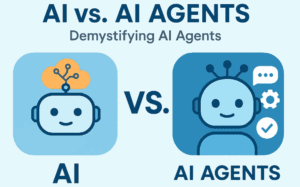



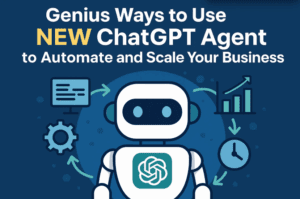


- ChatGPT with Agent mode. At the time of writing, Agent mode is available on certain ChatGPT plans (Plus/Pro/Team/Enterprise/Edu). In ChatGPT, pick Agent mode from the tools menu or type
/agentto begin. It will pause for logins and confirm when needed. (OpenAI Help Center)
• Agent overview: https://help.openai.com/en/articles/11752874 - (Optional) OpenAI API for custom agents. If you want to build your own developer-grade automations, start with the Agents docs: https://platform.openai.com/docs/guides/agents (great for structured pipelines or app integrations). (OpenAI Platform)
- (Optional) YouTube Data API (read-only). For analytics-style work (e.g., pulling stats programmatically without the agent’s browser), use the official Google Developers docs for YouTube Data API v3. Keep it read-only unless you fully understand the implications and policies.
Note about confirmations: Agent mode is designed to “keep you in control.” It may ask for confirmation for actions that change data or require sign-in. You can guide it to minimize unnecessary interruptions, but you should not expect or attempt to bypass confirmations that protect your account. (OpenAI Help Center)
🏁 Set Up a High-Quality Research Task (Step-by-Step)
So far so good—let’s move to the fun part. We’ll create a “research agent” brief you can paste into ChatGPT Agent. We’ll aim to identify Taiwan restaurant reviewers and hotel channels with solid reach and relevance.
Step 1 — The Brief (paste into Agent mode):
Goal: Research Taiwan-based YouTube creators who review restaurants, street food, night markets, and mid-range business hotels.
Deliverable: A table (and downloadable CSV) with: Channel name, Channel URL, Owner/host name (if public), Primary topics, City focus, Language, Latest 10 videos (titles + URLs), Per-video view count, Average views of latest 10, Upload frequency, Contact/Business email (if public), Notes on tone & audience.
Filters:
• Videos published in the last 6–12 months
• Average views per recent video ≥ 100,000 (flexible: include a “Promising <100k” sheet for fast-rising channels)
• Focus on Taipei, Taichung, Tainan, Kaohsiung; skip channels without a clear Taiwan focus
Agent behavior:
• Research only. Do not like, comment, subscribe, or automate engagement.
• Summarize in my tone: neutral, respectful, and specific; include 1–2 reasons each channel is a fit.
• Export results to CSV and also show an on-screen table.
Quality:
• Avoid fan compilations or pure re-uploads. Prioritize original hosts with consistent voice.
• Skip channels with obvious clickbait tactics or repeated reused footage.
Citations:
• In your final notes column, cite the exact video URLs you sampled for metrics so I can verify manually.
Why this works: You’re giving the agent clear constraints, outputs, and ethics. You’re also anticipating failure modes (clickbait, low quality, fan re-uploads). The “Promising <100k” sheet catches up-and-comers without diluting your main list.
Step 2 — Let the agent browse.
It will open a virtual browser, click around, and start populating your table. Expect occasional pauses if a site blocks bots or rate-limits. That’s normal.
Step 3 — Review and tighten.
Ask the agent to refine by city, cuisine, or hotel type (e.g., “business hotels near Taipei Main Station”). If you see false positives, say so and explain why—they’ll drop quickly in the next run.
Step 4 — Export and save.
Request a CSV download (and optionally a Google Sheets-style format). You’ll use this to drive any outreach you plan—manually.
🧩 Adding Data Sources (Read-Only) and Exporting Results
Sometimes browsing alone isn’t enough. You may want structured data.
- Read-only connectors. ChatGPT Agent can connect to certain data sources in read-only mode (think: email or docs you’ve granted access to). Use them sparingly and only when necessary.
- YouTube Data API (optional, dev-friendly). If you’re comfortable with APIs, you can supplement the agent’s browsing with YouTube Data API v3 to fetch reliable stats (again, read-only for safety and compliance). This is great for verifying view counts, upload cadence, or regional tags.
- Exports: Ask the agent for both CSV and a clean on-screen table. If you run this monthly, you’ll want consistent column names for easy comparisons.
Tip: Create a “Data Dictionary” in the same chat: define every column, data type, and acceptable values. The agent will use it to keep runs consistent.
🔐 Working With Logins, Confirmations, and Schedules
Let’s pause and address the “how does it click and fill forms?” question.
- Logins & Sensitive Steps: If a task requires a login, the agent pauses and lets you take over the browser securely (no screenshots captured while you type sensitive info). Cookies persist like a normal browser session. You can clear them later.
- Confirmations: Agent mode may ask you to confirm actions that change data or use connected accounts. This is a safety feature, not a bug. Don’t try to bypass it.
- Schedules: After a task finishes, you can set it to repeat (daily/weekly/monthly) and manage all recurring tasks from a schedules area in ChatGPT. For this workflow, a weekly refresh is usually perfect.
✍️ Prompting That Actually Works (And Stays On-Policy)
So far we’ve done a good job setting guardrails. Let’s move to prompting techniques that keep the agent focused and polite:
A. Use “Target + Constraints + Output”
- Target: “Find Taiwan-based restaurant reviewers and hotel channels.”
- Constraints: “Avg ≥ 100k views; original hosts; add contact email if public.”
- Output: “Table + CSV with columns X, Y, Z; include video URLs used for metrics.”
B. Be explicit about what not to do
- “Do not like, comment, or subscribe. Do not automate engagement. Research and draft only.”
C. “Minimize unnecessary clarifications”
- You can say: “If something is minor and unambiguous, proceed. If a step would modify data or requires login, pause and ask.” This keeps momentum without sacrificing safety. (Agent mode is built to pause when needed.)
D. Give examples
- Paste 2–3 “ideal channel profiles” so it can pattern-match quality.
E. Ask for a short “decision log”
- “For each channel kept/removed, give a one-line reason.” This makes the agent’s process transparent.
🎯 Quality Filters: Views, Relevance, and Red Flags
Let’s move to the next step—tuning quality so you don’t drown in noise.
- Recency: Focus on the last 6–12 months so you’re aligning with current trends (and reducing dead channels).
- View Floor (flexible): Start with an average of ≥ 100k views across the latest 10 videos. If you’re in a niche, drop it to 30–50k and add a “Rising” category for promising creators under the line.
- Channel Health Signals:
• Consistent upload cadence (e.g., weekly/bi-weekly)
• Real host personality vs. anonymous compilations
• Useful titles and thumbnails (clear, not clickbait)
• Comment quality (genuine discussion vs. bots) - Red Flags:
• Reused footage channels
• Sudden huge spikes across many low-effort uploads
• “Engagement pods” (suspiciously generic comments repeated everywhere)
Ask the agent to document why each channel passed or failed—transparency helps when you revisit the list later.
💬 Drafting Thoughtful Outreach Comments (Ethical Templates)
Now the human touch. Drafting is where the agent really shines, but you still press the final “send.”
Ethical, human-sounding templates (to adapt):
- If you loved a specific segment:
“Hey [Creator Name], your walkthrough of [Venue/Street] at [Timestamp/Segment] really helped me understand the ordering flow and local etiquette. I hadn’t seen anyone explain the [specific detail] that clearly. Thanks for the insight!” - If you’re starting a relationship:
“Hi [Creator Name], I’m exploring Taiwan food and stay guides for business travelers who only have 48 hours. Your format is exactly what helps first-timers decide faster. Subscribed—looking forward to the next one!” - If you want to share helpful info (no spam):
“Small add for folks visiting [District]: the [train line] runs late on weekends, and [spot] opens as early as 6am. Pairing it with [creator’s tip] made my morning run seamless.”
What the agent should do:
- Analyze the video and channel tone, extract specifics, and draft 2–3 variants in your voice.
- Never reuse the same comment everywhere; ask for diversity and personalization.
- Output comments in a separate column in your table so you can copy/paste selectively.
What you should do:
- Read every comment and decide if it’s worth posting. Keep it genuine, add personal details, and avoid anything that reads like templated outreach.
- Post manually. Stay well within platform rules.
⏰ Automate Re-Runs Safely (Weekly Check-ins, Not 24×7 Spam)
We’ve built a neat pipeline. Let’s make it sustainable.
- Weekly runs: Schedule a weekly refresh that adds new channels/videos and updates metrics for existing ones. You’ll get a fresh CSV and summary. (Agent schedules and management are supported directly in ChatGPT.)
- Changelog note: Ask the agent to keep a “What changed since last run?” section: new channels added, channels demoted, rising creators promoted.
- Human review ritual (10–15 minutes):
• Skim the top additions
• Tag a few for deeper watch later
• Copy 2–3 drafted comments you genuinely want to post
This cadence keeps you present and authentic—without turning you into a spam machine.
🧯 Troubleshooting: Likes Not Registering, Pauses, Stalls, etc.
You might see oddities. Here’s why and what to do:
- “Like didn’t register” (or similar):
The agent may be viewing pages but not actually signed in, blocked by anti-bot measures, or throttled by the site. Also, automated engagement is risky and may be filtered out by platform anti-spam systems. Solution: Don’t automate engagement. Keep research-only and post manually from your account. - Agent keeps asking for permission:
That’s expected for actions that change data or require logins. You can request fewer clarifications for minor steps, but do not try to bypass confirmations that protect your account. - Stuck on logins or captchas:
Take over the browser when prompted, sign in, and then hand it back. If a site is aggressive with captchas, prefer API or manual verification. - Data looks inconsistent run-to-run:
Create a Data Dictionary and ask the agent to validate columns and units each time. Consistency is king.
🛡️ Security & Privacy: Prevent Leaks and Prompt-Injection
We’re nearly there; let’s protect your accounts and data.
- Limit connectors to what you truly need (read-only when possible). Disconnect when done.
- Beware prompt-injection: webpages can contain hidden instructions trying to make the agent do unintended actions. The system card for ChatGPT Agent discusses safeguards—but your habits matter: don’t grant unnecessary access, and keep sensitive data out of scope.
- Separate identities: use a dedicated work account for research tasks.
- Log out and clear cookies when wrapping up sensitive tasks (ChatGPT provides controls for this).
❓ FAQ: What’s Allowed? Plans? Rate Limits?
Q1. Can the agent auto-like/comment for me?
Technically, agents can click and type, but you should not automate engagement on platforms like YouTube. Doing so risks violating the Fake Engagement policy and can harm your account. Use agents for research and drafting; you post manually.
Q2. Do I need a specific ChatGPT plan for Agent mode?
Agent mode availability is documented by OpenAI (Plus, Pro, Team, Enterprise, and Edu have access as of this writing). It pauses for confirmations and requires you to stay in control.
Q3. Can I schedule recurring tasks?
Yes. After a task finishes, set a daily/weekly/monthly schedule and manage it from the ChatGPT schedules area. Great for gentle, compliant refreshes.
Q4. Is GPT-5 really that different?
OpenAI positions GPT-5 as the smartest and most useful yet, with strong agentic capabilities and developer features. Still, expect occasional mistakes; keep a human review step.
Q5. I said “don’t ask permission, just do it,” and it kept asking anyway—why?
By design, Agent mode asks for confirmation on risky or account-changing actions. That’s a safety feature you shouldn’t try to defeat. Keep your tasks research-oriented and you’ll see fewer prompts.
✅ Wrap-Up: The Smart Way to Use Agents Right Now
So far we’ve done a good job laying out the landscape. Here’s the essence:
- Use GPT-5 + ChatGPT Agent to do the heavy lifting of research. It can browse, collect, and organize findings with more stamina than you have on a Monday evening.
- Keep your ethics and compliance tight. Don’t automate engagement. Draft, personalize, and post manually. You’ll build relationships, not spam.
- Build a repeatable pipeline. Weekly refreshes, CSV exports, quality filters, and a 10-minute review ritual beat frantic scattershot outreach every time.
If you follow the blueprint in this article, you’ll save hours each week while keeping your accounts safe and your reputation strong. Agents aren’t replacing you; they’re amplifying you—provided you stay in the driver’s seat.
Software & Official Resources Mentioned (links)
- OpenAI — Introducing GPT-5: https://openai.com/index/introducing-gpt-5/ (OpenAI)
- OpenAI — GPT-5 for Developers: https://openai.com/index/introducing-gpt-5-for-developers/
- ChatGPT Agent Overview (Help Center): https://help.openai.com/en/articles/11752874
- Agents (OpenAI API docs): https://platform.openai.com/docs/guides/agents (OpenAI Platform)
- YouTube Fake Engagement Policy: https://support.google.com/youtube/answer/3399767 (Google Help)
Disclaimer
This article is for educational purposes only. Always follow the Terms of Service and policies of the platforms and tools you use. Automating engagement (likes, comments, views) can violate platform rules. The author and publisher are not responsible for any consequences resulting from misuse.
Tags
AI agents, GPT-5, ChatGPT Agent, research automation, ethical AI, YouTube policy, creator outreach, workflow design, data gathering, prompt engineering
Hashtags
#GPT5 #ChatGPTAgent #AIWorkflow #EthicalAI #ResearchAutomation #YouTubePolicy #PromptEngineering #ContentStrategy #CreatorEconomy #Productivity








