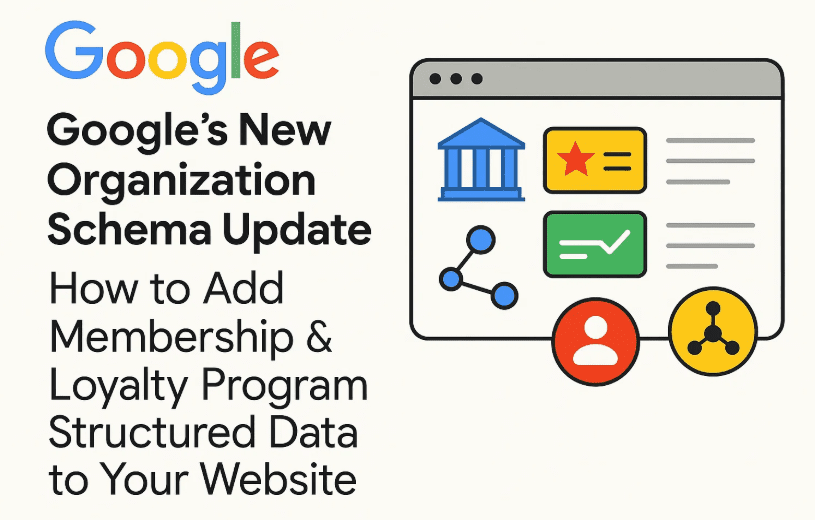
On June 10th, Google rolled out a significant upgrade to the Organization schema type—one that can greatly enhance your brand visibility, help AI systems better understand your business, and potentially increase your search engine rankings. This update now allows webmasters and SEO professionals to add Membership and Loyalty Program data as part of their structured data.
In this article, we’ll break down this schema update, why it’s important, and how to implement it correctly on your website using Schema.org markup.
📌 What Is the Organization Schema?
The Organization schema is a structured data format from Schema.org used to describe a company or brand in a format that search engines, chatbots, and AI systems can understand. It includes details such as:
- Brand name
- Logo
- Address
- Contact information
- Social media links
- Founder or CEO info
- Official URLs
Until now, this schema helped Google and other platforms recognize basic organizational data. But with the recent upgrade, you can now include detailed membership and loyalty program information too.
🎯 Why Is This Schema Update Important?
Search engines and AI bots (like ChatGPT, Google Search, Perplexity, or Bing Chat) rely on structured data to understand websites more intelligently. This new update allows them to:
- Know if your brand has a loyalty or membership program
- Compare your customer benefits with competitors
- Show these details in search result rich snippets
- Provide more tailored answers in AI-generated search summaries (AI Overviews)
The more accurate and rich your structured data, the higher the chances of enhanced visibility.
🛠️ Step-by-Step Guide to Implement the New Schema
Let’s walk through the process of implementing the new MembershipProgram structure inside your existing Organization schema.
✅ Base Organization Schema (Example)
{
  "@context": "https://schema.org",
  "@type": "Organization",
  "url": "https://example.com",
  "name": "Example Brand",
  "logo": "https://example.com/logo.png",
  "sameAs": [
    "https://www.facebook.com/example",
    "https://twitter.com/example",
    "https://instagram.com/example"
  ],
  "contactPoint": {
    "@type": "ContactPoint",
    "telephone": "+1-800-123-4567",
    "contactType": "customer service",
    "email": "support@example.com"
  },
  "address": {
    "@type": "PostalAddress",
    "streetAddress": "123 Example Street",
    "addressLocality": "New York",
    "addressRegion": "NY",
    "postalCode": "10001",
    "addressCountry": "USA"
  }
}
➕ Now Add the Membership Program Schema
{
  "@context": "https://schema.org",
  "@type": "MembershipProgram",
  "name": "Membership Plus",
  "description": "Our exclusive loyalty program offering reward points and premium perks.",
  "url": "https://example.com/membership-program",
  "hasMembership": [
    {
      "@type": "MembershipProgramTier",
      "name": "Starter",
      "url": "https://example.com/membership-program/starter",
      "membershipPointsEarned": {
        "@type": "QuantitativeValue",
        "value": 10,
        "unitText": "points"
      }
    },
    {
      "@type": "MembershipProgramTier",
      "name": "Pro",
      "url": "https://example.com/membership-program/pro",
      "membershipPointsEarned": {
        "@type": "QuantitativeValue",
        "value": 25,
        "unitText": "points"
      }
    }
  ]
}
You can place this directly beneath your Organization schema or as a separate JSON-LD block.
🌐 Where to Place the Schema?
Place this code in the <head> section of your website or inject it using your CMS/SEO plugin like:
- Rank Math
- Yoast SEO
- Schema Pro
- Google Tag Manager (Advanced)
Best pages to use this schema:
- Home Page (recommended)
- About Us page
- Membership or Loyalty Program page
- Contact page (optional)
Avoid adding it to product pages or every page unnecessarily—it won’t provide extra benefit and may dilute its impact.










💡 Tip for Online-Only Businesses
If your brand operates purely online (like an e-commerce store), you can use:
"@type": "OnlineStore"
instead of "@type": "Organization".
This also supports schema properties like:
applicableCountryreturnPolicymerchantReturnDayscontactPointfor support
❓ FAQs
Q: What’s the difference between MembershipProgram and LoyaltyProgram?
A: You must use the term MembershipProgram as defined in Schema.org. Google does not support custom naming here like “LoyaltyProgram” or “RewardsClub.”
Q: Can I add MembershipProgram schema without tiers?
A: Yes, you can omit hasMembership if you don’t have tier-based rewards.
Q: Will this affect SEO immediately?
A: No immediate effect is guaranteed, but structured data can improve how your site appears in search and help AI systems recommend your brand more accurately.
⚠️ Disclaimer
The information provided here is based on Google’s latest public schema documentation and industry best practices. Schema updates can evolve, so always validate your structured data using Google’s Rich Results Test.
🧩 Final Thoughts
With AI models and search engines getting smarter, structured data is no longer optional—it’s essential. By upgrading your Organization schema to include MembershipProgram details, you’re giving machines a deeper understanding of your brand’s value and offerings. This helps improve your online visibility, increases the chances of appearing in rich results, and gives you a competitive edge.
🔖 Tags
google schema update, membership program schema, loyalty program schema, organization structured data, structured data tips, schema.org guide, seo structured data, json-ld examples, online branding, ai optimization
🏷️ Hashtags
#SchemaUpdate #MembershipProgram #StructuredData #SEO #GoogleSearch #LLMOptimization #OrganizationSchema #AIReadyWeb #SchemaMarkup
If you’re serious about SEO and AI optimization, make this schema update a top priority for your website. Got questions or need help implementing it? Drop them in the comments or reach out—we’re happy to help!
Stay ahead. Stay structured.







