Something big is happening at Google—something that could reshape how we build apps, understand complex math, and even piece together our forgotten past. While most people are focused on flashy ChatGPT demos or AI image generators, Google has been quietly releasing some of the most powerful and versatile AI tools we’ve seen this year: Opal, Gemini Deep Think Mode, and Aeneas.
Each tool serves a different purpose—Opal helps you build real web apps using just natural language, Gemini is solving elite-level math problems at Olympiad speed, and Aeneas is helping historians reconstruct ancient Roman inscriptions that have remained incomplete for centuries.
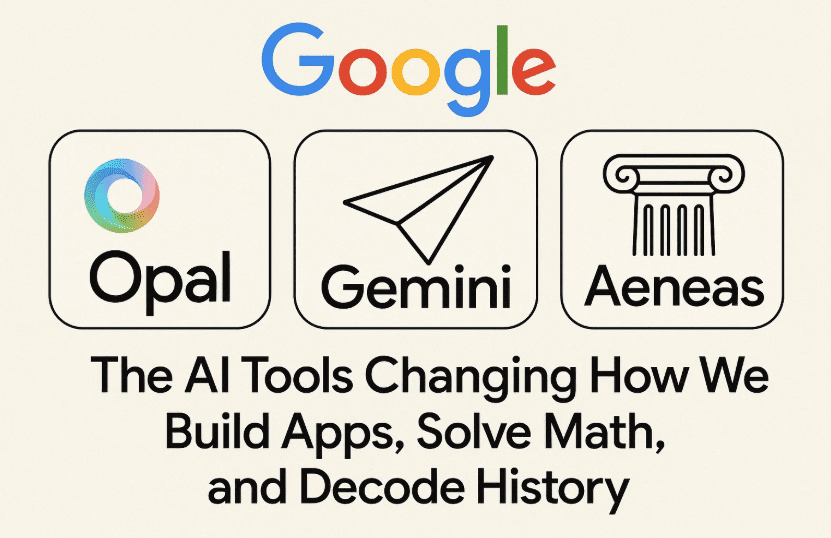
Let’s walk through each of these revolutionary tools, explain how they work, and understand why they matter more than you might think. If you’re a developer, educator, researcher, or even just an enthusiast—this is one article you don’t want to skip.
🚀 Meet Google Opal: Build Web Apps with Just a Description
Let’s begin with Opal—Google’s brand-new, browser-based AI app builder that allows anyone to create working web applications using plain English. No coding required, no installations, no backend setup. You just describe the app, and Opal builds it.
Sounds too simple? That’s the magic.
🛠️ How Opal Works — Step by Step
Let’s walk through what building an app with Opal looks like:
- Open Opal in your browser
(Currently in public beta, only available in the United States) - Describe the app
Type something like: “Create a daily planner with checkboxes, a notes section, and a mood tracker.” - Opal interprets and generates
It runs your input through Google’s internal models and returns a fully working app prototype, visually laid out as a modular workflow. - Edit visually with flowcharts
Each block in the app—inputs, logic, data flow—is editable through a flowchart-like interface:- Click into steps
- Modify logic and conditions
- Add or remove components via drag-and-drop
- Publish instantly
Once done, you can hit “Publish” and get a live link to your app. It’s sharable with anyone who has a Google account. - Remix from others
Opal features a public gallery of user-created apps. Fork a calculator, habit tracker, or quiz app—customize it, and make it your own.
✨ Use Cases of Opal
Even though it’s still early days, testers have already built:
- Daily to-do checklists
- Mini budgeting tools
- Quiz generators
- Personal portfolios
- Interactive forms
It’s not meant to replace backend-heavy apps or full-stack services (yet). It’s meant for rapid prototyping, creative experimentation, and non-coders with big ideas.
🧩 The Magic Behind Opal: What Makes It Different?
Let’s pause here. What sets Opal apart from other no-code tools like Glide, Webflow, or Bubble?
Here’s what makes Opal feel fresh:





- Natural language is the interface
No drag-to-code translations or clunky builders. You literally just describe your app in plain text. - No programming concepts required
You don’t need to know what an “if-else statement” or “for loop” is. You can describe logic like: “If a quiz answer is correct, show a congratulatory message and add 1 point.” Opal turns that into a working workflow. - Real-time visual debugging
You can see where something broke, isolate the issue, and fix it—without diving into syntax or console logs. - Remix culture
Think GitHub for app ideas. Fork someone’s creation, tweak it visually, and republish. - Google ecosystem integration potential
While early features are mostly front-end focused, future integrations with Firebase, Cloud Functions, or Gemini are likely.
⚠️ Current Limitations of Opal
Let’s keep it real—Opal isn’t perfect (yet). Here’s what you can’t do (for now):
- No full backend logic or APIs
- No database integration
- No custom auth beyond Google login
- Not suitable for high-scale production use
- Hosted apps are on Google servers—raising IP and privacy concerns
That said, for quick MVPs, workshops, educational tools, or UI mockups—Opal is already incredibly powerful.
❓ FAQ: Opal
Q: Do I need a developer background to use Opal?
No. That’s the point. It’s made for people with zero coding knowledge.
Q: Is Opal free?
Yes, currently free in beta. Pricing, if any, hasn’t been announced.
Q: Can I build mobile apps?
Not native ones. Opal outputs web apps that are responsive and work on mobile browsers.
Q: Is my data safe?
Use Opal only for non-sensitive projects. It’s hosted on Google’s servers, and usage data may be collected.
🧠 Gemini’s Deep Think Mode: Beating the World’s Best Math Minds
Now let’s move from no-code to high-IQ.
At the 2025 International Mathematical Olympiad (IMO), something wild happened. Google DeepMind’s Gemini model competed in the same environment as top math students—and scored a gold medal level.
🏅 What Happened?
- The IMO is an elite competition with 6 extremely difficult math problems
- DeepMind entered Gemini in “Deep Think Mode”
- Gemini solved 5 out of 6 problems perfectly, scoring 35 out of 42 points
- It did this within the same 4.5-hour time constraint given to human competitors
This wasn’t a fluke. Graders said Gemini’s solutions were clean, precise, and logically sound.
🧠 How Deep Think Mode Works
This mode allows Gemini to:
- Pursue multiple lines of thought simultaneously
- Compare solutions in real time
- Converge on the best strategy using reinforcement learning
Think of it like brainstorming 10 solutions, weighing them, and merging the best parts.
It was trained on:
- Thousands of expert-level math proofs
- Reinforced on theorem-solving outcomes
- Outputting answers in natural language, not code or logic syntax
📚 Aeneas: Decoding Ancient Roman Inscriptions
The third hidden gem? Aeneas—Google’s AI model for restoring damaged Latin inscriptions from ancient Rome.
🏛️ What Aeneas Can Do
Aeneas was trained on over 176,000 Latin epigraphs from major classical databases like:
- The Epigraphic Database Roma
- Heidelberg Epigraphic Database
Here’s what it does:
- Reads fragmented or eroded Latin inscriptions from stone
- Analyzes syntax, style, and historical patterns
- Suggests plausible restorations, even when gaps are unknown
🔍 Key Stats
- 73% accuracy on inscriptions with known missing gaps
- 58% accuracy when the gap length was unknown
- Fully multimodal: uses both text and image inputs
- Includes probabilistic dating of artifacts and site origin predictions
One test run on the famous Res Gestae Divi Augusti (the funeral inscription of Augustus) showed that Aeneas’s outputs matched existing scholarly consensus.
You can explore Aeneas online:
🔗 https://www.predictingthepast.com
🌐 Bigger Picture: Why This All Matters
Let’s zoom out for a moment. Google is clearly signaling something bigger here.
- Opal is the future of no-code: building software as easily as sketching a thought.
- Gemini Deep Think brings reasoning power to math, logic, and science.
- Aeneas connects AI to the humanities—preserving and understanding history in seconds.
These aren’t just tools—they’re stepping stones toward AI as an intelligent collaborator, not just a prompt generator.
Whether you’re building, learning, teaching, or researching—these tools offer new ways to create and discover.
🏁 Final Thoughts
2025 is showing us a version of AI that’s less about hype and more about usefulness.
Google Opal lets you build your ideas into apps—without ever touching a line of code.
Gemini Deep Think helps solve academic-level problems—bridging the gap between machine and mathematician.
And Aeneas is a historian’s dream—literally resurrecting languages from the dead.
These innovations make it clear: we’re entering a new phase of AI—one that’s accessible, deeply integrated, and empowering across disciplines.
Tags and Hashtags
Tags: Google Opal, Google Gemini, Aeneas AI, AI math solvers, ancient inscription restoration, no-code app builders, Opal walkthrough, generative app tools, deep learning in history, multimodal AI, math AI, AI for developers, low code development
Hashtags:
#GoogleOpal #NoCodeApps #GeminiAI #AeneasAI #DeepMind #OpalAI #ArtificialIntelligence #BuildWithAI #MultimodalAI #AIForDevelopers #HistoryMeetsAI #NoCodeRevolution #AIInEducation #PredictingThePast








