As Windows 10 nears the end of its lifecycle, many users are turning to alternative versions like Windows 10 Enterprise LTSC (Long-Term Servicing Channel) and Windows 10 IoT Enterprise LTSC. These versions offer extended support timelines and limited updates, which can seem attractive on the surface—especially for users seeking stability and fewer disruptions. However, there are serious considerations to be aware of before diving in.
In this detailed article, we will break down what these LTSC versions are, their pros and cons, licensing details, software compatibility issues, and the truth about using them on home PCs.
🖥 What is Windows 10 LTSC and IoT LTSC?
LTSC (Long-Term Servicing Channel) is a version of Windows 10 designed primarily for business environments. It receives only security updates—no feature updates—over its lifecycle, which can range from 5 to 10 years depending on the edition.
There are two main LTSC variants:
- Windows 10 Enterprise LTSC – For use in mission-critical enterprise environments.
- Windows 10 IoT Enterprise LTSC – Built for specialized devices like ATMs, kiosks, or digital signage.
These editions are not meant for home or general consumer use, and while technically installable, they come with significant limitations for regular users.
📅 Version Lifespans
Here are some common LTSC versions and their end-of-support dates:
| Version | Code | Support Ends |
|---|---|---|
| Windows 10 Enterprise LTSC | 1809 | 2029 |
| Windows 10 IoT Enterprise LTSC | 21H2 | 2032 |
While these dates may look attractive for long-term use, the lack of feature updates means compatibility with modern software will become a growing issue.
🔐 Licensing & Activation
These LTSC versions are distributed via Microsoft’s Volume Licensing Program. That means:
- They are intended only for enterprise customers.
- Home users cannot purchase them through retail channels.
- Activation keys are not legally available for individuals.
- Any method used to activate them outside of the official volume license channels is likely illegal and not advisable.
💡 Important Note: If someone claims they can provide a legitimate LTSC key for home use, they are most likely offering a pirated or unauthorized method.
Official Microsoft link for IoT Enterprise:
👉 https://learn.microsoft.com/en-us/windows/iot/
⚠ Major Issues with LTSC for Home Users
While LTSC may sound like a great option for gaming or performance due to the lack of bloatware and feature updates, here are critical downsides to consider:







1. Software Incompatibility
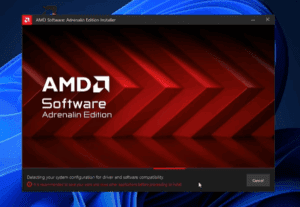
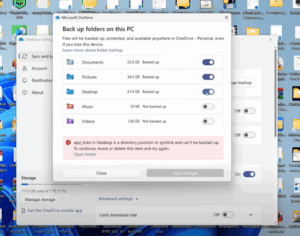
Modern software like browsers, games (Steam), utilities, and drivers may refuse to install or run on outdated versions like Windows 10 1809, even if security updates are still active. For example, applications might demand Windows 10 version 1903 or later, which LTSC 1809 cannot provide.
2. Loss of Data and Programs During Upgrade
When upgrading from an older LTSC to a newer one (e.g., 1809 to 21H2):
- Programs and settings are not preserved.
- Activation is lost, and older volume licenses won’t carry over.
- Data is stored temporarily in a Windows.old folder, which is automatically deleted after 10 days.
3. No Feature Improvements
LTSC remains on the same version forever—e.g., 21H2 will never upgrade to a newer Windows version, which could be a serious drawback as software and hardware evolve.
4. Difficult to Obtain Legitimately
- ISOs are not publicly available to home users.
- You can only get official ISO downloads if you’re a volume license customer.
- Most home users rely on unofficial sources, which is risky and often illegal.
💻 In-Place Upgrade Considerations
If you’re still set on using or upgrading LTSC versions, here are the steps for an in-place upgrade:
- Install all available updates for your current Windows version.
- Uninstall any third-party antivirus software (Windows Defender is fine).
- Download and mount the new LTSC ISO (legitimate access required).
- Create a dedicated folder on your desktop for the installation files.
- Run
setup.exefrom the ISO and follow the prompts. - Be aware that:
- All settings will be reset.
- Previous activation will be invalid.
- Data will be moved to
C:\Windows.old.
📝 It’s highly recommended to perform a clean install rather than an in-place upgrade to avoid issues and preserve system stability.
🧠 Final Thoughts: Should You Use LTSC on a Home PC?
Short answer: Probably not.
While LTSC seems appealing for its long support life and minimal updates, the reality is:
- It’s not legally available to consumers.
- It lacks compatibility with modern apps.
- Upgrades are complex and risky.
- It was never designed for general-purpose computing.
LTSC was created for fixed-function devices—not desktops or gaming rigs. As time progresses, users will increasingly face incompatibility and performance issues that outweigh any initial benefits.
🔚 Conclusion
LTSC versions of Windows 10 (Enterprise and IoT) are powerful tools—but only in the right context. For most home users, sticking with officially supported consumer versions of Windows is the best route for security, compatibility, and peace of mind.
⚠ Disclaimer
This article is for informational purposes only. It does not promote or support the use of pirated or unauthorized software. Always use software through legal and official channels.
🔖 Tags:
windows 10 ltsc, windows 10 iot ltsc, windows 10 enterprise ltsc, long term servicing channel, windows 10 upgrade, windows 10 versions, iot enterprise ltsc 21h2, windows 10 ltsc activation, windows 10 ltsc for home use, windows 10 end of life, windows ltsc issues, windows software compatibility, windows 10 ltsc license
📢 Hashtags:
#Windows10 #LTSC #IoTEnterprise #MicrosoftWindows #WindowsUpgrade #Windows10LTSC #TechTips #PCSupport #WindowsIssues #SoftwareCompatibility








