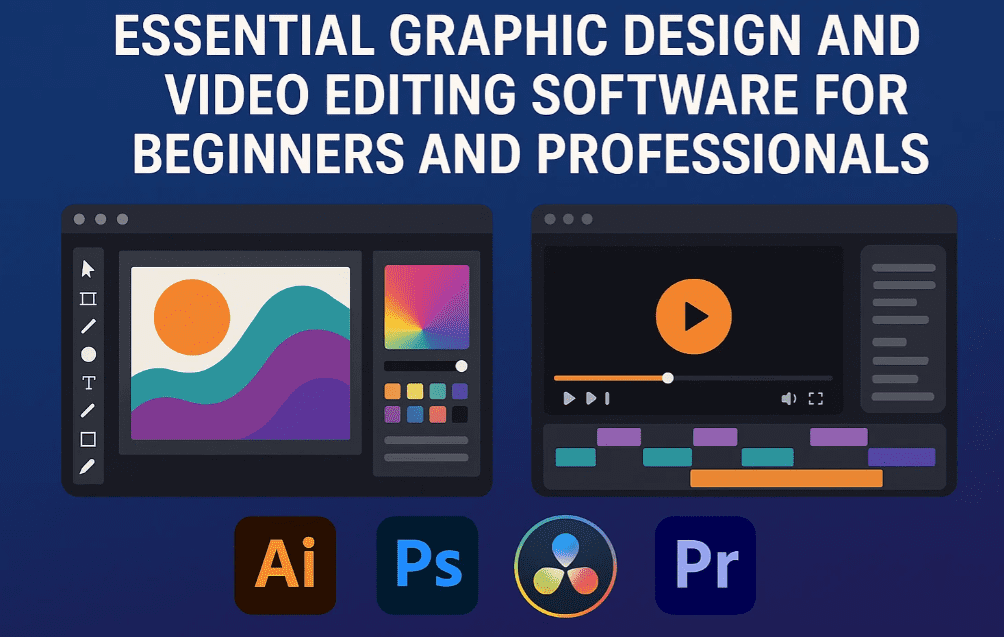
If you are starting your career in graphic design or already working in the field, choosing the right software tools is crucial. Many beginners get overwhelmed by the variety of design software options and AI-powered features available today. This guide breaks down the most essential tools every graphic designer and motion graphic artist should learn, separating useful tools from those that are outdated or non-essential.
In this article, you’ll learn:
- Which software to learn as a graphic designer or video editor
- AI-powered features that save time and effort
- Industry usage of tools like CorelDRAW and Illustrator
- Key differences between animation and motion graphics
- Tools required for professional-level video editing
Let’s break it all down.
🎨 Graphic Designing Software: What You Really Need to Learn
1. Adobe Photoshop – For Photo Editing and Manipulation
Photoshop is the go-to tool for editing photos, color correction, and image manipulation. Whether you want to make someone appear fairer, change lighting, or put a subject on a mountain instead of a beach, Photoshop has all the tools for that. It’s a raster-based tool and a must-learn for every designer.
Key Uses:
- Color correction
- Background removal
- Object manipulation
- Detailed retouching
2. Adobe Illustrator – For Creating Vector Graphics
Illustrator is used for designing illustrations and vector graphics. If you’re drawing something from scratch – icons, logos, flat art, posters – this is the tool you need. Unlike Photoshop, Illustrator deals with vectors, which are scalable and used in professional printing.
New AI Features in Illustrator:
- Text-to-Vector: Type a command like “Black Microphone,” and it generates a vector version.
- Recolor Tool: Instantly change object colors.
- Mockup Generator: Visualize your designs in real-world use cases (e.g., T-shirt, packaging).
3. CorelDRAW – Still Dominant in Local Printing
There’s a myth that CorelDRAW is outdated, but the reality is quite the opposite in local markets. Most local printers and packaging businesses still rely heavily on CorelDRAW. Even if you design in Illustrator, printers may ask for a .cdr file.






Pro Tip: You can learn CorelDRAW in 10–15 days. It’s like learning a manual gear car – once you learn the hard one, using an automatic (like Illustrator) becomes easier.
Why Still Learn CorelDRAW?
- Required by local printers
- Faster for print-ready layout tasks
- Industry still hasn’t fully transitioned to Illustrator
🤖 AI-Powered Design Tools & Features
4. Adobe Generative Fill (Photoshop)
This feature allows you to use simple commands to:
- Add or remove objects (e.g., “add a bottle”)
- Replace backgrounds
- Heal or clean up photos
These tools make old websites like remove.bg almost obsolete. With AI, even healing tools and background editing become effortless.
🖥️ Video Editing & Motion Graphics Tools
5. Adobe Premiere Pro – For Video Editing
If you’re serious about video editing, this is your primary tool. While there are alternatives like DaVinci Resolve and Final Cut Pro, Premiere Pro is beginner-friendly, offers mobile-like editing workflow, and is widely used.
Features:
- Transitions
- Color grading
- Text and alert overlays
- Timeline-based editing
6. Adobe After Effects – For Motion Graphics
Motion graphics involve adding motion to your static designs from Photoshop or Illustrator. Want to make a logo spin, highlight offers, or animate prices? After Effects makes it happen.
Key Differences:
- Animation is used for entertainment (e.g., cartoons).
- Motion Graphics is used for commercial purposes (ads, promos).
Popular Uses of After Effects:
- Product reveals
- Animated text
- Blinking prices
- Graphical transitions
🔥 Upcoming AI Trends in Design and Video
- Text-to-Video (Coming Soon) – Similar to MidJourney or DALL·E for images, you’ll soon be able to type a prompt and generate a short video.
- Extend Video Length with AI – If a clip is too short, future tools will allow you to extend it without needing reshoots.
7. Adobe Firefly – AI Tool for Designers
Firefly competes with MidJourney and DALL·E by targeting designers with features like:
- Style reference
- Custom lighting
- Detailed image generation
- Customizable output formats
🧠 FAQ: Frequently Asked Questions
❓ Is CorelDRAW still worth learning in 2025?
Yes. Especially if you’re working with local printing vendors or packaging companies. Many still require .cdr files.
❓ Should I learn both Illustrator and CorelDRAW?
Ideally, yes. Illustrator is future-proof and great for vector design, but CorelDRAW is necessary for ground-level printing.
❓ What if I already know mobile video editing apps?
Great start! Premiere Pro follows a similar logic but adds professional tools like LUTs, audio mixing, and multi-track editing.
❓ How is Motion Graphics different from regular editing?
Video editing works on recorded footage. Motion graphics animate your own design elements. Think of it as “bringing graphics to life.”
🧾 Final Thoughts
For any beginner or existing graphic designer in 2025, mastering Adobe’s creative suite gives you a strong advantage. Photoshop, Illustrator, CorelDRAW, Premiere Pro, After Effects, and Firefly cover everything from image editing to AI-based design automation.
These tools aren’t just trendy – they’re career essentials. Whether you want to freelance, work with a studio, or build your own creative agency, these are the skills you need to succeed.
🏷️ Tags:
graphic design software, adobe illustrator, adobe photoshop, adobe premiere pro, adobe after effects, coreldraw, ai design tools, adobe firefly, motion graphics, text to vector, video editing tools, ai in graphic design, 2025 design tools
🔖 Hashtags:
#GraphicDesign #AdobeIllustrator #Photoshop #CorelDRAW #VideoEditing #PremierePro #AfterEffects #AIDesign #AdobeFirefly #MotionGraphics #DesignTips2025
📢 Disclaimer:
The information shared in this article is intended for educational purposes. Software tools and features mentioned may evolve over time, so please visit the official websites for the most current updates and pricing.