If you’re tired of dealing with blurry photos, pixelated videos, or low-resolution media captured on old devices, there’s now an AI-powered solution that can help you upscale your content to 4K clarity—without needing any advanced editing skills.
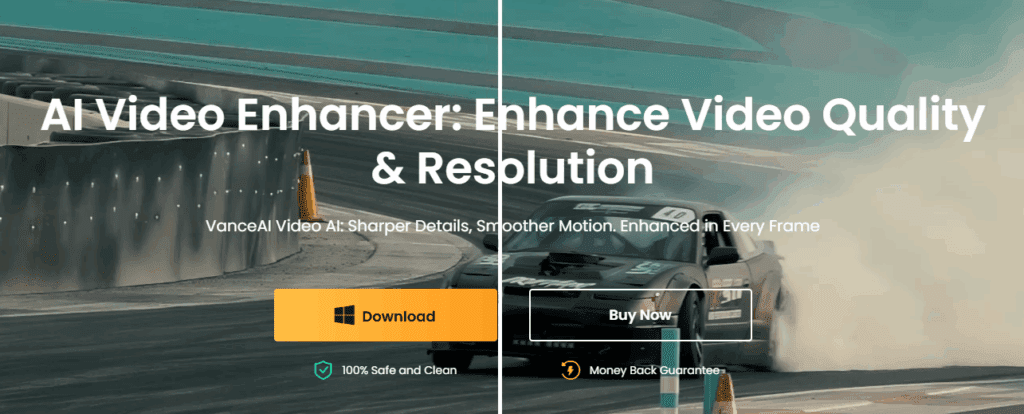
Introducing VanceAI Video Enhancer, an all-in-one AI suite that improves the quality of your images, videos, and audio. Whether you’re a content creator, photographer, or someone looking to restore old memories, this tool offers a simple way to make your files look professionally edited.
Explore it here 👉 https://vanceai.com/video-enhancer/
🧠 What Is VanceAI Video Enhancer?
VanceAI Video Enhancer is a multifunctional desktop application powered by advanced AI models that perform a wide range of tasks:
- Image enhancement
- Video upscaling (up to 4K)
- Noise reduction
- Stabilization
- Frame interpolation
- Video and audio editing
- Downloading and recording
This tool is designed to automatically analyze and upscale your files, removing noise and sharpening clarity to achieve crystal-clear results.
🔍 Key Features of VanceAI Video Enhancer
1. Image AI – Upscale and Sharpen Photos
The Image AI section allows users to:
- Upload SD or blurry images
- Automatically enhance clarity
- Manually upscale up to 4x resolution
- Compare before and after versions
With a single click, your image is processed through the AI model. For greater precision, users can adjust enhancement levels and upscale resolution.
2. Video AI – Convert Low-Quality Clips to Stunning 4K
Have old mobile videos or low-resolution footage? The Video AI tool:
- Supports 3x to 4x video upscaling
- Enhances visual sharpness and detail
- Improves frame rate and stabilization
- Reduces blur and noise
The enhancement is fully automated, but you can manually choose output resolution and frame rate settings for optimal results.
3. Audio AI – Clean Up Noisy Recordings
In the Audio AI module, you can:
- Remove background noise
- Adjust volume and clarity
- Apply post-filters for crisper sound
Great for improving voice recordings or refining the audio quality of videos.












4. Video Converter – Full Control Over Formats
Convert, edit, or tweak any video file:
- Add subtitles, watermarks, or filters
- Change video resolution and codec
- Adjust frame rates and output formats
- Trim, crop, or resize videos
This makes it ideal for preparing content for YouTube, Instagram, or other platforms.
5. Downloader – Save Videos with Ease
The built-in Downloader allows you to:
- Paste any video URL
- Automatically analyze available resolutions
- Select desired quality and save
Perfect for offline access or backups.
6. Recorder – Capture Screen or Webcam
Want to create tutorials or capture live footage? The Recorder tool supports:
- Screen recording
- Webcam integration
- Saving to various formats
All recordings can later be enhanced using the same AI technology.
⚙️ How to Get Started
- Visit the official VanceAI website: https://vanceai.com/video-enhancer/
- Click Free Download (approx. 234 MB)
- Install the software (latest version: 4.0.0)
- Open the app and choose your desired module
- Upload your file, apply enhancements, and export the result
Version 4.0.0 brings 40–80% faster enhancement, upgraded AI models, DPI setting control, and an improved YouTube downloader.
📝 Final Thoughts
VanceAI Video Enhancer is a powerful and user-friendly tool that transforms low-quality media into sharp, high-resolution content. Whether you’re working on personal projects or professional edits, this tool simplifies the process with automation and customizable features.
Give it a try and breathe new life into your old photos and videos.
⚠️ Disclaimer:
VanceAI Video Enhancer is a third-party software. Features like YouTube downloads may not work with all URLs or in all regions due to platform restrictions. Always ensure you have the right to download or modify any media before doing so.
🏷️ Tags:
VanceAI, video enhancer, AI upscaling, 4K video converter, image enhancement, audio cleanup, video editing, AI tools for creators, upscale old photos, video AI
🔖 Hashtags:
#VanceAI #AIEnhancer #VideoUpscaler #4KEnhancement #ImageEnhancement #AItools #VideoEditing #PhotoEnhancement #AudioCleanup #ContentCreation








