Home › Forums › CorelDraw Tips › DTPtips QR Code Macro Error in Coreldraw x8
Tagged: CorelDarw, QR code macro
- This topic has 1 reply, 4 voices, and was last updated 2 days, 9 hours ago by
Kiran Singh.
-
AuthorPosts
-
-
16th January 2020 at 8:19 am #1957
Rakesh Bhardwaj
KeymasterUsing this macro you can create any number of QR codes using any css or TXT file…
Download link ….
And add it to coreldraw macro manager…
-
16th January 2020 at 8:24 am #1959Keymaster
nkpp kumar
•16 hours agohello sir ji m coral X8 me load nahi kr pa raha hu plzzz help
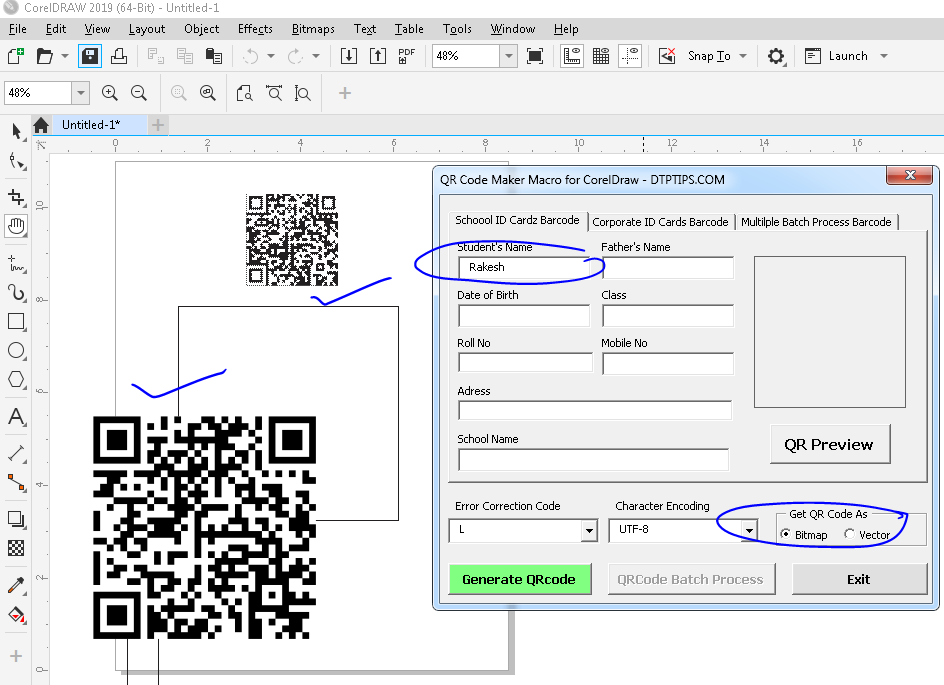
I have created this macro in CorelDrawX6 and now I have tested it on CorelDraw 2019.. it seems to working fine.
Can you plz explain your problem…
-
24th November 2025 at 11:55 pm #26843
Rohan Khanna
ParticipantOne thing to keep in mind when adding macros to CorelDRAW’s Macro Manager is to ensure the macro security level is set to allow trusted macros to run, otherwise it might not execute properly. Also, if your CSS or TXT files contain complex QR code styles or non-standard characters, some adjustments in the macro code might be necessary to handle those inputs correctly. Make sure your CorelDRAW version is compatible with the macro, as some older versions might not support newer macro features.
-
30th November 2025 at 9:39 am #27219Participant
I tried adding the macro to CorelDRAW Macro Manager like you said, but the QR codes weren’t generating properly in version 2021. It seemed like the macro didn’t fully integrate with the latest update. Maybe it works better on older versions? If anyone else got it working on the newest CorelDRAW, please share your workflow.
-
30th November 2025 at 11:33 am #27221
KernelKnight
Member@Rakesh Bhardwaj Just a quick note: the macro works best with CorelDRAW versions 2017 and later, so if you’re using an older version, you might run into compatibility issues. Also, make sure your CSS or TXT files are properly formatted before importing; otherwise, the QR codes may not generate correctly. It’s not just about adding the macro to the manager—you need to enable macros in the security settings too.
-
3rd December 2025 at 9:30 am #27393
Kiran Singh
ParticipantMake sure that when you add the macro to CorelDRAW’s Macro Manager, you’re loading it under the correct workspace and that macros are enabled in your security settings. Sometimes macros created for older versions might not work perfectly in newer CorelDRAW releases, so check version compatibility. Also, if your CSS or TXT files have special characters, ensure they are saved in UTF-8 encoding to prevent any issues generating the QR codes.
-
-
AuthorPosts
- You must be logged in to reply to this topic.