How to set Cut Marks and Bleed Settings in CorelDraw in Hindi
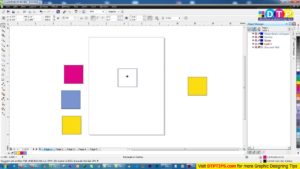
Cutting Marks and Bleed Settings are considered as the very basic knowledge that every person intent to learn graphic designer should learn.. this video explain the same in a very simple language in your mother tongue Hindi.
कट मार्क का प्रयोग सिर्फ कोरल ड्रॉ में ही नहीं बल्कि किसी भी ग्राफिक डिजाइनिंग सॉफ्टवेयर में प्रयोग किया जाता है क्योंकि इसके बिना आप कोई भी फाइल प्रिंटिंग के लिए नहीं भेज सकते हैं| कोरल ड्रा में आप कट मार्क किस प्रकार से लगा सकते हैं यह आप नीचे दिए गए वीडियो में देख सकते हैं| मैंने कोशिश की है कि इस वीडियो में आपको Cut marks से संबंधित सारी जानकारी विस्तार से समझा सकूं|
आपको यह वीडियो कैसी लगी मुझे कमेंट के माध्यम से जरूर बताएं इसके अलावा आप फोरम के माध्यम से भी अपने विचार अपने सुझाव या कोई अपनी परेशानी मेरे साथ शेयर कर सकते हैं मैं उनका उपाय ढूंढने की कोशिश पूरी कोशिश करुंगा|
Complete list of CorelDraw Tutorials : https://www.youtube.com/watch?v=3mGBy-5Y0Xs&list=PLlMSyScjQOQlDgUM7bgPSFiPmZfhABCKh
Visited 569 times, 1 visit(s) today