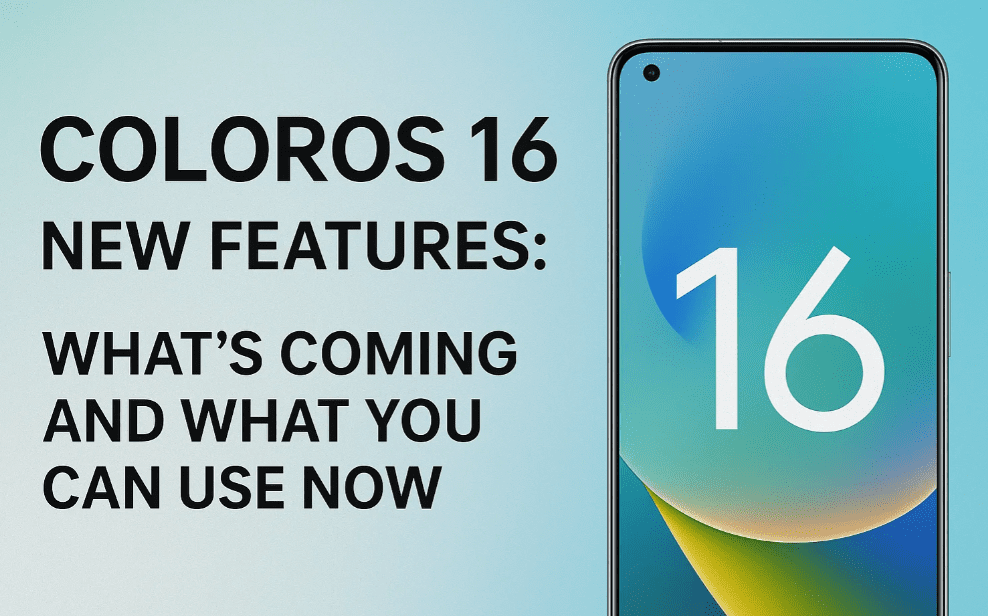
With the launch of ColorOS 16, based on Android 16, a host of exciting features are making their way to Oppo, OnePlus (OxygenOS), and Realme (Realme UI) devices. While the full rollout is still in progress, several features have already surfaced — and surprisingly, some of them can even be used right now on Android 15 devices.
In this article, we’ll walk through all the confirmed features of ColorOS 16 and its equivalents — OxygenOS 16 for OnePlus and Realme UI 7.0 — and explain how you can take advantage of these updates today.
🤝 Common Ground: ColorOS 16, OxygenOS 16 & Realme UI 7.0
If you own a device from Oppo, OnePlus, or Realme, it’s important to understand that all three brands share a common software foundation. That means:
- ColorOS = OxygenOS = Realme UI (with slight differences based on hardware and branding)
- Features rolled out in one generally appear in the other two as well
- Updates often follow a similar timeline, with minor variations
🌈 1. Redesigned Software Update Interface
The software update screen in ColorOS 16/OxygenOS 16/Realme UI 7.0 has been visually revamped. The new interface is:
- More colorful and modern
- Clearly shows the software version (e.g., OxygenOS 16.10.891)
- Matches the branding for each platform:
- ColorOS 16 (Oppo)
- OxygenOS 16 (OnePlus)
- Realme UI 7.0 (Realme)
This subtle yet effective redesign makes navigating update details easier and adds a premium visual feel.
🔔 2. Customizable Notification & Control Panel
One of the most practical upgrades in ColorOS 16 is the revamped Notification and Control Panel, which now offers:
- Customizable toggles
- Ability to drag and reposition icons
- Resize toggles to suit your needs
- Better layout for organizing Quick Settings
This level of customization is not available in Android 15-based ColorOS, making this one of the standout UI upgrades in version 16.
🔋 3. Enhanced Battery Charging Limit Control
Previously, users could only limit battery charging to 80% to preserve battery health. In ColorOS 16, this feature is massively improved.
You can now set charging limits at:
- 80%
- 85%
- 90%
- 95%
- 100%
This gives you complete control over how your phone charges, helping extend battery longevity based on your usage pattern.
🧩 4. Stacked Notifications
The notification system has received a functional upgrade with the “stacked” style layout. Here’s what’s new:







- Notifications now stack neatly when swiping down
- They appear grouped rather than scattered
- Lock screen notifications follow the same stacked visual design
This approach makes it easier to manage multiple notifications at once and declutters your notification panel.
📱 5. Stackable & Expandable Widgets
Widgets in ColorOS 16 now come with improved usability:
- Stackable widgets let you use multiple widgets in the same space
- Tap to expand any widget and view its content in detail
- Smooth animations and smart layout organization
- Works similarly for both large and small widgets
This feature enhances multitasking and dashboard customization. And here’s the best part:
🔹 If you have an Oppo, Realme, or OnePlus device running Android 15, this widget stacking feature can already be enabled manually.
🎵 6. Revamped Media Player UI
The lock screen media player has been completely redesigned in ColorOS 16:
- Modern and minimal layout
- New visual animation styles
- Intuitive media controls for pause, play, skip, and volume
- Great for music lovers who appreciate a premium feel
This is a subtle yet enjoyable improvement that makes media playback more engaging.
🔴 7. Live Activity Updates on Lock Screen
Borrowed and adapted from Google’s own feature set, Live Activity Updates are also coming to ColorOS 16:
- Shows real-time updates for food orders, cab rides, deliveries, and more
- Integrated directly into the lock screen
- Continuously updates based on app activity
- Works across many third-party apps
This allows users to keep track of essential tasks without unlocking their phone.
⚙️ Feature Compatibility with Android 15
If you’re using a device from Oppo, OnePlus, or Realme running Android 15, good news:
➡️ The widget stacking feature and some notification layout features are already available for manual installation or via theme store updates.
These updates are being pushed gradually, so check your software update settings regularly.
❓ Frequently Asked Questions (FAQs)
Q1: Can I use these ColorOS 16 features on Android 15?
Yes. Some features like widget stacking and custom notification styles can already be accessed on supported devices using Android 15.
Q2: Which devices will get the ColorOS 16 update?
Primarily newer Oppo, OnePlus, and Realme phones. Specific models will be confirmed by each brand during the rollout phase.
Q3: Is battery charging limit customization safe?
Absolutely. These options are designed to extend battery life and reduce battery wear over time.
Q4: Are the features identical across ColorOS, OxygenOS, and Realme UI?
Mostly, yes. While branding and some minor visuals differ, the core features remain the same across all three.
✅ Final Thoughts
ColorOS 16 (and its siblings OxygenOS 16 and Realme UI 7.0) bring several smart, performance-friendly, and visually pleasing upgrades that elevate the Android experience. Whether it’s the intuitive control panel, better battery health management, or improved widgets — there’s something for everyone.
Even if you’re still on Android 15, a few of these features are already accessible, making it an exciting time for Oppo, OnePlus, and Realme users. Keep an eye on the official update schedule and explore your Settings > Software Update section to grab these improvements as they roll out.
🏷️ Tags and Hashtags
Tags:
ColorOS 16 features, OxygenOS 16 update, Realme UI 7.0, Android 16 features, Oppo Android update, OnePlus widget stack, Realme battery charging limit, ColorOS notification panel, Android customization, Android 16 lock screen updates
Hashtags:
#ColorOS16 #OxygenOS16 #RealmeUI7 #Android16 #AndroidUpdate #OppoPhones #OnePlusUpdate #RealmeFeatures #WidgetStacking #BatteryHealthAndroid
🔗 Official Resources
⚠️ Disclaimer
Feature availability may vary depending on device model, region, and carrier restrictions. Always check with your manufacturer or official website for your specific update roadmap and software compatibility.