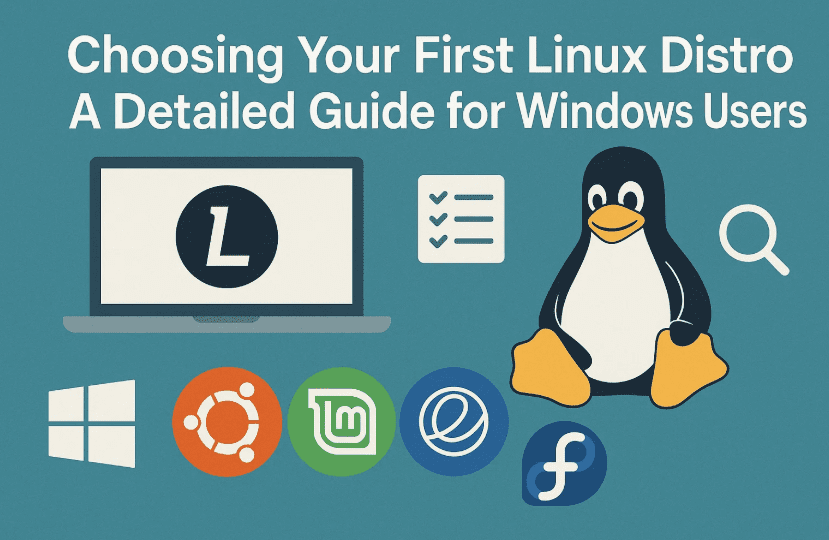
For anyone stepping into the world of Linux from Windows, the sheer number of Linux distributions (distros) can feel overwhelming. Which one should you choose? What’s the difference between Ubuntu and Linux Mint? Should you go with Debian or try something more modern like Pop!_OS?
In this comprehensive article, we’ll walk you through the six best beginner-friendly Linux distros: Linux Mint, Zorin OS, Ubuntu, Debian, MX Linux, and Pop!_OS. We’ll explore their look and feel, ease of use, support, default apps, developer backing, and more—all tailored for someone just like you: a general computer user looking for a simple desktop operating system that works out of the box.
Understanding What a Linux Distro Is
Before we jump into comparisons, let’s understand what a Linux distro really is.
Technically speaking, Linux is just the kernel, the core of the operating system that interacts with hardware. A Linux distribution (distro) bundles the Linux kernel with a bootloader (which starts the OS), a graphical desktop environment, system utilities, default applications, and a package manager.
So when you choose a distro, you’re not just choosing “Linux”—you’re choosing:
- How the Linux kernel is configured
- The graphical user interface (GUI)
- Pre-installed applications
- How software is installed or updated
- And much more…
Who Is This Guide For?
This article is specifically for:
- People switching from Windows
- Looking for a desktop operating system (not a server)
- Want everything to work out of the box
- Are general users, not developers or programmers
If that sounds like you, read on!
The 6 Best Linux Distros for Beginners (2025 Edition)
Let’s now take a deep dive into six of the best Linux distributions for beginners.
Before we get into each distro, here’s something important: all of them support basic computing (browsing, email, office apps, multimedia), and even light gaming. So it really comes down to look and feel, customization, and your comfort level.
1. Linux Mint 22.1 Cinnamon
Let’s start with one of the most loved beginner distros—Linux Mint, specifically the Cinnamon Edition.
🖥️ User Interface
- Very similar to Windows 7 or early Windows 10.
- Taskbar at the bottom, with a Start Menu-style application launcher on the left.
- Intuitive right-click options, file manager, and system tray.
📦 Pre-installed Apps
- Firefox (browser)
- Thunderbird (email)
- LibreOffice (office suite)
- Media players
- PDF viewer
🎯 Ideal For
- Users who want zero surprises.
- Those who want to transition from Windows with the least learning curve.
🔧 Versions
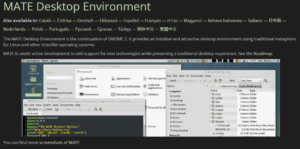
Mint also comes with XFCE (lightweight) and MATE desktops, but Cinnamon is the most modern and polished.






✅ Support until April 2029
🌐 Website: https://linuxmint.com
2. Zorin OS 17.3 Core
Zorin OS was made with Windows users in mind—literally.
🖥️ User Interface
- Bottom taskbar and app menu like Windows.
- Comes with Zorin Appearance Tool to switch between different desktop layouts (Windows 11, macOS-like, etc.).
📦 Pre-installed Apps
- Brave Browser (instead of Firefox)
- LibreOffice
- Media players
- System utilities
📌 Brave has some privacy concerns for some users—Linux Mint sticks with Firefox.
🎓 Versions Available
- Core (Free)
- Education (Free with educational tools)
- Pro (Paid, with extra apps and layouts)
⚠️ Font size in menus cannot be easily adjusted from appearance settings. Linux Mint handles this better.
✅ Support until June 2027
🌐 Website: https://zorin.com/os
3. Ubuntu 24.04 LTS
Ubuntu is the base for many other distros (including Linux Mint and Zorin OS). It’s polished, modern, and backed by a large company—Canonical.
🖥️ User Interface
- Uses a customized GNOME desktop.
- Top bar with system status on the right.
- Left-side dock for app shortcuts.
- No traditional application menu, but “Activities” view offers workspace navigation and app grid.
📦 Pre-installed Apps (in extended mode)
- Firefox
- LibreOffice
- Email, media tools, calculator, and more
💡 LTS vs Regular Releases
Only LTS (Long Term Support) versions are supported for 5 years. Stick to Ubuntu 24.04 LTS (not 25.04 or other short-term releases).
✅ Support until May 2029
🌐 Website: https://ubuntu.com
4. Debian 12 / Debian 13 (with KDE)
Debian is one of the oldest and most stable Linux distributions. Ubuntu is built on top of Debian.
🖥️ User Interface
- Default is GNOME (minimalist, modern), but lacks features like window maximize/minimize by default.
- KDE Plasma desktop is highly recommended for beginners—looks like Windows and is super customizable.
✋ Installing KDE Plasma in Debian requires choosing the right ISO or selecting the desktop in the installer. Use the live KDE image for easiest setup.
📦 Pre-installed Apps
- LibreOffice
- Firefox ESR
- Basic system tools
✅ Support expected until ~2030
🌐 Website: https://www.debian.org
5. MX Linux 23.6 (XFCE)
MX Linux is a community-driven distro that’s easy to use and very lightweight.
🖥️ User Interface
- XFCE is the default—clean, fast, and familiar.
- Left-side vertical panel with shutdown and application menu.
📦 Pre-installed Apps
- Firefox
- Thunderbird
- LibreOffice
- Media tools and system utilities
🎯 Ideal For
- People who want great performance on older or low-spec machines.
- Those who want a stable experience with minimal bloat.
✅ Support until June 2029
🌐 Website: https://mxlinux.org
6. Pop!_OS 22.04
Created by System76, Pop!_OS is based on Ubuntu and targets creators, developers, and power users—but it’s still beginner-friendly.
🖥️ User Interface
- Uses COSMIC desktop (custom GNOME fork).
- Top panel + bottom dock + workspace and app launcher.
- Highly optimized workflow features and animations.
📦 Pre-installed Apps
- Firefox
- LibreOffice
- Launcher with quick search
- Tools for multitasking and tiling windows
Maximize icon missing by default, but can be easily re-enabled in settings.
✅ Support until April 2027
🌐 Website: https://pop.system76.com
How to Try Linux Distros Before Installing
So far, we’ve done a good job breaking down the top beginner distros. But how do you actually try them?
Here’s how to test a Linux distro without changing your current OS:
🛠️ Steps:
- Download the ISO file from the distro’s official website.
- Use a tool like Rufus (Windows) or Balena Etcher (cross-platform) to write the ISO to a USB stick.
- Boot your computer from the USB.
- Choose “Try without installing” to use the Live environment.
If you’re planning to test multiple distros, use Ventoy to create a multi-boot USB. Website: https://www.ventoy.net
Free and Open Source Software (FOSS) Considerations
All six distros here are free and based on open-source principles. But some, like Debian, stick more closely to FOSS purity, while others (like Ubuntu or Zorin OS) are more pragmatic—offering proprietary drivers or software.
If FOSS ethics matter to you:
- Debian is the most strict (but recently added some non-free firmware).
- Mint, Ubuntu, and others allow proprietary drivers for practicality.
Stability, Release Cycle & Development Team Size
When choosing your first distro, opt for something conservative (stable, less likely to break).
🌀 Release Cycle:
- Fixed Release: Ubuntu, Mint, Zorin, Debian
- Semi-Rolling: MX Linux, Pop!_OS (updates some parts like apps)
Avoid rolling-release distros like Arch Linux as a beginner.
👨💻 Developer Team Size (Estimates):
- Ubuntu (Canonical): ~1,175 employees
- Debian: 1,034 developers
- Linux Mint: ~11 developers
- Zorin OS: ~2 core devs
- Pop!_OS (System76): ~50 employees
- MX Linux: Community-maintained
A larger team often means more stable updates and longer-term viability, especially important for newcomers.
FAQs
❓ Is Linux hard to use?
Not anymore. Distros like Mint, Zorin, and Ubuntu are extremely user-friendly.
❓ Can I run Microsoft Office on Linux?
You can use LibreOffice, or install Office via Wine, or use Office Online in the browser.
❓ Can I play games on Linux?
Yes! Use Steam with Proton or try gaming distros like Bazzite or Nobara if gaming is your priority.
❓ Will Linux work on my old laptop?
Yes, especially if you use lightweight desktops like XFCE (MX Linux) or MATE (Mint).
Conclusion: Which One Should You Pick?
Let’s wrap things up.
| Distro | Best For |
|---|---|
| Linux Mint | Most familiar to Windows users, easy to use |
| Zorin OS | Beautiful UI, beginner-focused |
| Ubuntu | Polished, well-supported, developer-friendly |
| Debian KDE | Stability + traditional interface |
| MX Linux | Lightweight, great for older PCs |
| Pop!_OS | Optimized workflow, Ubuntu base, sleek design |
If you want a safe first choice, go with Linux Mint Cinnamon. If you want something more modern-looking, try Zorin OS. For a bigger support community, Ubuntu or Debian KDE is a solid bet.
Remember: you can always test before you install!
Tags and Hashtags
Tags: Linux distros, beginner Linux, Linux Mint, Zorin OS, Ubuntu, Debian KDE, MX Linux, Pop!_OS, Windows to Linux, Linux desktop comparison, open-source OS
Hashtags:
#LinuxForBeginners #LinuxMint #ZorinOS #UbuntuLTS #DebianKDE #PopOS #MXLinux #OpenSource #LinuxSwitch #WindowsToLinux
Disclaimer:
This article is for educational purposes and represents personal preferences and research. Always verify official documentation before installation. All trademarks are property of their respective owners.






