
When Windows starts giving too many problems, resetting the PC feels like the final and safest option. You click Reset this PC, expecting a fresh start — and then Windows throws another punch with...
Read More

Navigating the Windows 10 End-of-Life Crossroads: Embrace Linux or Reclaim Windows 11?
On October 14th, 2025, millions of perfectly functional computers will be officially ushered into a difficult choice by Microsoft. With the end of support for Windows 10, the security updates that have kept our...
Read More

Deleted Your Files on Windows? Here Are 4 Proven Ways to Get Them Back
Losing data on a Windows PC or laptop is one of those moments that hits suddenly. One minute everything is there, the next minute it’s gone — deleted by mistake, removed permanently, or even...
Read More

Upgrade Windows 7 to Windows 11 Without Losing Data — The Only Method That Still Works
Upgrading from Windows 7 to Windows 11 sounds almost impossible in 2025 — and honestly, Microsoft hasn’t made it easy either. Many users still believe that if they just download a Windows 11 ISO...
Read More

The Easiest Way to Transfer Files Between PC, Android & iPhone — No Cable, No Apps, No Wi-Fi Setup
There are moments when technology quietly offers us something brilliant, yet most of us never notice it. Today’s story is exactly about one such feature — a method of transferring files between your phone...
Read More
Windows 11 December Patch: KB5072033 Brings Fixes, Features, and the End of Flashbangs
There’s something familiar about Patch Tuesday—almost like the monthly reminder that Windows is quietly evolving behind the scenes. And this month, Microsoft has rolled out KB5072033, the final Patch Tuesday update of the year...
Read More
Regular Windows or Server Edition? Understanding How They Work, Why They Exist, and Which One You Actually Need
If you’ve used a Windows PC all your life, you probably know the names by heart — Windows Home, Windows Pro, maybe even Enterprise if you’ve worked in a corporate environment. These are versions...
Read More

Install Windows 11 25H2 on Unsupported PCs Using One CMD Command — Keep All Files & Apps
There’s a certain moment when you feel your PC deserves more than what Windows 10 can offer—especially when you see the polished design, modern features, and refined performance of Windows 11. Yet, for many...
Read More

3 Software Utilities Destroying Your SSD – Stop Using Them Immediately
Solid State Drives have become the new normal. Whether you buy a brand-new laptop today or upgrade an old machine, chances are you’re relying on an SSD. And while SSDs are fast, silent and...
Read More
Is Your PC Slow? Here’s the Full Step-By-Step Method to Clean Every Cache in Windows 11
Every Windows device slowly gathers dust — not the physical kind, but the small digital leftovers that accumulate quietly over time. Temporary files, browser cache, RAM cache, old update files, and GPU shader data...
Read More
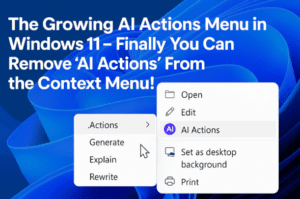
The Growing AI Actions Menu in Windows 11 – Finally you Can Remove ‘AI Actions’ From the Context Menu!
Windows 11 has been quietly evolving with every new update, and sometimes those changes feel helpful… while other times they feel like the Start menu grew another branch you didn’t ask for. One of...
Read More
The Mysterious Windows Login Loop: Understanding the Problem & Every Way to Open an Elevated Command Prompt
Sometimes technology throws us into situations that feel almost surreal. You switch on a Windows 11 laptop you haven’t used for months, install updates, shut it down, and the next thing you see is...
Read More
Windows 11 25H2 Is Causing Major Problems: Here’s Everything That’s Actually Broken
Windows updates often arrive quietly, slipping into your system while you’re focused on work or gaming. Most of the time, things work as expected. But sometimes, the update that promises stability brings along the...
Read More
Windows 10 LTSC Out-of-Support Warning Explained: Why You’re Still Getting Updates
Every once in a while, Windows throws a message at you that feels more alarming than it should. Recently, many Windows 10 LTSC and IoT LTSC users started seeing a bright warning inside Windows...
Read More
Hidden Windows Run Commands You Should Know: A Practical Guide for Everyday Power Users
Every now and then, Windows hides powerful features behind simple commands—small shortcuts that most people overlook, but professionals use every day. The Run dialog is one of those quiet tools. It’s been part of...
Read More
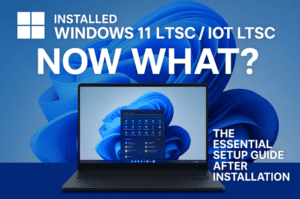
Installed Windows 11 LTSC / IoT LTSC! Now What? The Essential Setup Guide After Installation
Windows 11 LTSC and Windows 11 IoT LTSC are built for stability. They’re designed for environments like kiosks, ATMs, digital displays, and industrial machines where reliability matters more than features. But many people install...
Read More
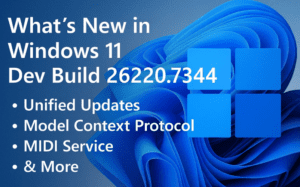
What’s New in Windows 11 Dev Build 26220.7344 – Unified Updates, Model Context Protocol, MIDI Service & More
Sometimes Windows 11 updates feel like small ripples, and sometimes they feel like big waves that quietly reshape how the entire system works. Build 26220.7344, rolling out in the Dev and Canary Channels, sits...
Read More
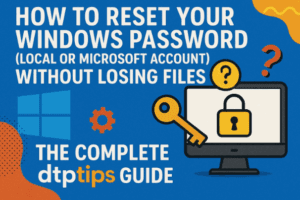
Regaining Access: How to Bypass a Forgotten Windows Password
We’ve all had that moment of panic. You sit down at your computer, ready to start your day, and your mind goes blank. The PIN you’ve typed a thousand times suddenly vanishes from memory,...
Read More
Windows 11 Minimum Requirements Just Got More Complicated — Here’s What It Really Means
Every once in a while, Microsoft makes a decision that quietly slips into their documentation but creates a storm of confusion among everyday Windows users. The latest example is their decision to reshuffle the...
Read More

AppData Folder Expalined – How to Fix App Errors and Free Storage by Clearing AppData in Windows
We often think our PC becomes slow because of big files, heavy programs, or updates. But surprisingly, one of the most common reasons behind slow apps, crashing games, and random errors is an invisible...
Read More

The Hidden Windows 11 Security Trick: Create a Super Admin & Use a Safer Daily Account
Before we dive into settings and switches, let’s pause for a moment and think about how we actually use our computers every day. Most of us install Windows 11, set up our first user...
Read More