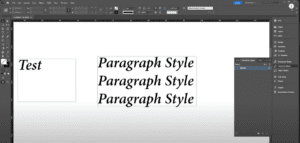
Adobe InDesign is a powerful tool for creating and managing text styles. In this article, we’ll walk you through the process of creating Character Styles, which are used to format specific words or phrases...
Read More
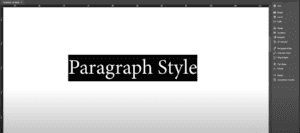
How to Create Paragraph Styles in Adobe InDesign
Creating paragraph styles in Adobe InDesign streamlines text formatting and ensures consistency throughout your document. Paragraph styles allow you to save and apply text formatting (such as font, size, spacing, and alignment) with just...
Read More
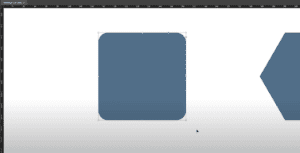
How to Round Corners in Adobe InDesign
Rounding corners in Adobe InDesign is an effective way to add a smooth and elegant look to your designs. While Adobe InDesign does not use the same corner-dragging functionality as Adobe Illustrator, it provides...
Read More
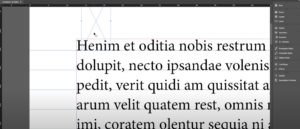
How to Set Up a Baseline Grid in Adobe InDesign
Setting up a baseline grid in Adobe InDesign ensures that all your text is aligned consistently, creating a professional and clean layout. This guide walks you through the steps to configure a baseline grid...
Read More

How to Fill Text with an Image in Adobe InDesign
Adding images to text in Adobe InDesign is a creative way to enhance your design projects. This article explains the step-by-step process to fill text with an image using Adobe InDesign. Steps to Fill...
Read More
How to Change All Fonts at Once in Adobe InDesign
Changing fonts across an entire Adobe InDesign document can be a time-consuming task if done manually. However, Adobe InDesign provides an efficient way to replace all fonts in your document with just a few...
Read More
How to Create Keyboard Shortcuts in Adobe InDesign
Efficiently working in Adobe InDesign often involves customizing keyboard shortcuts to streamline your workflow. This article provides a detailed, step-by-step guide on creating custom keyboard shortcuts in Adobe InDesign to improve your productivity. Step...
Read More
How to Package an InDesign File in Adobe InDesign
Packaging an InDesign file is a crucial step when preparing your project for sharing or archiving. This article provides a detailed, step-by-step guide to help you package an InDesign file efficiently. Follow these steps...
Read More
How to Delete Pages in Adobe InDesign: A Step-by-Step Guide
Deleting pages in Adobe InDesign is a straightforward process, but knowing the correct steps ensures efficiency and avoids mistakes. Whether you’re managing a single-page deletion or multiple pages, this article explains how to delete...
Read More
How to Spell Check Text in Adobe InDesign
Spell checking is an essential step in ensuring the professionalism and accuracy of your designs. Adobe InDesign offers built-in tools to help you quickly identify and correct spelling errors in your text. In this...
Read More
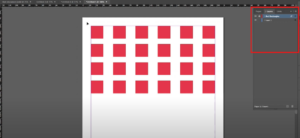
How to Lock and Unlock Layers in Adobe InDesign
Managing layers is essential when working on complex projects in Adobe InDesign. Layers help keep your design organized and allow for precise control over different elements in your layout. Locking and unlocking layers can...
Read More
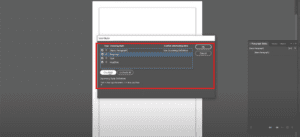
How to Import Paragraph and Character Styles in Adobe InDesign
Adobe InDesign is a versatile tool that allows designers to create stunning layouts with ease. A key feature of InDesign is the ability to reuse paragraph and character styles from one document in another,...
Read More
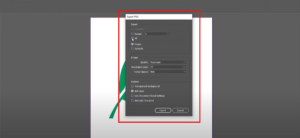
How to Save a File with a Transparent Background in Adobe InDesign
IntroductionSaving a file with a transparent background in Adobe InDesign is a useful technique, particularly for graphics or designs you intend to overlay on other elements without a visible background. In this detailed guide,...
Read More
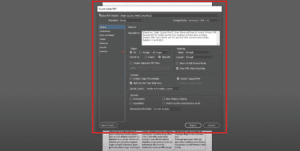
How to Save an InDesign File as a PDF in Adobe InDesign
IntroductionSaving your InDesign project as a PDF is one of the most common tasks, whether you’re preparing it for print, sharing with a client, or creating an interactive digital experience. This guide walks you...
Read More
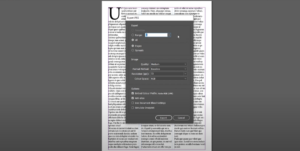
How to Save an InDesign File as a JPEG
IntroductionAdobe InDesign is a go-to tool for creating layouts and designs, but exporting your work in different formats is essential for versatility. In this guide, we’ll walk you through the steps to save an...
Read More
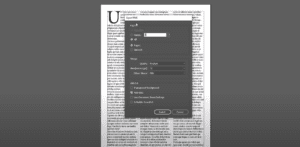
How to Save an InDesign File as a PNG
IntroductionAdobe InDesign is a powerful tool for creating layouts, but sometimes you may need to export your designs as a PNG file. Whether for web usage, sharing with clients, or any other purpose, this...
Read More

How to Easily Identify and Use Fonts from Scanned Documents
IntroductionIn design work, especially when creating business cards, invitations, or other printed materials, identifying the fonts used in a design can be a significant challenge. This guide will walk you through the process of...
Read More

How to Distribute Objects Evenly in Adobe InDesign
IntroductionArranging objects evenly in Adobe InDesign is a crucial skill for achieving clean, professional layouts. Uneven spacing between objects can disrupt the balance of a design, but using InDesign’s Align Panel, you can easily...
Read More

How to Cut a Shape in Adobe InDesign
IntroductionAdobe InDesign offers versatile tools for manipulating shapes and objects. One common task is cutting shapes into separate parts, allowing you to customize your design elements. This article provides a detailed guide on how...
Read More
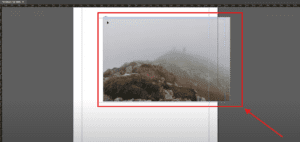
How to Scale and Resize an Image in Adobe InDesign
IntroductionWhen working on designs in Adobe InDesign, you may often need to scale or resize an image to fit your layout perfectly. Whether you want to resize proportionally or adjust specific dimensions, InDesign offers...
Read More
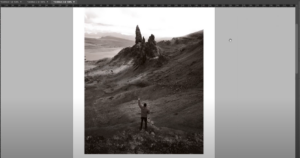
How to Make an Image Black and White in Adobe InDesign
IntroductionTurning a color image into black and white can add a touch of elegance or a professional tone to your design. While Adobe InDesign doesn’t offer a direct grayscale conversion tool, you can achieve...
Read More