There are times when you simply want to extract every image from a Word document or a PowerPoint presentation — maybe for redesigning slides, rebuilding a document, or reusing assets. Microsoft Office does not...
Read More
🖋️ How to Insert a Digital Signature in Microsoft Word (Step-by-Step Guide)
🌅 Introduction Adding a signature to your Word documents gives them a professional touch — whether it’s for signing letters, agreements, or academic certificates. Instead of printing, signing, and scanning every time, Microsoft Word...
Read More
How to Make LibreOffice Look and Work Like Microsoft Office (2025 Detailed Guide)
🖥️ Introduction: The Best Free Alternative to Microsoft Office If you’ve ever wanted a full-featured, free, and open-source replacement for Microsoft Office, LibreOffice is usually the first name that comes up. It’s compatible with...
Read More
✨ Top 10 Microsoft Word AI Add-ins (and How to Use Them) — The Step-by-Step 2025 Guide
Artificial intelligence has quietly turned Microsoft Word into a creative, research, and formatting powerhouse. With the right AI add-ins, you can brainstorm and draft faster, rephrase and translate without leaving your document, drop in...
Read More
🚨 Microsoft’s Massive Change to Word in September 2025: What You Must Know
In September 2025, Microsoft has rolled out one of the most controversial updates in the history of Microsoft Word. This change directly affects how your documents are saved — and it could put your...
Read More
📝 Google Docs vs Microsoft 365: Which Productivity Suite Should You Choose?
When it comes to productivity tools, most of us immediately think about writing documents, creating spreadsheets, or preparing presentations. For decades, Microsoft Office was the unquestionable leader in this space. But today, Google Docs...
Read More
MS Office No More Required? 3 Google Chrome Extensions That Supercharge Your Productivity
Almost everyone has used Google Drive or Google Docs at some point. But here’s the truth—using Google services and using them effectively are two very different things. Most people only scratch the surface of...
Read More
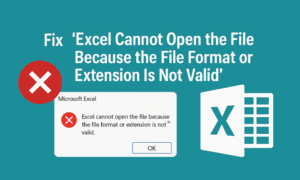
Fix “Excel Cannot Open the File Because the File Format or Extension Is Not Valid” – Proven Methods
Have you ever double-clicked an Excel file only to be greeted with this frustrating error? “Excel cannot open the file because the file format or file extension is not valid.” Don’t panic — you’re...
Read More

How to Use Gemini AI in Google Sheets: The Complete Guide for Smart Data Analysis
If you’re someone who spends a big part of your day working in Excel or Google Sheets — inputting data, applying formulas, and trying to make sense of numbers — then this blog is...
Read More

How to Use AI for Excel: 10 Powerful Examples to Boost Productivity
Excel is a powerful tool, but mastering its formulas and functions can be challenging—especially for beginners. Fortunately, AI tools like ChatGPT can simplify complex tasks, automate workflows, and generate formulas instantly—even if you have...
Read More
How to Lock Font Size in Excel to Prevent Accidental Changes
When sharing Excel sheets with colleagues or collaborators, it’s easy for formatting—especially font size—to be unintentionally changed during editing. If you’re working on a report, form, or template where font consistency is important, it’s...
Read More
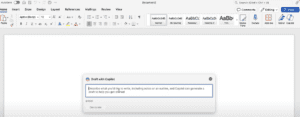
How to Work Faster with Microsoft Copilot in Word, Excel, and PowerPoint
In today’s fast-paced work environment, completing hours of work in mere minutes can be a game-changer. Many professionals have discovered how Microsoft Copilot revolutionizes productivity. Here’s a step-by-step guide on how to use this...
Read More