The digital content landscape is evolving rapidly, and CapCut has once again raised the bar with its AI Video Maker—a powerful, free tool that simplifies video creation for everyone. Whether you’re a content creator, marketer, or business owner, this AI-driven solution can help you produce professional-quality videos in minutes.
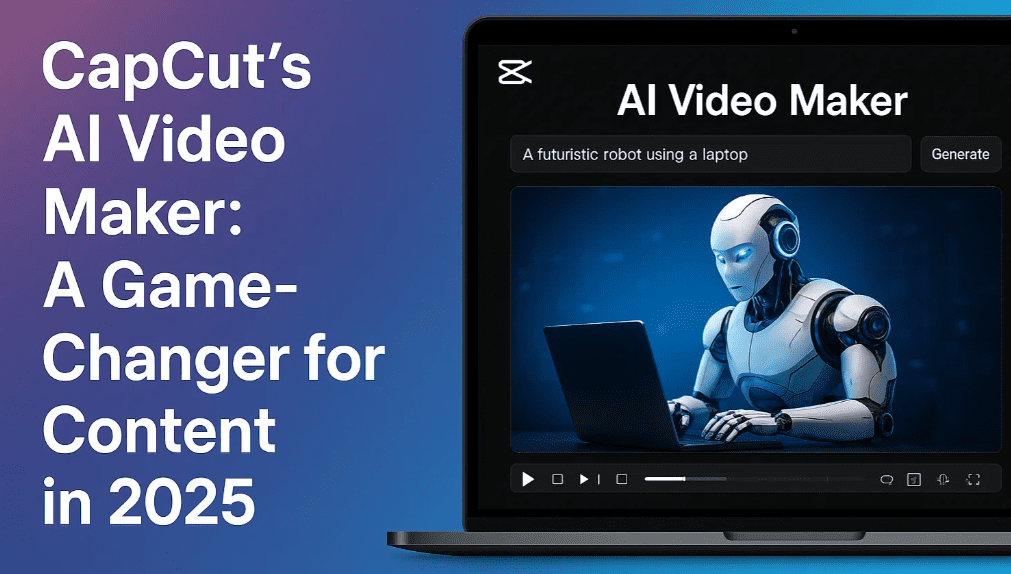
In this article, we’ll explore:
✔ What CapCut’s AI Video Maker offers
✔ Step-by-step guide to creating AI videos
✔ Key features that make it stand out
✔ FAQs and best practices
What is CapCut’s AI Video Maker?
CapCut, developed by the creators of TikTok, is known for its intuitive video editing tools. Now, with its AI Video Maker, the platform takes automation to the next level. This feature allows users to:
- Generate scripts from simple prompts.
- Create AI voiceovers in multiple languages.
- Match stock footage or AI-generated visuals to the script.
- Add captions, music, and effects effortlessly.
Best of all, it’s completely free, making it accessible to beginners and professionals alike.
How to Create an AI Video in CapCut (Step-by-Step Guide)
Step 1: Download & Set Up CapCut
- Visit CapCut’s official website and download the desktop or mobile app.
- Sign up for a free account to access all AI features.
Step 2: Start a New AI Video Project
- Open CapCut and select “AI Video Maker.”
- Choose “New Project” to begin.
Step 3: Generate a Script with AI
- Enter a topic (e.g., “5 fascinating shark facts”).
- Add key points (e.g., “Include tiger sharks, whale sharks, and hammerheads”).
- Select video length (1, 3, 5, or 10 minutes).
- Click “Generate Script”—CapCut will create a full script in seconds.
💡 Pro Tip: Refine the script by specifying tone (e.g., “Engaging and educational”) for better results.
Step 4: Customize the Voiceover
- Choose from 100+ AI voices (different accents, tones, and languages).
- Preview and select the best fit (e.g., “Excited male, American accent”).
- Apply it to the entire script.
Step 5: Add Visuals (Stock or AI-Generated Media)
- Option 1: Match Stock Media – CapCut scans its library for relevant clips.
- Option 2: AI-Generated Media – Creates custom visuals from text prompts.
- Adjust scenes if needed (replace clips, tweak transitions).
Step 6: Enhance with Captions & Music
- Select dynamic captions (e.g., highlighting keywords).
- Browse royalty-free music (TikTok-style tracks available).
Step 7: Export & Share
- Click “Export” to download in HD.
- Upload directly to YouTube, TikTok, or Instagram.
Key Features of CapCut’s AI Video Maker
✅ AI Script Generation – Turns simple prompts into full scripts.
✅ AI Voiceovers – Natural-sounding narration in multiple languages.
✅ Smart Media Matching – Auto-syncs stock/AI footage with script.
✅ Customizable Templates – Pre-made designs for quick edits.
✅ Free & User-Friendly – No watermarks, no hidden costs.
FAQs About CapCut’s AI Video Maker
Q: Is CapCut’s AI Video Maker really free?
A: Yes! The core AI features are free, though some premium templates may require payment.
Q: Can I use my own footage with AI-generated content?
A: Absolutely—CapCut lets you mix AI media with your own clips for a personalized touch.
Q: How accurate are the AI voiceovers?
A: The voices are highly realistic, with options for different emotions (excited, formal, etc.).
Q: Does CapCut work on mobile?
A: Yes! The CapCut mobile app (iOS/Android) supports AI video generation.
Q: Can I edit the AI-generated videos later?
A: Yes, CapCut allows full customization even after AI generation.









Final Thoughts: Why CapCut’s AI Video Maker Stands Out
CapCut’s AI Video Maker is a game-changer for content creators. It eliminates the need for:
❌ Manual scriptwriting (AI handles it).
❌ Expensive voice actors (AI voices sound natural).
❌ Time-consuming editing (auto-syncs visuals & audio).
Whether you’re making YouTube videos, social media ads, or educational content, this tool saves hours while delivering professional results.
🔗 Try it now: CapCut Official Website
Tags
AI video generator, CapCut tutorial, video editing, content creation, AI tools, YouTube automation, social media marketing
Hashtags
#CapCut #AIVideoMaker #ContentCreation #VideoEditing #DigitalMarketing
(Disclaimer: CapCut’s features may evolve over time. Check their official site for the latest updates.)
Have you tried CapCut’s AI Video Maker? Share your experience in the comments! 🚀








