We’ve all had that uneasy moment — staring at a laptop left on overnight, still signed into multiple accounts, and wondering: could someone hack me while I sleep?
It’s a fair question in a world filled with news of data breaches, phishing scams, and hackers lurking online. But here’s the reassuring truth: if your system and accounts are properly secured, remote hacking while simply “being signed in” is extremely unlikely.
In this detailed guide, we’ll break down what really happens when your computer is online, how hackers actually gain access, and what simple habits can keep you safe.
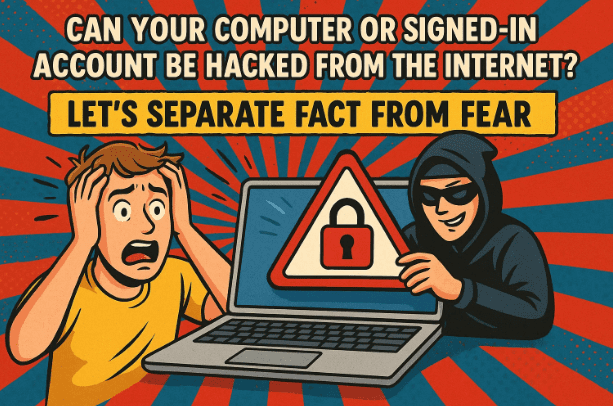
1. Understanding the Question: What Do We Mean by “Hacked from the Internet”?
Before diving into protection strategies, let’s clarify what people usually mean when they ask this.
The question can have two interpretations:
- Can hackers access my computer directly from the internet — and steal my data or logged-in sessions?
- Can hackers access my online accounts (like Gmail, Facebook, or banking) just because I didn’t log out on my computer?
The good news? In both cases, the real-world answer is almost always no.
Let’s look at why.
2. Scenario One: Can Hackers Break into My Computer Directly?
At first glance, it sounds plausible — your PC is connected to the internet, so why couldn’t someone sneak in through that connection?
In reality, several powerful layers of defense stand between your computer and the open web. Let’s go step by step.
🔹 Step 1: Your Router Is the First Line of Defense
If you’re connected through a home router, you already have one of the most effective security barriers possible — even if you’ve never configured it manually.
A router acts as a hardware firewall, blocking unsolicited connections from the internet.
In simple terms, no one can directly “reach” your computer unless you invite the connection through something like remote desktop software or port forwarding.
So, even if your computer is online 24/7, the router ensures it’s invisible to random outsiders.



🔹 Step 2: The Windows Firewall Adds Another Shield
Now let’s move to the next protective layer — Windows Firewall.
This built-in system monitors incoming and outgoing traffic and blocks suspicious or unauthorized activity.
Modern versions of Windows Firewall are remarkably efficient. Once infamous for pop-up confusion, today it quietly works in the background, automatically filtering unwanted network attempts.
Even if your router were somehow bypassed, the Windows Firewall still stands guard.
🔹 Step 3: Windows Itself Has to Be Breached
Suppose, hypothetically, someone managed to get through both your router and your firewall. They’d then face the toughest challenge — finding and exploiting a vulnerability in Windows itself.
Microsoft regularly releases patches for security flaws. As long as your system updates are current, the chance of such a breach is astronomically low.
👉 Bottom line: A hacker would have to chain together multiple rare exploits — router breach, firewall bypass, and Windows vulnerability — just to reach your desktop.
That’s why simply leaving your computer turned on or signed into accounts does not make you an open target.
3. Scenario Two: Can Hackers Access My Online Accounts Just Because I’m Signed In?
Let’s shift gears. What if you’re logged into Gmail, Facebook, or your bank — and you leave your browser open? Can someone exploit that?
The answer, again, is almost never.
Here’s why:
Modern online platforms use session tokens, secure cookies, and multi-factor authentication to ensure that even if you’re signed in, only your device can maintain that session.
In fact, in many cases being signed in can make things more secure.
🔹 Why Being Signed In Can Actually Help
Let’s say you’re logged into your account on your PC.
Now, someone elsewhere tries to log in to the same account.
Most services (Google, Microsoft, Facebook, banks, etc.) will send a prompt to your currently logged-in device asking, “Approve sign-in from another device?”
The hacker cannot complete that step without physical access to your computer or phone.
So ironically, staying signed in can sometimes serve as a verification anchor.
Even if a hacker tries “password recovery” or “forgot password” tricks, those recovery prompts usually rely on your existing, active session — which they don’t control.
4. The Real Risks You Should Worry About
So far, we’ve established that remote internet hacking into an already-signed-in system is unlikely.
But there are real-world threats that are much more common — and much easier to fall for.
Let’s explore those next.
⚠️ 1. Malware and Trojans
If you accidentally download and run malicious software, all bets are off.
Malware can spy on your activity, log your keystrokes, or even grant full remote access to attackers.
That’s why good browsing habits and trusted antivirus tools are essential.
Windows Defender, when updated, is powerful enough for most users — but vigilance still matters.
Avoid suspicious downloads, cracks, or attachments — especially from unfamiliar sources.
⚠️ 2. Phishing Scams
Phishing remains one of the easiest and most effective hacking methods.
You receive an email that looks like it’s from your bank, Amazon, or even your company. It says something urgent like “Your account is suspended — click here to verify.”
The link takes you to a fake login page, and the moment you enter your credentials, the attacker captures them.
💡 Pro Tip: Always open websites manually in your browser instead of clicking on links in unsolicited emails.
⚠️ 3. Password Reuse
Here’s a big one — using the same password across multiple sites.
If one website gets hacked and your password leaks, attackers often test that same combination (email + password) on other platforms — a tactic called credential stuffing.
That’s how a breach at one small site can lead to your social media or bank account being compromised.
👉 Solution: Use a unique password for every site, and manage them with a trusted password manager like Bitwarden or 1Password.
⚠️ 4. Weak Passwords
Short, simple passwords — especially those containing dictionary words — can be cracked within seconds using modern brute-force techniques.
A strong password should:
- Be at least 12–16 characters long
- Include a mix of letters, numbers, and symbols
- Avoid common substitutions like “P@ssw0rd”
Even better, use passphrases (for example, BlueHorseSky@Morning22). They’re easier to remember yet difficult to guess.
⚠️ 5. Ignoring Software Updates
Outdated browsers, plugins, or operating systems are a hacker’s paradise.
Every update you postpone might include patches for critical security holes.
Make sure both Windows Update and your browser’s update features are set to automatic.
5. Let’s Summarize What Really Protects You
By this point, you can see that online safety isn’t about unplugging or logging out constantly — it’s about maintaining a secure environment.
Here’s a practical checklist:
Before we jump into the bullets, remember — good security habits aren’t complex; they’re consistent. A few simple routines can protect you far better than paranoia ever could.
- Keep your system and software up to date. Updates patch vulnerabilities before hackers exploit them.
- Use strong, unique passwords for each account and store them in a password manager.
- Enable two-factor authentication (2FA) wherever possible — it adds an extra wall even if your password leaks.
- Be cautious with downloads and never run unverified programs.
- Avoid phishing links and double-check URLs before logging in.
- Maintain regular backups of your important data to an offline or cloud location.
With these habits, your computer can safely stay online — even signed into multiple accounts — without worry.
6. Why Turning Off Your Computer Doesn’t Really Help
Some people believe shutting down their PC every night prevents hacking.
While it doesn’t hurt, it’s not a meaningful security measure.
Unless you’re using outdated systems with open ports or running insecure remote services, being connected to the internet isn’t a threat by itself.
Think of it this way: you don’t unplug your smartphone every night, and yet it remains safe because of the same principles — firewalls, encryption, and secure protocols.
7. Q&A: Common Doubts About Online Security
Let’s address a few questions many readers still have after learning about internet safety.
Q1. Can a hacker control my PC remotely while I’m online?
Only if you’ve installed malware or remote-access software that gives them permission. If your system is clean and behind a router, this is nearly impossible.
Q2. Should I log out of every website after use?
It’s not necessary for most personal devices, but on shared or public computers, always log out to prevent unauthorized access.
Q3. Can antivirus stop all attacks?
No tool is perfect. Antivirus is your last line of defense, not the first. Combine it with cautious habits and regular updates.
Q4. If I stay signed in on my PC, could my account get hacked from another country?
No. The session is bound to your device. A hacker would still need your credentials and verification access.
Q5. Is using public Wi-Fi risky?
It can be if you’re not using HTTPS or a VPN. Avoid sensitive logins on open networks.
8. The Bigger Picture: Security Is About Habits, Not Fear
Cybersecurity can seem intimidating, but it’s largely about discipline, not defense hardware.
The goal isn’t to eliminate all risk (that’s impossible) — it’s to reduce it to a level where attacks are highly improbable.
You don’t have to live in fear of hackers lurking in your router. Instead, focus on the habits within your control:
- Keep learning about emerging threats.
- Treat every email and download with a healthy dose of skepticism.
- Make backups a routine, not an afterthought.
The internet isn’t inherently dangerous — careless use is.
9. Final Thoughts
To put it simply, no, your signed-in accounts aren’t sitting exposed to hackers just because your PC is online.
For a hacker to break through your router, firewall, Windows defenses, and session tokens, they’d need an improbable chain of events — one that’s virtually nonexistent for ordinary users.
The real threats come from human mistakes — clicking the wrong link, reusing weak passwords, or skipping updates.
So, keep your guard up where it matters, and rest easy knowing that your “always-on” computer isn’t an open door to the internet.
Disclaimer:
While the likelihood of direct hacking through the internet is extremely low, no system is ever 100% secure. Always follow best practices for password management, software updates, and cautious browsing.
Official Resource:
For more information about Windows security and firewalls, visit Microsoft’s documentation: https://www.microsoft.com/windows/security
#OnlineSecurity #CyberSafety #WindowsFirewall #AccountProtection #PasswordTips #DataSafety #dtptips








