In recent years, India has seen a huge wave of innovation under the “Made in India” movement — from digital payment systems to social platforms and even AI-driven software. But one question keeps coming back in the minds of tech enthusiasts:
“Can India ever create its own operating system that truly replaces Microsoft Windows?”
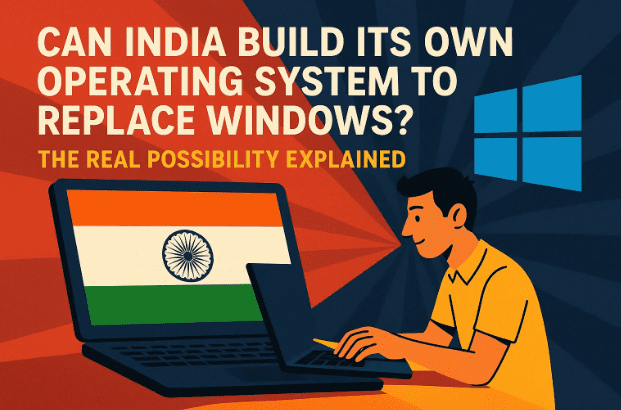
It’s a question worth asking, especially at a time when Windows 10 has officially reached its end of life, leaving millions of users uncertain about the future. Let’s take a deep dive into where things stand today, what challenges exist, and whether Indian-made operating systems can fill the massive gap that Windows is leaving behind.
🧩 The Background: Windows 10’s End and the Upgrade Divide
Before we talk about alternatives, it’s important to understand why this conversation even started.
Microsoft officially ended mainstream support for Windows 10. This means no more major updates — only limited security fixes for a short period before it’s completely phased out. Windows 11, the intended successor, comes with strict hardware requirements like TPM 2.0 and Secure Boot, which many older PCs simply don’t have.
So, millions of users — especially in India — are stuck in a dilemma:
- Their PCs work perfectly fine on Windows 10
- But they can’t officially upgrade to Windows 11
- Buying new hardware isn’t always affordable
This has created an opportunity gap — one that an Indian operating system could, in theory, fill.
But is it really that simple? Let’s explore.
💬 India’s Growing Tech Self-Reliance
Over the last few years, India has made remarkable progress in building its own digital products. From UPI to DigiLocker, Aadhaar, and ONDC, India has shown that it can build large-scale software ecosystems that serve millions.
So naturally, the next dream is:
“If we can build digital payment systems for the whole country, why not a full-fledged operating system too?”





Indeed, multiple teams and startups are already trying. You might have heard of names like Garuda Linux, PrimeOS, or BharOS. These are all made-in-India attempts at building something local, secure, and free from foreign dependency.
Let’s take a closer look at what these operating systems actually are and how they compare.
🧠 Garuda Linux — India’s Eye-Catching Linux Distribution
One of the most popular Indian-made operating systems is Garuda Linux. Built on top of Arch Linux, Garuda focuses on performance and customization.
It’s especially popular among enthusiasts who love speed, visuals, and flexibility. The Dragonized Edition (Dr460nized), for instance, offers a stunning KDE Plasma desktop with animations and effects that feel far more modern than older Windows versions.
Let’s move to the next point — what makes Garuda unique and where it still struggles.
Strengths of Garuda Linux
- Beautiful interface: Unlike most Linux distributions that look plain, Garuda’s design feels polished and modern.
- Rolling release: You always get the latest software without waiting for major updates.
- Gaming focus: It includes tools like Proton, Lutris, and Wine to help you run Windows games.
- Open-source and free: You can install, modify, or redistribute it freely.
Limitations of Garuda
However, despite being impressive, Garuda faces a few big challenges:
- Compatibility with AAA games and software like Adobe Creative Suite remains limited.
- It requires a bit of technical knowledge to set up and maintain.
- Drivers and performance optimization can still vary depending on your hardware.
So while Garuda is excellent for tech-savvy users and gamers who love tinkering, it’s not yet a plug-and-play Windows replacement for the average Indian PC user.
💻 PrimeOS — The Android-Based Desktop Experience
Now let’s look at another Made-in-India project that’s gaining attention: PrimeOS.
PrimeOS is built on the Android-x86 project, which essentially brings Android to your desktop PC. Imagine using your favorite Android apps — like Instagram, PUBG, or WhatsApp — but on a big monitor with a keyboard and mouse.
Why PrimeOS Is Interesting
- It offers a familiar Android interface, perfect for smartphone users.
- Lightweight and works on old hardware.
- Great for casual gaming, browsing, or multimedia use.
- Can even be dual-booted alongside Windows.
So far we’ve done a good job understanding what PrimeOS brings to the table. But before you rush to install it, let’s talk about where it still falls short.
Limitations of PrimeOS
- Not suitable for traditional Windows tasks like Office work or advanced software.
- App compatibility depends on Android availability.
- Not ideal for programming, server work, or professional editing tools.
In short, PrimeOS is more of a fun and lightweight Android desktop than a true Windows replacement. But it shows how Indian developers are experimenting creatively within open-source ecosystems.
⚙️ Why Competing with Windows Is So Difficult
Let’s be realistic for a moment. Microsoft’s Windows has had decades to perfect its software ecosystem. From drivers and updates to gaming support and business tools — everything is tightly integrated.
For any new operating system, especially one built in India, the challenges are enormous:
1. Gaming Performance
Gaming is one of the biggest reasons people stick to Windows. Most PC games are optimized for DirectX, a Microsoft technology unavailable on Linux-based systems.
While tools like Proton (used by Steam and Zorin OS) can run many Windows games on Linux, the performance isn’t always equal — sometimes you get lower frame rates or glitches.
2. Software Ecosystem
Professional users rely on applications like Adobe Photoshop, After Effects, Premiere Pro, or AutoCAD.
These tools are built primarily for Windows and macOS. Even though Linux alternatives exist (like GIMP or Kdenlive), they don’t fully match the workflow or compatibility standards of their commercial counterparts.
3. Hardware Compatibility
Windows has an unmatched driver database.
Printers, scanners, webcams, and graphic cards — all work seamlessly out of the box. In Linux-based systems, you often need to manually install or troubleshoot drivers.
4. User Familiarity
For decades, Indian schools, offices, and institutions have trained users on Windows.
That muscle memory — from using File Explorer to Control Panel — is not easy to replace overnight.
So while new Indian operating systems are emerging, replacing Windows entirely is still a long road ahead.
🕹️ The Gaming Challenge: Why Windows Still Wins
Let’s talk specifically about gaming because that’s a dealbreaker for many users.
Even though Linux gaming has come a long way — especially with tools like Steam Proton and Wine — it’s still not 100% stable. Games like GTA V, Valorant, or Call of Duty: Warzone rely on anti-cheat systems or Windows-only APIs that don’t translate well to Linux.
Indian gamers especially depend on budget PCs that already struggle to meet system requirements. Asking them to switch to a less optimized OS is unrealistic — unless performance matches or exceeds Windows.
Projects like Zorin OS and Bazzite Linux are making progress by integrating better GPU drivers and compatibility layers, but they still can’t beat Windows in raw gaming performance — at least not yet.
🧩 Software Dependency and the Adobe Problem
Another major issue is professional software support.
Even if you install Linux or any Indian OS, the moment you need tools like Photoshop, After Effects, or Microsoft Office, you’ll hit a wall.
Yes, alternatives exist — GIMP for Photoshop, OnlyOffice or LibreOffice for MS Office — but these substitutes still feel different in workflow and output precision.
That’s why some Linux distributions now use Wine or Bottles, which act as compatibility layers to run Windows programs.
For example, Zorin OS lets you install Adobe software through Wine — but performance and stability can vary.
Until Indian OS developers solve this dependency issue, professional creators will continue to rely on Windows.
🧱 The Road Ahead: Building a True Indian OS
Even though the journey seems tough, it’s not impossible. India already has the technical expertise and open-source talent needed to build something revolutionary.
Here’s what could make a real difference in the coming years:
- Focus on Linux kernels: Instead of starting from scratch, improving existing Linux bases like Debian or Arch could accelerate development.
- Encourage app developers: A new OS must attract software vendors to make native apps.
- Gaming partnerships: Collaborate with GPU makers like AMD or NVIDIA for better driver optimization.
- Government support: Just as India is investing in digital payments and semiconductor manufacturing, a national OS initiative could be the next big step.
If these align, we could see a genuinely competitive Indian OS emerge in the next decade.
🕰️ What’s Happening Right Now
As of now, Windows 10’s life has been extended slightly, giving users one more year of security updates. That’s good news — it buys time.
Meanwhile, Indian developers and open-source communities are experimenting with new systems, especially for education and low-cost PCs.
Most likely, we’ll first see Android-based desktop systems (like PrimeOS or BharOS) dominate entry-level and school computers before we see a full-fledged Linux or Windows alternative.
So far, we’ve covered everything — the history, challenges, and what’s possible ahead. Now let’s answer a few common questions.
❓ Frequently Asked Questions
Q1: Is there a truly Indian operating system available today?
Yes, several. Examples include Garuda Linux, PrimeOS, BharOS, and Indus OS. However, most of them are either Android- or Linux-based — not built from scratch like Windows.
Q2: Can these Indian OSes run Windows software?
Partially. Using compatibility layers like Wine or Proton, you can run some Windows programs. But performance and stability may not always be ideal.
Q3: Is BharOS safe and ready for public use?
BharOS, developed at IIT Madras, focuses mainly on security and government use. It’s not yet a consumer product like Windows or Android, but development is ongoing.
Q4: Will Windows 10 stop working after its expiration?
No, your PC won’t stop running, but it will no longer receive security updates — which means higher risk from malware and vulnerabilities.
Q5: Should I switch to Linux right now?
If your PC can’t upgrade to Windows 11 and you mainly browse, stream, or do office work — yes, try a Linux distribution like Zorin OS, Mint, or Garuda. But for gaming or Adobe-based work, you may still need Windows.
💭 Final Thoughts: Patience and Possibility
It’s inspiring to see India’s growing confidence in building its own digital ecosystem.
But operating systems are a different league — a blend of hardware compatibility, developer support, and user trust built over decades.
Indian projects like Garuda and PrimeOS are laying the foundation, but beating Windows will take time, collaboration, and consistency.
Still, one thing’s for sure: the dream is alive, and every new line of Indian code takes us one step closer.
So, if you’re experimenting with new systems or testing open-source OS alternatives — you’re already part of that change.
⚠️ Disclaimer
This article is for informational and educational purposes only. Installing or replacing an operating system should be done carefully after backing up all your data. Compatibility and performance may vary depending on your hardware.
#MadeInIndia #GarudaLinux #PrimeOS #BharOS #Windows10 #Windows11 #IndianTech #LinuxIndia #DigitalIndia #DTPTips







