In today’s fast-paced business world, teams often find themselves overwhelmed—juggling emails, spreadsheets, messages, and multiple disconnected apps. Without a central source of truth, inefficiency creeps in, causing delays, miscommunication, and growing frustration.
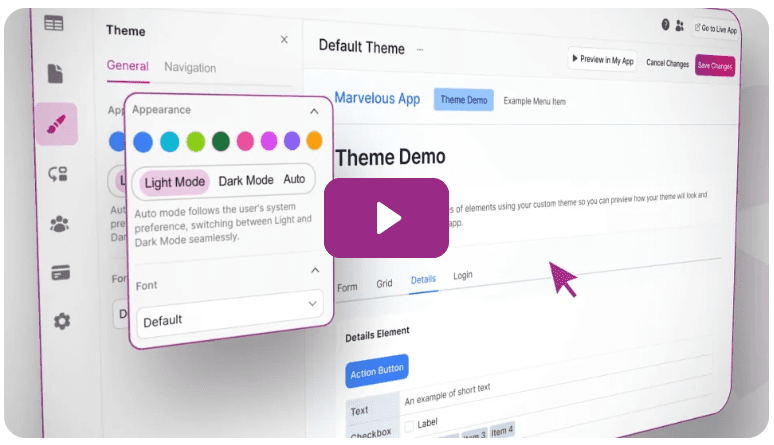
That’s where no-code app builders like Knack come in. With over 20 years of experience in digital solutions, I’ve developed a proven four-step method to build effective, customized business apps in under 15 minutes—without writing a single line of code. Let’s dive in.
Step 1: Identify the Problem Worth Solving
The biggest pitfall in building an app? Creating something nobody uses. This typically happens when the app doesn’t address a real, recurring pain point.
Take the case of our example business—David’s Donut Den, a bakery and consulting company for small bakeries. We faced two persistent issues:
- Consultants forget to log hours daily, missing out on earnings.
- Clients dispute invoices, as billing is done with a lump sum and lacks detail.
To uncover problems that matter, begin by brainstorming with your team. List all issues, then rank each by pain level and frequency. If a problem is both painful and frequent, it’s a top candidate for automation via an app.
Step 2: Choose a No-Code App Builder
With your problem clearly defined, it’s time to bring your app to life. For this example, we’re using Knack, a powerful no-code platform that combines a database and app builder in one.
Here’s how to get started:
- Sign up for a 14-day free trial at Knack.
- Once inside, choose “Start from a template” to accelerate setup.
- Search for relevant templates based on your problem—“freelance project management” fits well for tracking invoices and time.
- Click Create App, wait a few seconds, and then launch the App Builder.
Congratulations—you now have a fully functioning web app that serves as a client portal, task manager, and time tracker.
Step 3: Customize the App to Fit Your Business
While the template gives a solid starting point, real value comes from customization. This involves:
- Branding the app: Rename it to reflect your business (e.g., “David’s Donut Den Consulting”).
- Renaming tables and fields: Change “Freelancer” to “Consultant” wherever applicable. Knack allows you to edit field names, user roles, and interface text easily.
- Update pages and labels: Replace every reference to “freelancer” with “consultant” in all page elements.
Adding Missing Data Fields
For our case, we realized the app lacked a date field in time tracking entries—essential for timesheet clarity and invoice transparency. Here’s how we added it:
- Go to the Time Trackings table in the Data tab.
- Click Fields > Add Field, name it “Date”, and set the type to Date/Time (date only).
- Mark the field as required.
Next, update the relevant forms and tables in the app to display the new date field—this ensures both consultants and clients can view time entries by date, reducing billing disputes.










Step 4: Automate Reminders with Knack Flows
The final step is keeping consultants consistent with their time logs—without micromanaging. Knack’s Flows feature enables automated workflows that send reminders based on conditions.
Here’s how to build the reminder flow:
- Go to the Flows tab and create a new flow from scratch.
- Add a Scheduled Trigger for 4:30 PM daily.
- Search the app’s database for all consultant users.
- Use an Iterator Tool to loop through each consultant.
- For each one, search their time entries for the current date.
- If no timesheet is found, use Gmail integration to send an email reminder.
The final flow will only notify consultants who haven’t logged their time for the day—keeping your records up-to-date and your team accountable.
Test and Launch
Before going live, run a test:
- Add a dummy timesheet for one consultant.
- Run the flow manually.
- Check that only consultants without entries receive the email.
This ensures your automation works as intended and doesn’t flood everyone’s inbox unnecessarily.
Conclusion
In less than 15 minutes, you’ve created a robust custom app that:
- Tracks consultant hours accurately
- Prevents client billing disputes
- Automates daily reminders
- Consolidates your workflow into one clean portal
Unlike many app platforms, Knack offers flat monthly pricing with unlimited users—starting at just $19/month. It’s an accessible, powerful tool for small businesses looking to streamline operations without hiring a developer.
Try Knack today and take your operations from chaotic to cohesive in minutes.
Tags: no-code, app builder, business automation, Knack, productivity, time tracking, invoice automation, client portal, small business tools, digital transformation, workflow automation
Hashtags: #NoCode #KnackApp #BusinessAutomation #ProductivityTools #SmallBusiness #CustomApp #WorkflowAutomation #ConsultingBusiness #TimeTracking #InvoiceManagement








