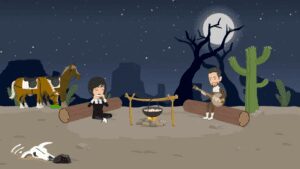
Have you seen those stunning Studio Ghibli-style AI images all over the internet? Thanks to ChatGPT’s image generation, anyone can now create whimsical 3D cartoons, anime-style characters, and even action figures—all with just a text prompt.
But what if you want to animate these AI-generated characters? In this article, we’ll explore three powerful ways to bring your AI art to life:
- Meme-Style Animations (Fun, viral-ready clips)
- Talking Head Videos (Lip-syncing for podcasts & narrations)
- Full Animated Stories (Multi-scene animations with consistent characters)
Let’s dive in!
Step 1: Generate Your Studio Ghibli-Style AI Art
Before animating, you need a base image. Here’s how to create one:
Using ChatGPT (Free & Paid Plans)
- Go to chat.openai.com.
- Upload a photo (optional) and type:
- “Turn this into a Studio Ghibli-style 3D cartoon.”
- “Generate a whimsical anime character in a forest.”
- Adjust with follow-up prompts (e.g., “Make the character wear a pirate hat”).
Using DALL·E (Alternative for More Control)
- Visit DALL·E for higher-resolution AI art.
Step 2: Animate Your AI Art (3 Methods)
1. Meme-Style Animations (Wiggle & Similar Tools)
Want your character to dance, do silly routines, or mimic viral trends? Use Wiggle:
- Go to Wiggle.
- Upload your AI-generated image.
- Choose a source video (e.g., a dance clip).
- Let AI transfer the motion to your character.
Example:
- Input: A Studio Ghibli-style character.
- Output: Dancing, doing morning routines, or reenacting memes.
✅ Best for: Social media, funny clips, short-form content.
2. Talking Head Videos (Lip-Syncing Tools)
Need your character to speak naturally? Try these tools:
A. Hedra (Best for Expressive Lip-Sync)
- Visit Hedra.
- Upload your AI image + audio (recorded or AI-generated via ElevenLabs).
- Add gesture prompts (e.g., “Talking with hand movements”).
- Generate!
Example Output:
“Hey, welcome to Frames & Flickers—the podcast where pixels come to life!”
B. CapCut’s Dreamina (Most Natural Lip-Sync)
- Go to Dreamina.
- Upload image + audio.
- Let AI handle the animation automatically.
C. Pika Labs (For Advanced Customization)
- Great for adding dynamic camera movements.
✅ Best for: YouTube narrations, explainer videos, podcasts.



3. Full Animated Stories (CleanAI & Advanced Tools)
Want to create multi-scene animations with consistent characters?
Using CleanAI:
- Visit CleanAI.
- Upload your character + audio.
- Use prompts to define actions:
- “A lively 3D character speaks energetically in a studio.”
- “Two characters having a conversation in a café.”
Pro Tip: Use ChatGPT for scriptwriting + ElevenLabs for voiceovers before animating.
✅ Best for: Short films, animated stories, marketing videos.
Comparison: Which Tool Should You Use?
| Tool | Best For | Key Strength |
|---|---|---|
| Wiggle | Meme-style animations | Easy motion transfer from videos |
| Hedra | Talking head videos | Custom gestures + expressions |
| Dreamina | Ultra-realistic lip-sync | No manual tweaking needed |
| CleanAI | Full animated stories | Multi-character scene control |
Final Thoughts
Animating AI-generated art has never been easier. Whether you want:
- Fun social media clips → Wiggle
- Podcast-style talking heads → Hedra/Dreamina
- Professional animations → CleanAI + ChatGPT scripting
The key? Experiment with different tools to find your perfect workflow.
Which animation style will you try first? Let us know in the comments!
Tags:
AI animation, Studio Ghibli style, ChatGPT, DALL·E, Wiggle, Hedra, Dreamina, CleanAI, ElevenLabs, AI video, lip-sync, meme animation
Hashtags:
#AIAnimation #StudioGhibli #ChatGPT #AIVideo #LipSync #DigitalArt #AICartoons #ContentCreation #AIArt #AnimationTools








