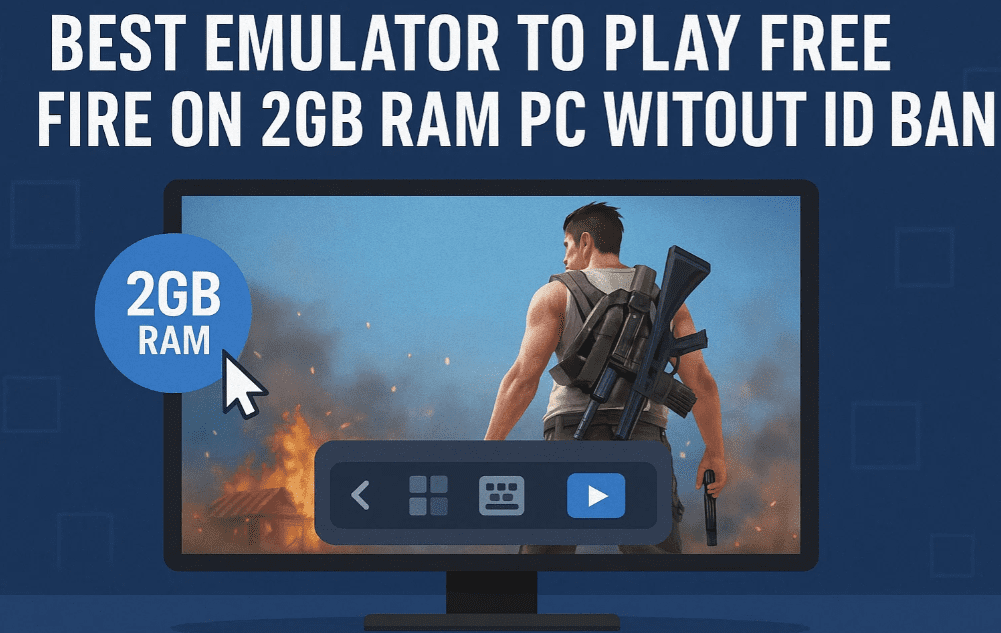
Are you looking for a lightweight, safe, and effective emulator to play Free Fire on a low-end PC with just 2GB RAM and no graphics card? Your search ends here. In this article, we introduce a safe and optimized emulator that works flawlessly on low-spec systems without triggering ID bans, without enabling Virtualization Technology (VT), and without heavy resource usage.
✅ Note: Follow the setup and configuration instructions exactly as mentioned to avoid account bans.
⚠️ Why Safe Emulators Matter for Free Fire Players
Many gamers face the issue of getting their Garena Free Fire accounts banned while using emulators. This usually happens due to:
- Improper settings.
- Unsupported Android versions.
- Unsafe or outdated emulator builds.
- Use of unauthorized regional versions.
To avoid this, you need:
- A 64-bit Android instance.
- The Global version of Free Fire.
- A secure emulator with correct configurations.
✅ Step-by-Step Setup Guide
Step 1: Join the Discord Server to Get the Emulator
- First, join the official Discord server where the emulator download link is provided.
- Inside the server, navigate to the “Best Emulator” channel or section.
- Download the provided Google Drive file (about 157MB).
Step 2: Extract and Install the Emulator
- After downloading the compressed emulator file:
- Right-click → Extract the archive (no password required).
- After extraction, you’ll see the emulator installer.
- Double-click to start installation and follow the instructions.
Once installed, open the emulator.
Step 3: Launch the App Player
- On the emulator’s dashboard, click on the “App Player”.
- Hit Continue when prompted.
- The emulator will now begin downloading the runtime environment.
- Wait until the process completes.
Step 4: Install Pi 64-bit Instance (Must Do!)
- Click on Multi-Instance Manager from the emulator dashboard.
- Select Create Instance → Fresh Instance.
- Choose Pi 64-bit instead of 32-bit.
- Install and launch this instance.
⚠️ Important: Always use Pi 64-bit. If you use 32-bit, your Free Fire ID is at a high risk of getting banned.
Step 5: Apply Correct Settings
Once Pi 64-bit is launched:
- Go to Settings inside the emulator.
- Configure based on your PC hardware. For 2GB RAM:
- Allocate minimum resources but enable essential graphics features.
- Set Rendering Mode to “OpenGL” or “DirectX” based on compatibility.
- Adjust resolution to the lowest supported for better performance.
- Choose an appropriate device profile like ASUS ROG (AS 2) for optimal gameplay.
Step 6: Disable Unused Apps
To improve performance:
- Go to emulator Settings → Apps.
- Disable pre-installed apps that are not required (e.g., System Update, Browser).
- This frees up RAM and speeds up performance on low-end PCs.
Step 7: Install the Global Version of Free Fire
- Download the Free Fire Global Version APK from the Discord server or official source.
- Install the APK in the emulator.
- Do not use regional or unofficial versions to avoid bans.
🎮 Running Free Fire on the Emulator
After completing all the above steps:
- Launch Free Fire from the emulator.
- Log in with your main or guest ID.
- You’ll notice smooth gameplay even on low-spec PCs with 2GB RAM.
- No graphics card or VT required!
This emulator is not only fast but also safe. The author of this article has successfully used it with a main ID and experienced no bans.
📝 Frequently Asked Questions (FAQs)
❓ Will this emulator work on a PC without a graphics card?
Yes. It is optimized to work on basic hardware setups including systems without GPUs.






❓ Is Virtualization Technology (VT) required?
No. This emulator runs perfectly without VT enabled in BIOS.
❓ Will my Free Fire ID get banned?
No, as long as you:
- Use the Pi 64-bit instance.
- Play the Global version of Free Fire.
- Follow the recommended settings.
❓ What makes this emulator better than others like Bluestacks or Gameloop?
- Much lighter (only ~157MB).
- No additional bloatware.
- Custom settings for Free Fire optimization.
- No VT dependency.
📥 Download Links
- Emulator Link (Available via Discord):
🔗 [Join Discord to Access Download –] - Free Fire Global Version APK:
🔗 https://ff.garena.com/en/download
🛡️ Disclaimer
This article is for educational purposes only. We do not encourage or endorse using unofficial emulators or game modifications that may violate Free Fire’s Terms of Service. Using any third-party software is at your own risk. Always ensure you’re using legal and safe tools.
📌 Tags:
free fire emulator, emulator for 2gb ram pc, no graphics card gaming, free fire on low end pc, no vt emulator, safe emulator free fire, pi 64 emulator setup, garena free fire emulator 2025, global version free fire, id ban free fire fix
📢 Hashtags:
#FreeFireEmulator #LowEndPCGaming #2GBRAMEmulator #NoGraphicsCard #NoVTRequired #SafeFreeFireEmulator #FreeFire2025 #Pi64Bit #GarenaFreeFire #GlobalVersionFreeFire







