If you are a Free Fire player with a low-end PC and are looking for the best emulator that gives excellent FPS, smooth gameplay, and low chances of ID ban, you’ve landed at the right place. This guide reveals a top-rated emulator currently used by many pro gamers and content creators, even in 2025!
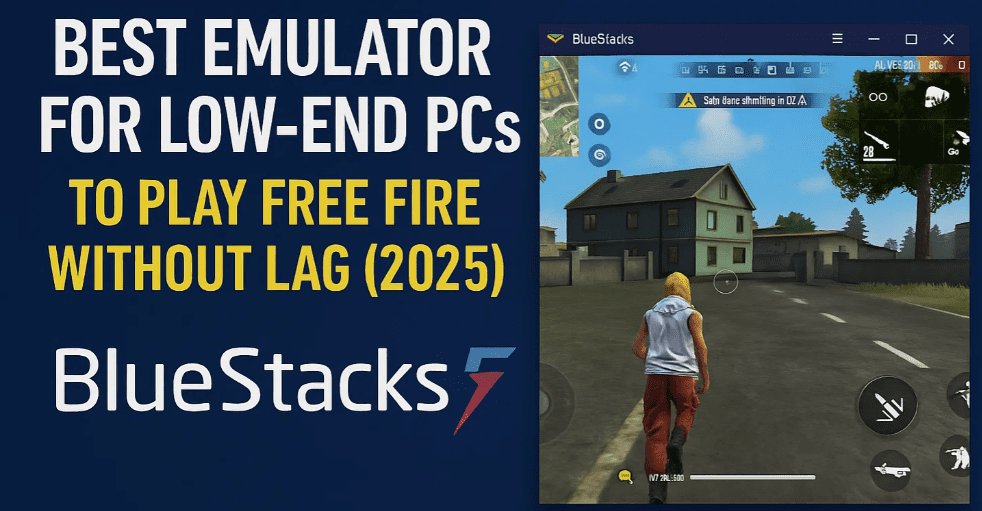
In this article, we’ll walk you through how to download, install, and configure this emulator, its system requirements, and how to optimize settings to get the most out of it on a basic computer setup.
🔐 Why This Emulator Is Special
Many Free Fire players are reporting ID bans on older emulators. However, the emulator featured in this article is actively used by major content creators without any ban issues, even on guest accounts. You can test it safely on a guest ID for a few days before using your main account. The author of this article has personally used their main ID on it for months without a problem.
🖥️ System Requirements
This emulator works great even on low-end PCs. Here are the minimum specs:
- RAM: 2 GB (4 GB recommended)
- Graphics: Works fine with integrated graphics cards
- Processor: Any dual-core CPU (Intel/AMD)
✅ No need for a high-end GPU. The emulator can deliver good FPS even with basic hardware.
🧩 Which Emulator Are We Talking About?
The emulator being discussed is a specific build of BlueStacks 5:
Version: 4.240.15.6305
BlueStacks is a trusted Android emulator for Windows and macOS. It supports smooth gameplay and can be customized heavily to suit low-end systems.
🔗 Official Website: https://www.bluestacks.com
📥 How to Download the Emulator
- Join the Discord Community where the emulator version is shared.
- Inside the Discord server, navigate to the “Best Emulator” section.
- Scroll until you find the following build:
BlueStacks Version: 4.240.15.6305 - Click the download link provided there to start downloading the installer.
- Once downloaded, right-click on the file and choose:
Run as Administrator- Or double-click to begin installation
⚠️ Note: Always download emulators from trusted sources or the official website. The Discord channel mentioned here offers a customized build specifically optimized for Free Fire.
⚙️ Emulator Settings for Best Performance
Once installed, configure the emulator using the settings below for optimal performance:



➤ Basic Settings
- RAM Allocation: 4 GB (if your system supports it)
- CPU Cores: 2 Cores (minimum)
- Graphics Mode: Performance or OpenGL+
- DPI: Customize based on your screen (160–240 DPI recommended)
➤ Device Profile
For best results, set your device profile to:
- Manufacturer: Asus
- Model: ROG 2 or similar gaming device profile
This ensures higher FPS and smoother headshots in games like Free Fire.
🔒 Is It Safe for Main ID?
Yes, it’s been tested on guest and main accounts. As long as you follow the recommended version and settings, the risk of ban is minimal. Still, always try it on a guest ID first for 2–3 days before logging into your main Free Fire account.
🗨️ Join the Gaming Community
To get access to the latest versions, support, and community tips:
👉 Join the official Discord server (link provided in the original guide)
You’ll be able to chat with other players, ask questions, and get updates about optimized builds.
Final Thoughts
If you’ve been struggling with lag, frame drops, or ban issues on your current emulator, this version of BlueStacks 5 (v4.240.15.6305) might be your solution. It’s lightweight, stable, and gives a smoother gameplay experience even on budget PCs.
Test it out on a guest account, tweak the settings as per your system, and enjoy lag-free Free Fire gaming!
🔖 Tags:
BlueStacks 5, Free Fire Emulator, Best Emulator for Free Fire, Low End PC Gaming, Android Emulator for PC, Emulator Without Ban, Free Fire Settings, Gaming Optimization, FPS Boost Emulator, Guest ID Safe Emulator
🔍 Hashtags:
#BlueStacks5 #FreeFireEmulator #LowEndPC #GamingEmulator #FreeFireSettings #FPSBoost #SafeEmulator #FreeFire2025 #BestEmulator #GamingTips
⚠️ Disclaimer:
This article is for educational purposes only. While the emulator mentioned has been used safely by many, there’s no official guarantee against account bans when using any third-party software. Always use guest accounts first to test any new emulator. We are not affiliated with BlueStacks or Garena Free Fire.







