The Battlefield 6 beta is here, and for many players, it’s the first real hands-on experience with what might be one of the most ambitious Battlefield entries in years. Whether you’re a seasoned veteran of the series or a curious newcomer, this short testing window is your chance to get a feel for the new mechanics, explore the maps, and test different weapons and classes before the full release.
But here’s the challenge: with a limited beta period, you don’t have the luxury of slowly figuring things out. That’s why this detailed guide will serve as your cheat sheet to everything you need to know — from hidden gameplay features to class perks, weapon picks, maps, and even leaked post-beta content.
Table of Contents
- New Mechanics You Might Miss
- Keyboard and Mouse on Console
- Class System Overhaul
- Weapons to Try During Beta
- Vehicles and Tactics
- Game Modes and Beta Schedule
- Maps Available in Beta
- Escalation – The New Mode We Can’t Play Yet
- Portal Mode – Battlefield’s Sandbox
- Classic Map Remakes and Leaks
- Firestorm 2.0 – Battle Royale Rumors
- FAQ – Battlefield 6 Beta
- Final Thoughts
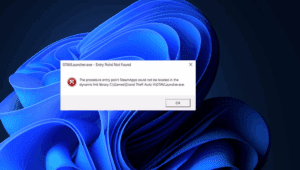
But before you divein the game overview, do you know there are many errors that halts the gameplay when the exictement is almost at the peak… below are some tips which you can consider before you start the game like
- How to Fix the DirectX Function Error in Battlefield 6 — Step-by-Step Guide
- “Please Update Your Nvidia GeForce Driver” Error in Battlefield 6 – Step-by-Step Guide
- How to Fix Battlefield 6 Secure Boot Error on PC – Complete Step-by-Step Guide
- How to Fix the DirectX Function Error in Battlefield 6 — Step-by-Step Guide
- or you can check the complete Battlefield Game related articles here!
New Mechanics You Might Miss
Before we get into classes and weapons, it’s worth pointing out a couple of new gameplay systems that DICE hasn’t heavily advertised — features that could give you a real edge if you’re aware of them.
- Dragging Downed Teammates While Reviving
For the first time in Battlefield history, you can initiate a revive on a teammate and drag them into cover during the process. This is only available for non-defibrillator revives, and it comes with a nice visual detail — the dragged player leaves a blood trail, which enemies can potentially follow. In tense firefights, this could mean the difference between reviving safely or getting wiped out together. - Directional Fire Indicators Without Being Hit
The HUD now includes a small gray directional indicator showing where incoming fire is coming from, even if the bullets miss you. It’s subtle, but once you notice it, you can use it to react faster to suppressed fire and flank attempts.
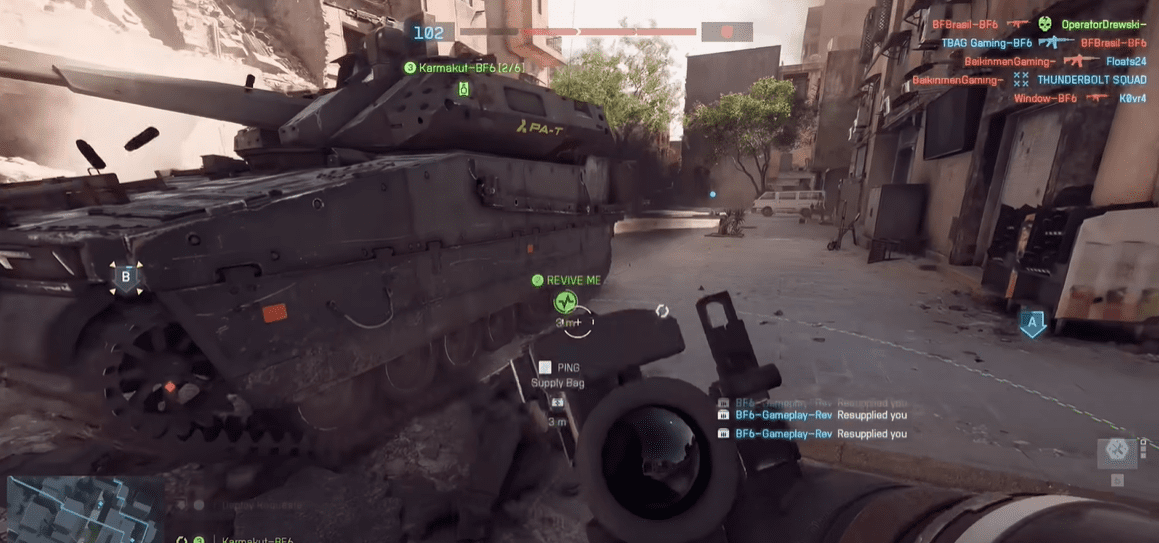
These two changes alone add more tactical depth than you might expect — dragging opens up new revive possibilities, and the extra situational awareness from the fire indicator can help you survive ambushes.
Keyboard and Mouse on Console
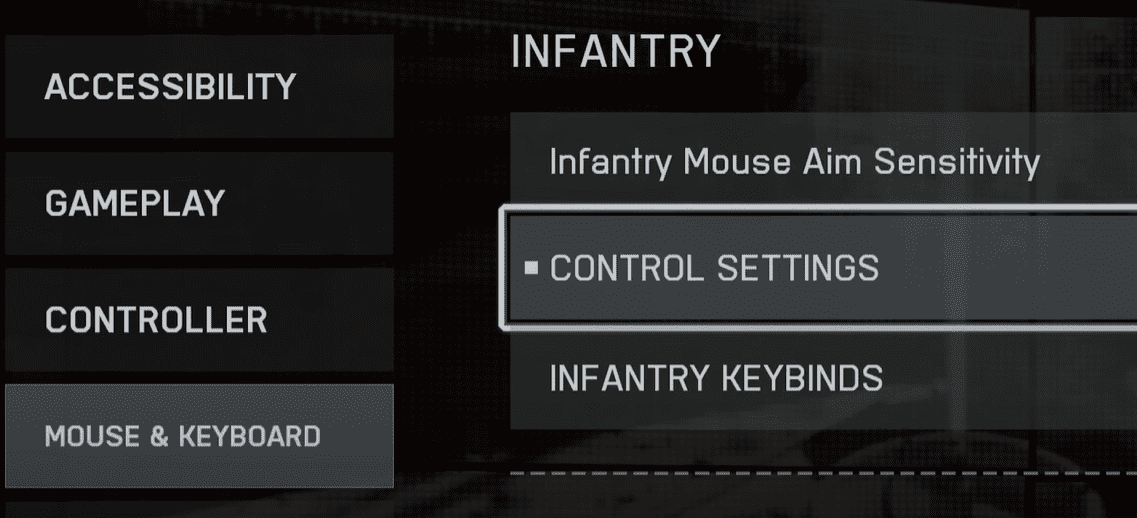
In a move that will please precision-focused players, Battlefield 6 supports keyboard and mouse input on consoles. This is particularly useful if you’re a long-time PC player forced onto a console due to availability or friends’ preferences. The beta also uses platform-preferred cross-play, meaning you’ll be matched with players using the same input method/platform first before mixing in others.
Class System Overhaul
DICE has moved away from Battlefield 2042’s controversial specialist system in favor of a more traditional class-based setup — but with a twist.
While each class has signature weapons, traits, and gadgets, you can technically use any gun on any class. However, you’ll gain bonuses when using your class’s signature weapon, encouraging you to play to your role.
Let’s break down each class.
Assault
Role: Frontline infantry – aggressive, always pushing objectives.
- Signature Weapon: Assault Rifle
- Bonus: Faster transition from sprint to firing and quicker weapon swaps involving assault rifles.
- Can equip two primary weapons, but the second slot is limited to shotguns, carbines, or DMRs.
- Signature Trait: Reduced fall damage and movement speed penalties from falling.
- Signature Gadget: Adrenaline Injector
- Temporary resistance to flash/stun effects.
- Boosts sprint speed.
- Reduces explosive damage.
- Makes enemy footsteps louder.
- Active Ability: Reveals nearby audible enemies; kills prolong effect.
- Training Options:
- Grenadier: Faster grenade launcher reloads, extra grenades, increased flash resistance.
- Front Liner: Boosted health regen, extra injector charge, reduced moving inaccuracy.
Post-Beta Changes: Trait replaced with Commanding Presence (faster objective captures, quicker out-of-combat state). Deploy Beacon moved here from Recon.





Engineer
Role: Anti-vehicle and vehicle support.
- Signature Weapon: PDW/SMG
- Bonus: Improved hipfire accuracy.
- Signature Trait: Reduced explosive damage taken.
- Signature Gadget: Repair Tool (with fuel gauge).
- Active Ability: Faster repair speed.
- Training Options:
- Anti-Armour: Rockets reduce enemy vehicle auto-repair, more rocket ammo, faster reload.
- Combat Engineer: Passenger vehicles regen health, longer repair tool life, auto-spots mines.
Support
Role: Ammo and healing — and now, more versatile than ever.
- Signature Weapon: LMG
- Bonus: No sprint penalty while aiming.
- Signature Trait: Faster drag + revive for downed teammates. Can revive anyone (not just squadmates). Uses defibrillators for instant revives.
- Signature Gadget: Supply Crate (now heals and resupplies).
- Active Ability: Temporary boost to resupply and revive speed.
- Training Options:
- Combat Medic: Heal on interact, restore health on revive.
- Fire Support: Better control when mounted, extra ammo distribution.
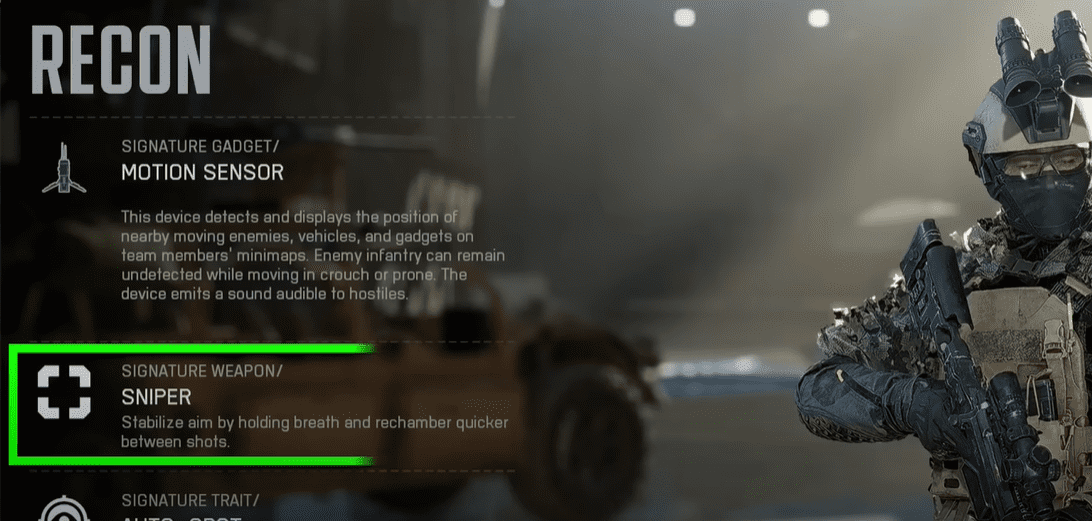
Recon
Role: Intel gathering, long-range engagements, stealth.
- Signature Weapon: Sniper Rifle
- Bonus: Faster rechamber speed, reduced scope sway, longer breath-hold.
- Signature Trait: Auto-spot enemies while aiming.
- Signature Gadget: Motion Sensor.
- Active Ability: UAV for enemy spotting.
- Training Options:
- Sniper: Improved auto-spotting, prevents healing on sniper hits, headshot kills block revives.
- Pathfinder: Undetectable by equipment unless sprinting, highlights damaged enemies, quieter takedowns.
Post-Beta Change: Pathfinder replaced by Spec Ops (stealth/detection focus).
Weapons to Try During Beta
While weapon balance will change before launch, here are solid picks for beta play:
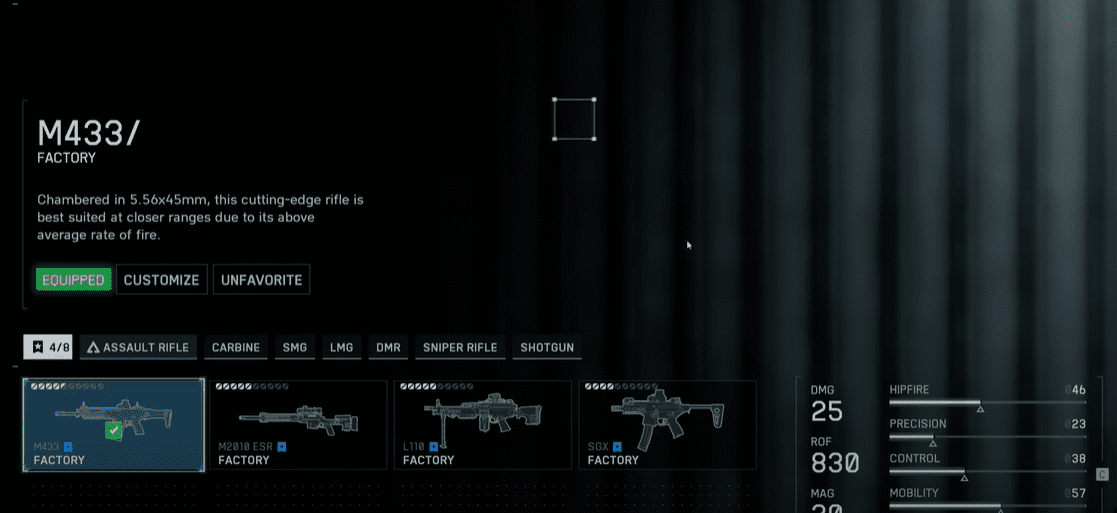
- Assault Rifles: G36 – reliable and beginner-friendly.
- Carbines: M4 and 417 – versatile for mixed combat ranges.
- SMGs/PDWs: Low recoil, surprisingly strong at medium range.
- LMGs: Ultimax 100 – controllable “laser beam” with large mags.
- DMRs: Good for defensive play on open maps.
Tip: In Battlefield 6, weapon attachments can drastically change handling. Use the customization menu between spawns to adapt to the map’s combat style.
Vehicles and Tactics
Vehicles remain powerful but vulnerable — overextending will get you destroyed fast. Tanks excel in controlled pushes, while helicopters provide strong fire support but feel less agile than in past games. If you’re a pilot, tweak sensitivity settings early in the beta.
Game Modes and Beta Schedule
The beta is split into two weekends:
Weekend 1:
- Conquest
- Breakthrough (standard + closed weapons)
- Domination
- King of the Hill
Weekend 2:
- Adds Rush and Squad Deathmatch.
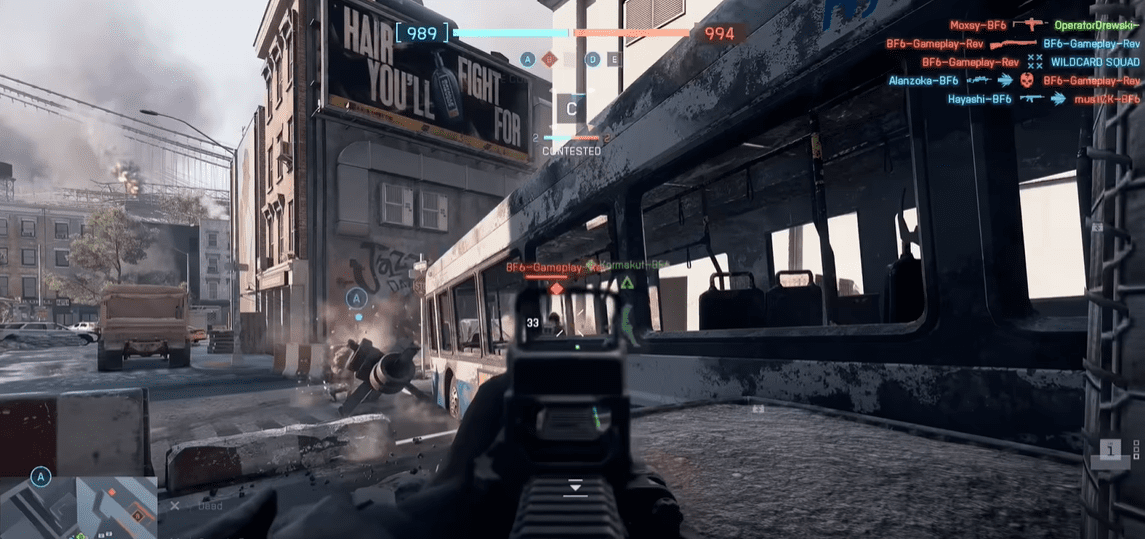
Maps Available in Beta
- Siege of Cairo – A standout mix of urban combat and open sightlines.
- Liberation Peak – Varied terrain with flanking routes.
- Iberian Offensive – Balanced map with vehicle and infantry fights.
- Empire State – Infantry-only map (Weekend 2).
Escalation – The New Mode We Can’t Play Yet
Escalation works like Conquest but with shrinking capture zones as the match progresses, forcing intense late-game fights. Devs have hinted it’s their favorite mode internally — expect it post-launch.
Portal Mode – Battlefield’s Sandbox
Using the GDAU engine, Portal will let players create custom maps, scripts, AI setups, and more — think Halo Forge but with Battlefield’s sandbox and destruction systems.
Classic Map Remakes and Leaks
Confirmed: Operation Firestorm remake.
Leaked: Propaganda, Ta Market, and Downtown also in development. Devs say remakes depend on demand, but leaks suggest many are already planned.
Firestorm 2.0 – Battle Royale Rumors
Expect a return of Firestorm with improvements:
- Free-to-play.
- High-damage closing circle.
- Respawn points and “Overwatch” spectator tools for dead players.
- Destruction-based gameplay — demolish buildings to flush campers.
If done right, this could finally give Battlefield a lasting Battle Royale presence.

FAQ – Battlefield 6 Beta
Q: Can I switch classes mid-match?
Yes, but you’ll only benefit from signature bonuses if you use the matching weapons/gadgets.
Q: Will progress carry over to the full game?
No, beta progress is reset.
Q: Is cross-play available?
Yes, with platform-preferred matchmaking.
Final Thoughts
The Battlefield 6 beta isn’t just a marketing event — it’s a chance to learn the game’s new systems early, test weapons, and find the class that suits you. Even with some missing modes like Escalation and Portal, the beta offers a clear picture of DICE’s direction: a return to more defined classes, improved tactical depth, and a blend of classic and new content.
If you want to maximize your time, focus on experimenting — try each class, test multiple weapons, and play every map at least once. That way, when the full release comes, you’ll hit the ground running.
Disclaimer:
Battlefield 6 beta features and mechanics described here are based on pre-release information and may change before the official launch. This guide is for informational purposes and reflects the beta environment.
Tags: battlefield 6 beta guide, battlefield 6 classes explained, battlefield 6 weapons list, battlefield 6 maps beta, battlefield 6 portal mode, battlefield 6 firestorm battle royale, battlefield 6 escalation mode
Hashtags: #Battlefield6 #BF6Beta #BF6Guide #BattlefieldBeta #Firestorm #BattlefieldPortal #BF6Classes #BF6Weapons








