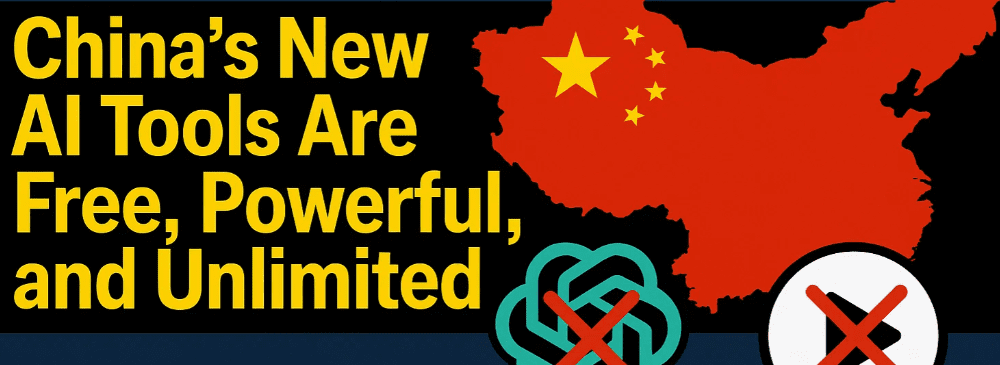
With the increasing restrictions on AI platforms like GPT-4o, many users are looking for free, open, and powerful alternatives. Enter Bagel AI—China’s open-source, multimodal AI model that supports text, image generation, image editing, and reasoning tasks without limitations.
In this beginner-friendly guide, we’ll explore:
- What Bagel AI is
- How to use Bagel AI online
- How to install Bagel AI locally
- Step-by-step instructions
- FAQs
🤖 What is Bagel AI?
Bagel AI is an open-source multimodal AI model developed in China as a competitor to GPT-4o and Gemini 2.0. It supports:
- Chatting & text generation
- Image generation from prompts
- Image editing
- Image-to-text (description and analysis)
- Reasoning tasks like solving math problems
- Style transfer (e.g., Ghibli-style, 3D-style)
Highlights:
- Free and unlimited use
- Completely uncensored
- Can run locally or via web demo
- Supports image + text inputs
- No credit or subscription required
🔗 Try Bagel AI Online (No Installation Required)
Step-by-Step to Use Bagel AI Online:
- Go to Bagel AI Official Site:
Visit the Bagel AI Web Demo
(Bagel is hosted on DeepSeek’s platform) - Start a New Conversation:
- Click on “Start New Conversation”
- Name the chat if prompted (optional)
- Try Text Prompts First:
- Example:
Who invented the iPhone? - Press Enter and wait for a response
- Example:
- Enable Image Features:
- Click “+” to upload an image
- You can now:
- Describe the image
- Ask questions about it
- Request edits (e.g., “Add sunglasses”)
- Generate New Images:
- Simply type your image idea as a prompt
- Example:
A futuristic city with flying cars at sunset - Press Enter and Bagel AI will generate the image
- Use Style Transfer or Image Editing:
- Upload an image
- Example prompt:
Make this image in Ghibli animation style
- Download the Result:
- Right-click on the generated image
- Select “Save Image As…” to download
💻 How to Install Bagel AI Locally (Advanced Users)
If you want to run Bagel AI offline and have full control over your data:
System Requirements:
- OS: Windows/Linux/macOS
- Python 3.8+
- 8GB+ RAM (16GB recommended)
- NVIDIA GPU (optional for faster image processing)
Step-by-Step Installation Guide:
- Install Python:
Download Python 3.8+ - Install Git:
Download Git - Clone Bagel GitHub Repository: git clone https://github.com/BagelAI/Bagel.git cd Bagel
- Create a Virtual Environment (Recommended): python -m venv bagel-env source bagel-env/bin/activate # On Windows: bagel-env\Scripts\activate
- Install Required Dependencies: pip install -r requirements.txt
- Download Model Weights:
- Follow instructions in README.md of the GitHub repo
- Usually involves downloading .pth or .safetensors model files
- Run the Local Server: python app.py
- Access via Browser:
- Open http://localhost:5000 in your web browser
🔗 GitHub Repo: Bagel AI GitHub
❓ FAQ – Frequently Asked Questions
Q1: Is Bagel AI completely free?
Yes, Bagel AI is open-source and free to use both online and offline.
Q2: Do I need a powerful PC to run Bagel locally?
While it’s possible to run Bagel on a modest setup, image generation will be faster and smoother with a dedicated GPU (like NVIDIA 1060 or higher).
Q3: Can Bagel generate NSFW or unrestricted content?
Bagel is uncensored, but it’s the user’s responsibility to follow legal and ethical standards in their country or profession.
Q4: What types of images can Bagel generate?
You can generate:
- Artistic illustrations
- Anime/Ghibli-style images
- 3D renders
- Realistic edits
- Product mockups
- Style transfers
Q5: What is the difference between Bagel and GPT-4o?
| Feature | Bagel AI | GPT-4o (OpenAI) |
|---|---|---|
| Price | Free | Paid (up to $200/month) |
| Image Generation | Yes | Limited |
| Reasoning Capability | Strong | Strong |
| Runs Locally | Yes | No |
| Censorship | Uncensored | Censored |
Q6: What’s the relation between DeepSeek and Bagel?
Bagel is hosted on DeepSeek’s platform. You can use Bagel through DeepSeek Chat without registration.









📝 Final Thoughts
Bagel AI is an incredibly powerful tool for anyone looking to experiment with multimodal AI—text, image generation, editing, and more—without the usual restrictions. Whether you’re an artist, a developer, or just curious, Bagel offers freedom and flexibility at no cost.
You can:
- Use it online for instant results
- Run it offline for full control
- Avoid expensive subscriptions
- Enjoy unrestricted creativity
🔗 Useful Links
🏷️ Tags
AI tools, image generation, AI editing, open source AI, GPT-4 alternative, Bagel AI, China AI, free AI models
🔖 Hashtags
#BagelAI #GPT4Alternative #ImageGeneration #AIImageEditor #OpenSourceAI #DeepSeek #FreeAI #UncensoredAI #AIArtTools
If you found this guide helpful, bookmark it for future reference and share it with others looking for powerful free AI tools!








