
When Windows starts giving too many problems, resetting the PC feels like the final and safest option. You click Reset this PC, expecting a fresh start — and then Windows throws another punch with...
Read More

Upgrade Windows 7 to Windows 11 Without Losing Data — The Only Method That Still Works
Upgrading from Windows 7 to Windows 11 sounds almost impossible in 2025 — and honestly, Microsoft hasn’t made it easy either. Many users still believe that if they just download a Windows 11 ISO...
Read More
Windows 11 December Patch: KB5072033 Brings Fixes, Features, and the End of Flashbangs
There’s something familiar about Patch Tuesday—almost like the monthly reminder that Windows is quietly evolving behind the scenes. And this month, Microsoft has rolled out KB5072033, the final Patch Tuesday update of the year...
Read More
Regular Windows or Server Edition? Understanding How They Work, Why They Exist, and Which One You Actually Need
If you’ve used a Windows PC all your life, you probably know the names by heart — Windows Home, Windows Pro, maybe even Enterprise if you’ve worked in a corporate environment. These are versions...
Read More

Install Windows 11 25H2 on Unsupported PCs Using One CMD Command — Keep All Files & Apps
There’s a certain moment when you feel your PC deserves more than what Windows 10 can offer—especially when you see the polished design, modern features, and refined performance of Windows 11. Yet, for many...
Read More
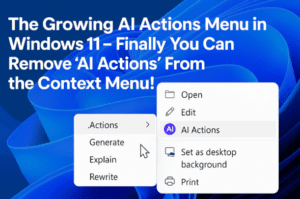
The Growing AI Actions Menu in Windows 11 – Finally you Can Remove ‘AI Actions’ From the Context Menu!
Windows 11 has been quietly evolving with every new update, and sometimes those changes feel helpful… while other times they feel like the Start menu grew another branch you didn’t ask for. One of...
Read More
Windows 10 LTSC Out-of-Support Warning Explained: Why You’re Still Getting Updates
Every once in a while, Windows throws a message at you that feels more alarming than it should. Recently, many Windows 10 LTSC and IoT LTSC users started seeing a bright warning inside Windows...
Read More
Installed Windows 11 LTSC / IoT LTSC! Now What? The Essential Setup Guide After Installation
Windows 11 LTSC and Windows 11 IoT LTSC are built for stability. They’re designed for environments like kiosks, ATMs, digital displays, and industrial machines where reliability matters more than features. But many people install...
Read More
Regaining Access: How to Bypass a Forgotten Windows Password
We’ve all had that moment of panic. You sit down at your computer, ready to start your day, and your mind goes blank. The PIN you’ve typed a thousand times suddenly vanishes from memory,...
Read More
Windows 11 Minimum Requirements Just Got More Complicated — Here’s What It Really Means
Every once in a while, Microsoft makes a decision that quietly slips into their documentation but creates a storm of confusion among everyday Windows users. The latest example is their decision to reshuffle the...
Read More

The Hidden Windows 11 Security Trick: Create a Super Admin & Use a Safer Daily Account
Before we dive into settings and switches, let’s pause for a moment and think about how we actually use our computers every day. Most of us install Windows 11, set up our first user...
Read More

Windows 11 Fix You Should Do Immediately – A Complete Guide to Disabling Irritating Services
Sometimes the smallest interruptions in Windows feel the most frustrating. One of those, especially for users who prefer a clean offline search experience, is the relentless Bing integration inside the Windows 11 search box....
Read More

The Perfect Windows Installation Starts With Winhance — Here’s the Complete Guide
Creating a clean, refined, and fast Windows installation is something many of us dream about, especially if we’ve repeatedly gone through the familiar cycle: install Windows, remove the default apps, disable ads, tweak privacy...
Read More
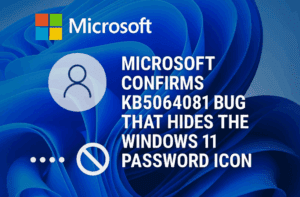
Microsoft Confirms KB5064081 Bug That Hides the Windows 11 Password Icon
There are moments in technology when something small creates a surprisingly big inconvenience, and the latest Windows 11 bug fits that description perfectly. This issue quietly started showing up after Microsoft released its optional...
Read More

Windows 11’s November 2025 Optional Update (KB5070311): A Deep Look at All 28 New Features and Fixes
Before we begin unfolding everything that Microsoft has packed into this update, let’s first set the scene. November has always been a month of anticipation for Windows users — partly because Microsoft usually pushes...
Read More

How to Properly Shut Down and Restart Your Computer: A Complete, Detailed Guide
Most of us use our computers every single day, yet the simple act of shutting them down is often misunderstood. Many people still hold the power button and force the machine to turn off...
Read More

Should You Remove pagefile.sys? The Real Story Behind Windows Virtual Memory
There’s a moment every Windows user experiences at least once: you open your C drive, enable hidden files, and suddenly notice a massive, mysterious file named pagefile.sys quietly sitting there. It’s huge, it looks...
Read More

Why Windows 11 Keeps Switching Back to Light Mode — And How PowerToys’ New Light Switch Feature May Be the Hidden Culprit
When you switch your Windows 11 PC to Dark Mode, the last thing you expect is for it to quietly revert back to Light Mode within a few minutes. It feels strange, sudden, and...
Read More
Why Windows 11 Feels Broken: Start Menu Trouble, Freezing Bugs, and Microsoft’s Missteps
Windows 11 was supposed to be the refined, modern operating system that fixed everything people disliked in Windows 10. But as time passes, it almost feels like the opposite is happening. Updates arrive with...
Read More

Whole-Disk Encryption vs Performance: The Truth No One Tells You
There’s a question people often ask when they hear about full-disk encryption for the first time: “Will it slow down my computer?”It’s a fair concern. We’ve all experienced moments where our devices felt sluggish...
Read More
🔧 Microsoft’s New Windows 11 Recovery Tools: A Deep Dive into Point-in-Time Restore & Cloud Rebuild
There are moments when a Windows PC suddenly stops behaving like the reliable companion we expect it to be. A bad driver, a broken update, or even a tiny misconfiguration can push the system...
Read More