If you’ve recently been watching YouTube and noticed a Hindi video suddenly playing in English—or an English video being dubbed into Hindi—it’s not your imagination. YouTube has quietly rolled out an auto-dubbing feature that...
Read More
How to Add YouTube to the Taskbar in Windows 11 for One-Click Access
Have you ever wished YouTube was just one click away on your Windows 11 taskbar—just like an app? If you’re someone who opens YouTube frequently, there’s a super simple trick to make it instantly...
Read More

How to Fix Microsoft Edge Not Opening or Responding in Windows: 5 Proven Solutions
If Microsoft Edge is not opening, freezing, or failing to respond on your Windows PC, you’re not alone. It’s a common issue faced by many Windows users, especially after updates or file corruption. In...
Read More
How to Create and Restore System Image Backups Using Macrium Reflect
When your computer fails to boot, crashes, or becomes unresponsive due to system errors, having a reliable system image backup can save you from a complete disaster. One of the best tools available for...
Read More
Beginner’s Guide to Using Chromebook Plus: A Mac User’s First Experience with Chrome OS
If you’ve grown up in the Apple ecosystem like many of us—typing away on a MacBook, editing in iMovie, and browsing in Safari—then switching to a Chromebook might feel like learning a new language....
Read More
5 Key Limitations of Chromebooks You Must Know Before Buying
Chromebooks are loved for their simplicity, speed, and affordability. But while they excel in many areas—especially for students, remote workers, and casual users—they do have some limitations that can affect your workflow depending on...
Read More
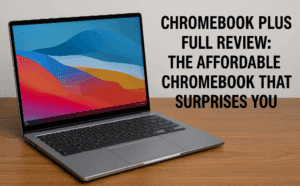
ChromeBook Plus Full Review: The Affordable Chromebook That Surprises You
If you’ve been scrolling through budget laptops recently, you’ve probably seen the name ComBook Plus pop up. From a distance, it might look like just another Chromebook, but after thoroughly testing it, I can...
Read More
How to Safely Delete and Recover Files on Windows 10/11 (Step-by-Step Guide)
Managing your digital files properly is an essential skill—whether you’re cleaning up clutter or recovering accidentally deleted documents. In this guide, we’ll walk you through the entire process of deleting files, recovering them from...
Read More

Best Information Technology (IT) Courses to Study in 2025 for a Future-Proof Career
Are you planning to launch or upgrade your tech career in 2025? The world of IT is evolving at lightning speed, and choosing the right course today can shape your future for years to...
Read More
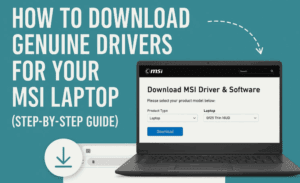
How to Download Genuine Drivers for Your MSI Laptop (Step-by-Step Guide)
If you’re using an MSI laptop and facing issues like missing drivers for Wi-Fi, Bluetooth, graphics, or audio — this guide is just what you need. It’s important to download drivers from official sources...
Read More
Reset Software Document Defaults – Don’t Let the Software Design for You
This article is a part of “The 12 Golden Rules of Desktop Publishing Every Designer Should Know“ You’ve chosen your fonts carefully, balanced your line lengths, added the right spacing, and picked a color...
Read More

Use More White Space – Give Your Design Room to Breathe
This article is a part of “The 12 Golden Rules of Desktop Publishing Every Designer Should Know“ In design, white space isn’t wasted space — it’s breathing space. It’s what gives your content clarity,...
Read More
Use Less Clip Art – Visuals Should Support, Not Distract
This article is a part of “The 12 Golden Rules of Desktop Publishing Every Designer Should Know“ Clip art can be charming, quirky, and even nostalgic — but when overused or misused, it can...
Read More
Use Frames, Boxes, and Borders with a Purpose – Don’t Box In Your Design
This article is a part of “The 12 Golden Rules of Desktop Publishing Every Designer Should Know“ Ever seen a flyer where everything is in a box? Maybe even boxes within boxes? It might...
Read More
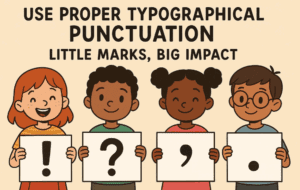
Use Proper Typographical Punctuation – Little Marks, Big Impact
This article is a part of “The 12 Golden Rules of Desktop Publishing Every Designer Should Know“ Imagine designing a beautifully laid-out magazine or brochure — only to fill it with straight quotes, hyphen...
Read More
Use All Caps with the Right Fonts – When Shouting Works (and When It Doesn’t)
This article is a part of “The 12 Golden Rules of Desktop Publishing Every Designer Should Know“ YOU’VE SEEN TEXT LIKE THIS, RIGHT?IT FEELS LIKE SOMEONE’S YELLING AT YOU. That’s the power — and...
Read More

Balance Line Length with Type Size – The Secret to Effortless Reading Flow
This article is a part of “The 12 Golden Rules of Desktop Publishing Every Designer Should Know“ Ever found yourself rereading a sentence multiple times, even though the words were simple? It might not...
Read More
Use Centered Text Sparingly – Just Because It’s Symmetrical Doesn’t Mean It Works
This article is a part of “The 12 Golden Rules of Desktop Publishing Every Designer Should Know“ Let’s be honest — centered text looks elegant at first glance. It’s symmetrical, formal, and feels… balanced....
Read More

Use Ragged-Right or Fully Justified Text Appropriately – It’s Not a Battle, It’s About Balance
This article is a part of “The 12 Golden Rules of Desktop Publishing Every Designer Should Know“ If you’ve ever had a debate about text alignment, you’re not alone. Some designers swear by justified...
Read More
Use Fewer Fonts – Mastering Typography with Simplicity
This article is a part of “The 12 Golden Rules of Desktop Publishing Every Designer Should Know“ If your design looks chaotic and cluttered, there’s a good chance it’s suffering from font overload. In...
Read More
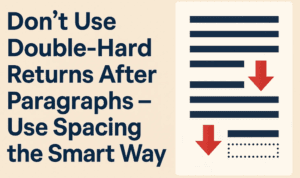
Don’t Use Double-Hard Returns After Paragraphs – Use Spacing the Smart Way
This article is a part of “The 12 Golden Rules of Desktop Publishing Every Designer Should Know“ If you’ve ever tapped the Enter key twice to create a gap between two paragraphs — you’re...
Read More