If your Windows 11 PC suddenly refuses to load webpages, drops Wi-Fi, or acts strangely with VPNs and proxies, resetting network settings can bring everything back to a clean, known-good state. In this friendly,...
Read More
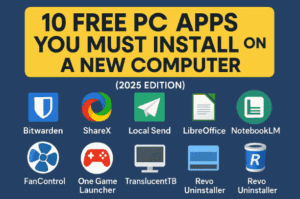
🖥️ 10 Free PC Apps You Must Install on a New Computer (2025 Edition)
So, you’ve just built or bought a brand-new PC and are wondering which free apps will make your setup more productive, efficient, and gamer-ready. Well, you’ve landed in the right place! In this guide,...
Read More

Can SteamOS Turn a $100 Trash PC Into a Gaming Machine? Full Experiment Explained
When it comes to PC gaming, Windows dominates the market with over 70% of gamers still using it. But a question that often comes up is—should we be using Windows at all? There are...
Read More

💻 Mac Mini M4 vs MacBook Air M4 vs Windows PC Build Under ₹60K – Which One Should You Buy in 2025?
When it comes to buying a new computer in 2025, the choices are more confusing than ever. On one side, Apple has released its Mac Mini M4 and MacBook Air M4, bringing powerful performance...
Read More
🖥️ The Ultimate Guide to Windows Customization in 2025: Tools, Tips, and Setups
Do you dream of a clean, organized, and visually stunning Windows desktop, but feel overwhelmed by the endless tutorials and customization apps out there? If so, you’re not alone. For every guide recommending one...
Read More

How to Build an Intranet for Your Business Using Google Sites
Every business reaches a point where documents, systems, and processes start to get scattered. You’ve got files in Google Drive, notes in different folders, and onboarding documents hiding in emails. That’s when the thought...
Read More
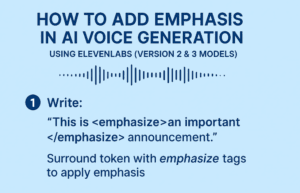
How to Add Emphasis in AI Voice Generation Using ElevenLabs (Version 2 & 3 Models)
AI-generated voices are becoming incredibly realistic, and tools like ElevenLabs are leading the way. But sometimes, when you generate speech from text, the result can feel a little flat. The voice may be natural,...
Read More
💻 The Best Free Alternatives to Expensive Software (Windows, macOS, and Linux)
The cost of living has been rising everywhere, and unfortunately, so has the cost of software. Many companies have moved away from one-time purchase models and now lock users into monthly or yearly subscriptions....
Read More
Compress Large Images to 100 KB or Less for Online Forms (Using Free Tools)
When filling out online forms for exams, jobs, or government services, one of the first and most common tasks is uploading a photo and a signature. But there’s always a catch — the platforms...
Read More
Best Completely Free Antivirus Tools for Windows 10 & 11 in 2025 (No Ads, No Trials, No Bloat)
Let’s face it—nothing ruins a good Windows experience faster than a bloated antivirus full of ads, constant popups, or a “free trial” that turns into a forced paid plan. In 2025, PC users deserve...
Read More

Android 16 Brings Native Linux Support with Full GPU Acceleration — A Complete Setup Guide
Android has reached a turning point. With Android 16, Google introduces a groundbreaking feature: native Linux support with GPU acceleration. This means your phone can now run a full Linux desktop environment, with GUI...
Read More
How to Change Your IP Address on Windows 11 and 10 (Step-by-Step Guide)
Have you ever wanted to change your IP address manually—maybe for troubleshooting, network customization, or simply gaining more control over your network settings? Whether you’re on Windows 10 or Windows 11, setting a static...
Read More
How to Recover Accidentally Uninstalled Programs on Windows 10 and 11 – A Complete Step-by-Step Guide
Have you ever uninstalled an application on your Windows PC, only to realize later that it was essential? It’s an easy mistake to make—whether you’re freeing up space, removing bloatware, or cleaning out rarely...
Read More
How to Boot Windows 11 into Safe Mode (2025 Guide): Step-by-Step for Beginners and Experts
If your Windows 11 PC is acting up, crashing, or running painfully slow — don’t panic. There’s a powerful built-in troubleshooting tool that can help you identify and fix issues: Safe Mode. Whether you’re...
Read More
How to Extend Your Windows Screen Wirelessly to Another Laptop or Desktop – Step-by-Step Guide
In today’s fast-paced digital workspaces, productivity is all about multitasking efficiently. If you’re someone who works in an office, is a student, or regularly manages tasks on a desktop or laptop, then toggling between...
Read More

Firefox 141 Brings On-Device AI and Major Security Fixes — Here’s Everything You Need to Know
Mozilla Firefox, the beloved privacy-focused browser, has just released version 141.0 — and it’s not just another minor update. This time, Firefox is stepping into the AI world with a new feature that’s smart,...
Read More
How to Enter BIOS in Windows 10/11 Without Knowing the BIOS Key (3 Easy Methods)
Accessing the BIOS (or UEFI firmware settings) on a Windows PC is essential for tasks like changing boot order, enabling virtualization, or checking hardware settings. But what if the BIOS key (like F2, Del,...
Read More
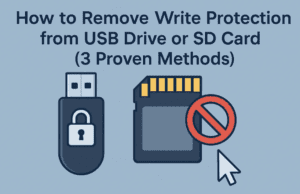
How to Remove Write Protection from USB Drive or SD Card (3 Proven Methods)
Have you ever tried to format or copy something to your USB drive or SD card, only to be hit with the frustrating message:“The disk is write protected”? Don’t worry—you’re not alone! This is...
Read More
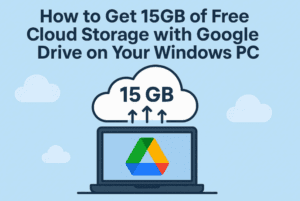
How to Get 15GB of Free Cloud Storage with Google Drive on Your Windows PC
If you’re constantly running out of storage on your laptop or want a reliable way to back up your documents, photos, and videos, Google Drive might just be the perfect solution. What makes it...
Read More

🔬 Inside a Desktop Computer: A 3D Dissection of Every Hardware Component Explained
Have you ever wondered what really goes on inside your desktop computer? This guide takes you on a detailed, step-by-step journey through a full desktop computer dissection — inspired by biology class dissections, but...
Read More

How to Enable or Disable Your Active Status on LinkedIn (Desktop Guide)
In today’s hyper-connected world, privacy matters more than ever—even on professional networks like LinkedIn. By default, LinkedIn shows your Active Status to others when you’re online. This feature allows your connections (or even all...
Read More